
Plugin
Updated
Wiloke Product Tab Furniture
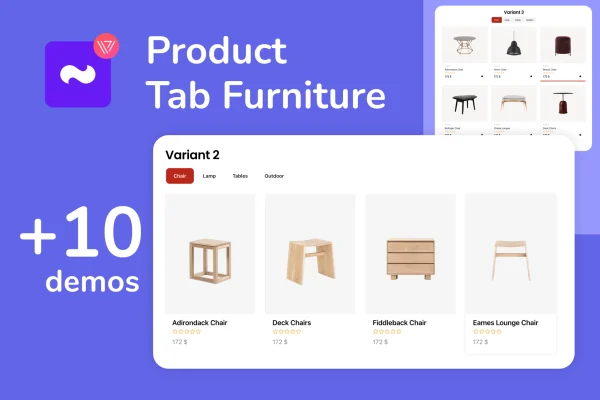
Wiloke Product Tab Furniture is an Elementor plugin by Wiloke for WooCommerce furniture stores. It lets you build product sections in tab, grid or masonry layouts, with category tabs that help shoppers browse by product type and see details like stock, pricing and reviews.
- Version
- 1.0.8
- Released
- May 2, 2023
- Type
- WordPress plugin
- Requires
- Elementor
- Licence
- GPL
- Included in
- Every plan, or $3.99 on its own
What’s new in Wiloke Product Tab Furniture 1.0.8
Version 1.0.8 · May 2, 2023
Latest
What it does
Furniture stores often carry many products across several categories, and long rows of items can push visitors into awkward horizontal scrolling. This plugin gives you an organized way to present those products on a page. Customers click category tabs to switch between groups of items, so they can find sofas, tables or chairs without hunting through one long list. Each product card can show inventory status, pricing, customer reviews, a wishlist option and quick view.
The plugin works inside the Elementor page builder, so you place and configure product sections visually without writing code. You pick a tab, grid or masonry layout, then adjust card spacing and widths for each layout to suit your design. The layouts are responsive and retina ready, adapting to desktops, tablets and phones. It fits store owners and designers building WooCommerce furniture sites who want tidy, category-based product displays on home or shop pages.
Best for
- WooCommerce furniture and home decor stores
- Elementor users building product-heavy shop pages
- Designers creating online stores for furniture retailers
Features
Three layout styles
Display furniture products in a tab, grid or masonry layout, choosing the arrangement that best suits each page section of your store.
Category tabs
Shoppers can switch between product categories using tabs, which keeps browsing organized and avoids the need for horizontal scrolling through items.
WooCommerce product details
Product cards can show inventory status, pricing and customer reviews, giving shoppers the information they need at a glance.
Wishlist and quick view
Cards include wishlist and quick view options so customers can save items or preview a product without leaving the current page.
Adjustable card settings
Control item spacing and card widths separately for each layout so the product display matches your site's branding and style.
Responsive, retina-ready design
Layouts adapt to different screen sizes and look sharp on high-resolution displays across desktops, tablets and mobile phones.
Built for Elementor
Set up and customize product sections inside the Elementor page builder using visual controls, with no coding knowledge required.
Questions about Wiloke Product Tab Furniture
Do I need Elementor to use this plugin?
Yes. The plugin works as part of the Elementor page builder, and you configure the product sections there. It is also designed for WooCommerce stores, since it pulls in product details such as pricing, stock status and reviews.
What layouts can I choose from?
You can display products in a tab, grid or masonry layout. Each layout has its own card settings for item spacing and width, so you can fine-tune how products appear in different sections of your site.
What product information appears on each card?
Product cards can show inventory status, pricing details and customer reviews. They also include wishlist and quick view options, letting shoppers save items or preview a product without opening its full page.
Will the product displays work on phones and tablets?
Yes. The layouts are responsive and adapt to desktops, tablets and mobile phones. The design is also retina ready, so product displays stay sharp on high-resolution screens.
Is Wiloke Product Tab Furniture free?
The code of Wiloke Product Tab Furniture is licensed under the GPL, so anyone may use, change and share it. GPL Feast is a paid service: a plan or a single purchase gives you the download and automatic updates. The developer's own support, licence key and online services are not included.
Which version of Wiloke Product Tab Furniture is this?
Version 1.0.8, released May 2, 2023. New versions appear here when the developer publishes them, and members get them as automatic updates.
How do I update Wiloke Product Tab Furniture?
Install the free GPL Feast Updater on your site and connect it with your API key. It installs new versions of Wiloke Product Tab Furniture automatically and keeps a backup, so you can roll back.
What does Wiloke Product Tab Furniture need?
Wiloke Product Tab Furniture needs Elementor installed and active.
You might also like






