
Plugin
Updated
Wiloke Progress Pie
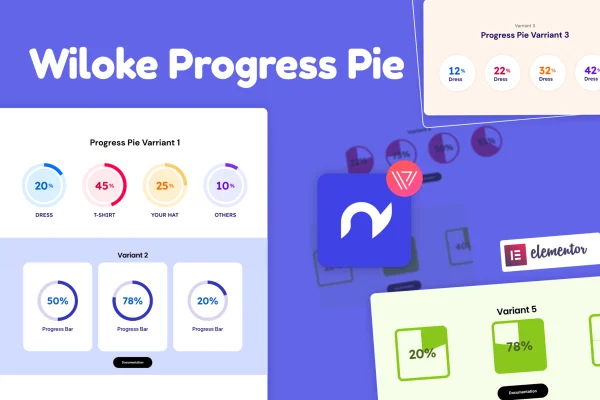
Wiloke Progress Pie is a WordPress plugin by Wiloke that adds animated progress pie charts to pages built with Elementor. It turns numbers like skill levels, project completion or team milestones into spinning circular charts you can style to match your site.
- Version
- 1.0.24
- Released
- May 2, 2023
- Type
- WordPress plugin
- Requires
- Elementor
- Licence
- GPL
- Included in
- Every plan, or $3.99 on its own
What’s new in Wiloke Progress Pie 1.0.24
Version 1.0.24 · May 2, 2023
Latest
What it does
Plain percentages in a paragraph are easy to skim past. A progress pie gives a number a visual shape, so a visitor can see at a glance that a project is 80 percent done or that a designer rates their skill highly. This plugin handles that job inside Elementor, so you can place a chart on a page without writing any code or embedding an outside charting tool.
You add the progress pie in the Elementor editor, set the value, and adjust colors and styles to fit your branding. The charts animate with a spinning effect and are responsive and retina ready, so they display sharply on desktops and phones. Common uses include portfolio skill sections, project milestone pages, team performance summaries and customer growth stats on business sites. Elementor is required.
Best for
- Freelancer and agency portfolios displaying skill levels
- Business sites reporting project milestones or team progress
- Elementor users who want visual stats without coding
Features
Animated pie charts
Each chart plays a smooth spinning animation that fills the pie to its value, giving static numbers a sense of motion on the page.
Built for Elementor
Add and adjust progress pies directly in the Elementor page builder, alongside your other page content, with no coding needed.
Custom colors and styles
Change the look of each pie chart so its colors and styling line up with your site's branding and overall design.
Responsive and retina ready
Charts adapt to different screen sizes and stay sharp on high resolution displays, from large desktop monitors down to smartphones.
Progress statistics display
Present project updates and progress figures in chart form so visitors can follow how work or goals are moving along.
Flexible use cases
Use the charts for individual task progress, company milestones, customer growth, skill levels or any other stat that fits a percentage.
Questions about Wiloke Progress Pie
Do I need Elementor to use this plugin?
Yes. The progress pies are added and customized inside the Elementor page builder, so Elementor must be active on your WordPress site for the plugin to work.
Can I match the charts to my brand colors?
Yes. The plugin lets you customize the colors and styles of each pie chart, so you can make them fit your site's branding and the rest of your page design.
Will the pie charts look right on mobile devices?
The charts are fully responsive and retina ready, so they resize for smaller screens and stay crisp on high resolution displays, including tablets and smartphones.
What kinds of information work well in a progress pie?
Anything you can express as a progress value works well, such as skill levels on a portfolio, project completion, task progress, company milestones, team performance or customer growth figures.
Is Wiloke Progress Pie free?
The code of Wiloke Progress Pie is licensed under the GPL, so anyone may use, change and share it. GPL Feast is a paid service: a plan or a single purchase gives you the download and automatic updates. The developer's own support, licence key and online services are not included.
Which version of Wiloke Progress Pie is this?
Version 1.0.24, released May 2, 2023. New versions appear here when the developer publishes them, and members get them as automatic updates.
How do I update Wiloke Progress Pie?
Install the free GPL Feast Updater on your site and connect it with your API key. It installs new versions of Wiloke Progress Pie automatically and keeps a backup, so you can roll back.
What does Wiloke Progress Pie need?
Wiloke Progress Pie needs Elementor installed and active.
You might also like






