
Plugin
Updated
Wiloke Workflow Envy
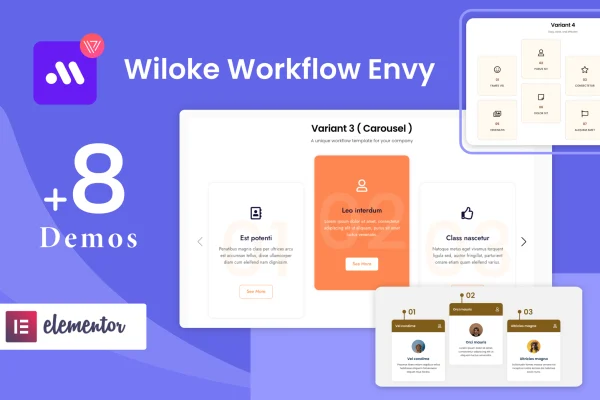
Wiloke Workflow Envy is a WordPress plugin by Wiloke that adds a workflow widget to Elementor. It lets you build process cards with numbered steps, headlines, descriptions and links, so visitors can follow how your service or project works from start to finish.
- Version
- 1.0.18
- Released
- May 2, 2023
- Type
- WordPress plugin
- Requires
- Elementor
- Licence
- GPL
- Included in
- Every plan, or $3.99 on its own
What’s new in Wiloke Workflow Envy 1.0.18
Version 1.0.18 · May 2, 2023
Latest
What it does
Many sites need to explain a sequence: how onboarding works, what happens after someone books a call, or the stages of a project. Writing that out as a block of text makes it hard to follow. This plugin gives you a dedicated Elementor widget for presenting those steps as cards, each with an ordinal number, a headline, an explanation and an optional link to more information. It requires Elementor, and everything is set up inside the Elementor editor without code.
You start from one of the included pre-designed process templates, which cover different presentation styles, then adjust the headings, descriptions, numbering, icons and links to fit your brand. Layouts are responsive and retina ready, so the cards display on desktops, tablets, phones and high-resolution screens. It fits naturally on service pages, about pages, landing pages and anywhere else a clear step-by-step breakdown helps visitors understand what to expect.
Best for
- Agencies explaining their project process to prospective clients
- Service businesses outlining onboarding or booking steps
- Freelancers building Elementor sites for clients
Features
Pre-designed process templates
Pick from a set of ready-made workflow templates in different styles, then adapt one to your content instead of designing process cards from scratch.
Numbered workflow cards
Each card holds an ordinal number, a headline, a detailed explanation and a link, giving every step of your process a consistent structure.
Editing inside Elementor
Arrange and customize your workflow layouts with the Elementor drag and drop interface, with no coding needed at any stage.
Customizable card elements
Change headings, descriptions, numbering, icons and links on each card so the workflow matches your branding and the way your business operates.
Responsive and retina ready
Workflow cards adapt to desktops, tablets and smartphones and stay sharp on high-resolution screens, so steps remain readable on any device.
Links to further information
Add a link to any step so visitors can jump to a related page, such as a service detail, booking form or documentation.
Questions about Wiloke Workflow Envy
Do I need Elementor to use this widget?
Yes. The plugin requires Elementor and works as a widget inside the Elementor editor. You add it to a page like any other Elementor widget and customize the workflow cards from there.
What can I put on each workflow card?
Each card includes an ordinal number, a headline, a detailed explanation and a link for further information. You can also customize icons, so every step can carry its own visual marker alongside the text.
Will the workflow cards look right on mobile devices?
The design is responsive and retina ready. Cards adjust to desktops, tablets and smartphones, and they display cleanly on high-resolution screens, so your process steps stay easy to read for every visitor.
Do I have to design the workflow layout myself?
No. The plugin includes pre-designed workflow process templates in a range of presentation styles. You choose one as a starting point, then edit the text, numbering, icons and links to suit your content.
Is Wiloke Workflow Envy free?
The code of Wiloke Workflow Envy is licensed under the GPL, so anyone may use, change and share it. GPL Feast is a paid service: a plan or a single purchase gives you the download and automatic updates. The developer's own support, licence key and online services are not included.
Which version of Wiloke Workflow Envy is this?
Version 1.0.18, released May 2, 2023. New versions appear here when the developer publishes them, and members get them as automatic updates.
How do I update Wiloke Workflow Envy?
Install the free GPL Feast Updater on your site and connect it with your API key. It installs new versions of Wiloke Workflow Envy automatically and keeps a backup, so you can roll back.
What does Wiloke Workflow Envy need?
Wiloke Workflow Envy needs Elementor installed and active.
You might also like






