
Plugin
Updated
Woo Search Box
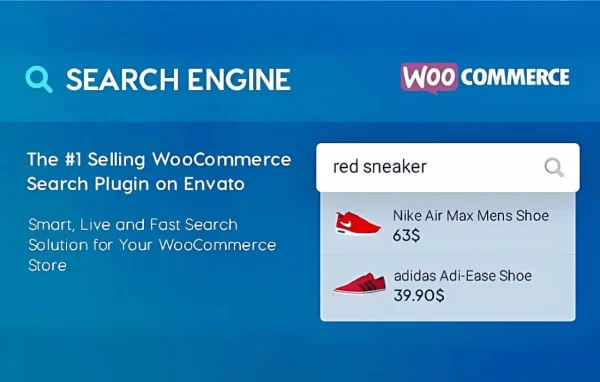
Woo Search Box by Guaven Labs is a WooCommerce plugin that replaces basic store search with a live, predictive search box. Results appear as shoppers type, drawing on product titles, descriptions, categories and tags so customers can find items in your catalog quickly.
- Version
- 2.3.3
- Released
- Jul 4, 2026
- Developer
- Guaven Labs
- Type
- WordPress plugin
- Requires
- WooCommerce
- Licence
- GPL
- Included in
- Every plan, or $6.39 on its own
What’s new in Woo Search Box 2.3.2
Version 2.3.2
Latest
- ImprovedWooCommerce 10.* version compatibility
What it does
The default WooCommerce search can feel slow and literal, and shoppers often give up when a query returns nothing useful. Woo Search Box tackles that by showing product results while the customer is still typing. It uses Ajax, so results update without a page reload, and it suggests matching products, categories and keywords as the query takes shape. Because it looks at titles, descriptions, categories and tags, shoppers have a better chance of landing on the right item even with a partial search term.
The plugin requires WooCommerce and sits inside your existing store. You can adjust the search box design and choose where it appears so it fits your branding. It indexes product variations and attributes, which helps stores that sell items in several sizes, colors or options. A search analytics dashboard shows what customers are looking for, giving you information to adjust product listings and promotions. The search box is responsive and works on phones as well as desktops, and a setup wizard walks you through the initial configuration.
Best for
- WooCommerce stores with large or growing product catalogs
- Shops selling products with many variations and attributes
- Store owners who want insight into customer search terms
Features
Live results as you type
Product results appear while the shopper is typing a query, so they can spot what they want without submitting a search and waiting for a new page.
Predictive suggestions
The search box suggests relevant products, categories and keywords as the query develops, guiding shoppers toward matching items in your catalog.
Ajax search without reloads
Search updates happen through Ajax, so the page stays in place and results refresh without a full reload while customers browse.
Customizable search box
Adjust the design and placement of the search box so it matches your store branding and sits where your customers expect to find it.
Search analytics dashboard
See what customers search for in your store and use those insights to adjust product listings, descriptions and promotions.
Variations and attributes indexed
The plugin indexes product variations and attributes, so shoppers searching for a specific option such as a size or color can find the right product.
Responsive on mobile
The search box is built to work on phones and tablets as well as desktops, giving mobile shoppers the same live search experience.
Setup wizard
A guided setup wizard helps you configure the search engine for your store without digging through settings on your own.
Woo Search Box older versions
- 2.3.2Jul 31, 2025
- 2.2.17Aug 13, 20231 new, 1 improvement
- 2.2.16Jun 27, 20231 improvement
- 2.2.15Jun 10, 2023
- 2.2.14Apr 18, 2023
Members and buyers of this product can download older versions.
Questions about Woo Search Box
Does Woo Search Box need WooCommerce?
Yes. Woo Search Box is built specifically for WooCommerce and requires it to be active on your site. It works with your WooCommerce product catalog, searching product titles, descriptions, categories and tags to return results.
Can shoppers find specific product variations like sizes or colors?
Yes. The plugin indexes product variations and attributes, so searches can match the options you have set up on variable products. This is helpful for stores that sell the same item in several versions.
Can I change how the search box looks?
You can customize both the design and the placement of the search box. That lets you match it to your store branding and put it in the spot on your pages where it makes the most sense for your customers.
Will I be able to see what customers are searching for?
Yes. The plugin includes a search analytics dashboard that shows customer search behavior. You can use that information to spot popular queries and adjust your product listings and promotions accordingly.
Is Woo Search Box free?
The code of Woo Search Box is licensed under the GPL, so anyone may use, change and share it. GPL Feast is a paid service: a plan or a single purchase gives you the download and automatic updates. The developer's own support, licence key and online services are not included.
Which version of Woo Search Box is this?
Version 2.3.3, released Jul 4, 2026. New versions appear here when the developer publishes them, and members get them as automatic updates.
How do I update Woo Search Box?
Install the free GPL Feast Updater on your site and connect it with your API key. It installs new versions of Woo Search Box automatically and keeps a backup, so you can roll back.
What does Woo Search Box need?
Woo Search Box needs WooCommerce installed and active.
You might also like






