
Plugin
Updated
Woo Upload Files
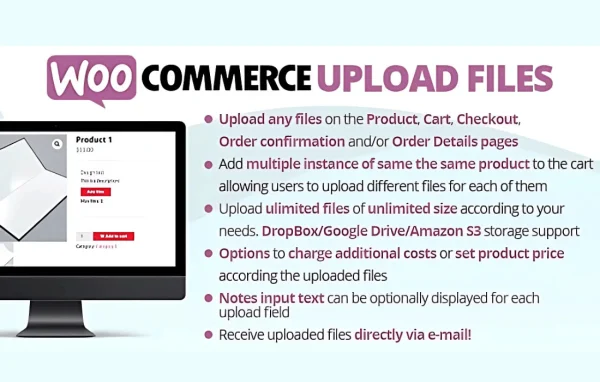
WooCommerce Upload Files by Lagudi is a WooCommerce plugin that lets customers upload files straight to their orders. Shoppers can send images, PDFs and documents from product or checkout pages, and each file stays linked to the order it belongs to.
- Version
- 88.6
- Released
- Jul 4, 2026
- Developer
- Lagudi
- Type
- WordPress plugin
- Requires
- WooCommerce
- Licence
- GPL
- Included in
- Every plan, or $3.99 on its own
What’s new in Woo Upload Files 88.6
Version 88.6 · Jul 4, 2026
Latest
What it does
Stores that sell personalized or made-to-order products need artwork, photos or instructions from the buyer. Collecting those files by email gets messy, and matching attachments to orders takes time. This plugin moves the upload into the buying process itself. Customers add their files on the product page or at checkout, and the plugin attaches each one to the matching order so you have everything in one place when you start fulfillment.
You can set up upload fields globally or per product, so only the items that need customer files ask for them. Limits on file size and number of uploads keep submissions manageable, and email notifications tell you when new files arrive. Customers can drag and drop or browse to upload on desktop or mobile, and setup needs no coding. WooCommerce is required.
Best for
- Print shops taking customer artwork
- Custom merchandise and personalized product stores
- WooCommerce stores that need client documents with orders
Features
Uploads on product or checkout
Customers can upload files directly on product pages or during checkout, so the files they send arrive together with the order they place.
Multiple file types
Accepts images, PDFs, documents and other file types, which suits personalized products, custom prints and client documentation.
Files linked to orders
Each uploaded file is automatically attached to the relevant order, which makes it easier to see what belongs where during processing.
Per product or global fields
Configure upload fields for specific products or across the whole store, depending on which items need customer input.
File size and quantity limits
Set a maximum file size and a maximum number of uploads to keep customer submissions under control and easier to handle.
Drag and drop uploading
Customers can drag and drop files or browse their device to select them, keeping the upload step simple for buyers of any skill level.
Email alerts for uploads
Receive an email notification whenever a customer uploads files, so you know when new material is ready to review.
Works on mobile devices
The upload interface is responsive, so customers can send files from a phone or tablet as well as from a desktop computer.
Woo Upload Files older versions
- 88.5Jun 11
- 88.4Apr 24
- 88.3Mar 4
- 88.2Feb 20
- 88.1Feb 13
- 88.0Oct 3, 2025
- 87.9Jul 15, 2025
- 87.8Jun 27, 2025
- 87.6Jun 24, 2025
- 87.5May 20, 2025
Members and buyers of this product can download older versions.
129 older versions in all. If you need one that is not listed, ask support.
Questions about Woo Upload Files
Can I require uploads only on certain products?
Yes. Upload fields can be configured per product or globally. That means you can add file uploads only to the items that need customer artwork or documents, and leave the rest of your catalog unchanged.
What kinds of files can customers upload?
The plugin accepts images, PDFs, documents and other file types. You can also set limits on the maximum file size and the number of files a customer can upload, which helps keep submissions manageable.
How do I know when a customer has uploaded a file?
The plugin sends email notifications whenever customers upload files. Each file is also linked to its order automatically, so you can find it alongside the rest of the order details when you process it.
Does it need WooCommerce?
Yes. It is built for WooCommerce and requires it to be active. Uploads happen on WooCommerce product and checkout pages, and the files are attached to WooCommerce orders.
Is Woo Upload Files free?
The code of Woo Upload Files is licensed under the GPL, so anyone may use, change and share it. GPL Feast is a paid service: a plan or a single purchase gives you the download and automatic updates. The developer's own support, licence key and online services are not included.
Which version of Woo Upload Files is this?
Version 88.6, released Jul 4, 2026. New versions appear here when the developer publishes them, and members get them as automatic updates.
How do I update Woo Upload Files?
Install the free GPL Feast Updater on your site and connect it with your API key. It installs new versions of Woo Upload Files automatically and keeps a backup, so you can roll back.
What does Woo Upload Files need?
Woo Upload Files needs WooCommerce installed and active.
You might also like






