Plugin
Updated
WooCommerce AfterShip
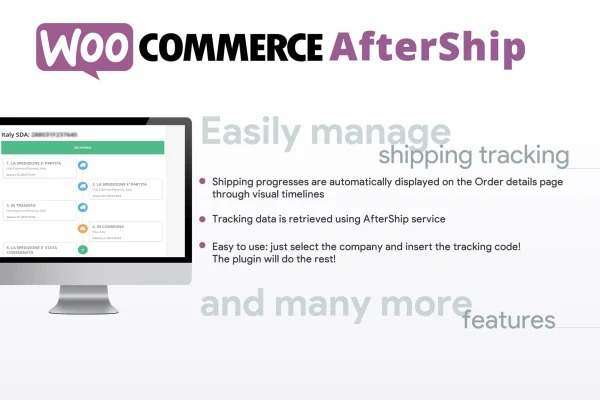
WooCommerce AfterShip is a WordPress plugin that brings AfterShip shipment tracking into your WooCommerce store. You add tracking numbers to orders, and the plugin fetches shipping statuses and shows them to customers as a progress timeline on their order details page.
- Version
- 9.4
- Released
- Mar 5, 2024
- Developer
- Vanquish
- Type
- WordPress plugin
- Requires
- WooCommerce
- Licence
- GPL
- Included in
- Every plan, or $3.99 on its own
What’s new in WooCommerce AfterShip 9.4
Version 9.4 · Mar 5, 2024
Latest
- ImprovedCurrier list updated
What it does
Customers who can't see where their package is tend to email the store, and answering those messages one by one takes time. This plugin connects your shop to AfterShip's tracking network using your AfterShip API key. The short description says it syncs with over 500 carriers, so you can pick the courier that matches each shipment. Once a tracking number is saved, the plugin keeps the status updated on its own, which means fewer repetitive questions about order status.
The work happens inside the WooCommerce order details page you already use. Admins enter the courier and tracking number there, and the plugin handles the rest by pulling in status changes and showing them on the customer's order page as a visual timeline. For stores that want tracking available elsewhere, the [wcafw_order_status] shortcode places an order tracking form on any page, so visitors can look up their order status without opening their account. It requires WooCommerce.
Best for
- WooCommerce stores shipping physical products
- Shops using several courier companies
- Store owners fielding frequent where-is-my-order emails
Features
Visual shipping timelines
Shows a clear progress timeline on the order details page so customers can follow each stage of their package's journey.
AfterShip API connection
Connect the store to AfterShip's tracking network by entering your AfterShip API key, with no complex configuration required.
Multiple courier support
Choose from a wide range of shipping providers when adding tracking, with syncing to over 500 carriers according to the product description.
Tracking input in admin orders
Store admins enter and manage shipment tracking details directly on the WooCommerce order details page during fulfillment.
Automatic status updates
The plugin fetches the latest shipment status on its own, so customers see current information without anyone updating it by hand.
Customer order page display
Customers view real-time tracking information and the shipment timeline right on their order details page after purchase.
Tracking form shortcode
The [wcafw_order_status] shortcode embeds a customizable order tracking form on any page so visitors can check their order status.
WooCommerce AfterShip older versions
- 9.3Oct 17, 20231 improvement
- 9.2May 5, 20231 fix
Members and buyers of this product can download older versions.
Questions about WooCommerce AfterShip
Do I need an AfterShip account to use this plugin?
Yes. The plugin connects to AfterShip's tracking network through an AfterShip API key, which you enter in the plugin settings. That connection is what lets it pull shipment statuses from carriers and show them in your store.
Where do my customers see their tracking information?
Tracking appears on the customer's order details page as a visual progress timeline with the latest status. You can also add the [wcafw_order_status] shortcode to any page to give visitors an order tracking form.
Do I have to update shipping statuses manually?
No. After you enter the courier and tracking number on the WooCommerce order details page, the plugin fetches status updates automatically and keeps the customer's view current without manual input.
Which carriers can I track shipments with?
The plugin supports multiple courier companies through AfterShip, and the product description states it syncs with over 500 carriers. You choose the relevant provider when adding tracking to an order.
Is WooCommerce AfterShip free?
The code of WooCommerce AfterShip is licensed under the GPL, so anyone may use, change and share it. GPL Feast is a paid service: a plan or a single purchase gives you the download and automatic updates. The developer's own support, licence key and online services are not included.
Which version of WooCommerce AfterShip is this?
Version 9.4, released Mar 5, 2024. New versions appear here when the developer publishes them, and members get them as automatic updates.
How do I update WooCommerce AfterShip?
Install the free GPL Feast Updater on your site and connect it with your API key. It installs new versions of WooCommerce AfterShip automatically and keeps a backup, so you can roll back.
What does WooCommerce AfterShip need?
WooCommerce AfterShip needs WooCommerce installed and active.
More from Vanquish