Plugin
Updated
WooCommerce Out of Stock! Manager
WooCommerce Out of Stock! Manager is a WordPress plugin for stores running WooCommerce. It lets you set low stock warning levels globally or per product, variation or category, sends email alerts to your team, and lets you rewrite the stock messages shoppers see.
- Version
- 4.8
- Released
- Nov 17, 2023
- Developer
- Vanquish
- Type
- WordPress plugin
- Requires
- WooCommerce
- Licence
- GPL
- Included in
- Every plan, or $3.99 on its own
What’s new in WooCommerce Out of Stock! Manager 4.8
Version 4.8
Latest
- ImprovedMinor improvements
What it does
WooCommerce gives you a single low stock setting, which rarely fits every item in a catalog. A fast seller and a slow seller need different warning points. This plugin lets you set a default threshold for everything, then override it for individual products, specific variations or whole categories. When stock reaches a warning level, email notifications go out to as many recipients as you choose, so the people who reorder inventory hear about it in time.
The plugin also controls what customers read on product pages. You can edit the in stock and out of stock labels and write custom messages for stock above or below your thresholds. Stores that run WPML can translate these messages for each language. Stock quantities can be updated from the WordPress dashboard, and a setup wizard walks admins through configuring thresholds and messages without technical knowledge.
Best for
- WooCommerce stores with products that sell at different rates
- Shops with variable products needing per-variation stock warnings
- Multilingual WooCommerce stores using WPML
Features
Per product stock thresholds
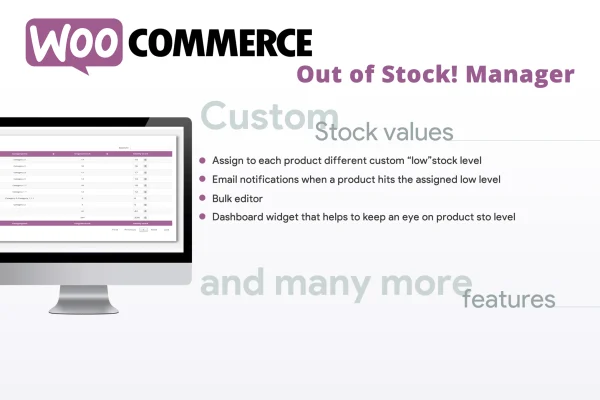
Assign a custom low stock warning level to a single product, a specific variation or an entire category, so alerts match how each item actually sells.
Default warning level
Set one store-wide low stock threshold that applies to every product without its own custom rule, keeping notifications consistent across the catalog.
Email alerts to multiple recipients
Send automatic email notifications to several people when stock reaches a warning level, so purchasing and store staff can restock before items run out.
Editable stock status text
Change the in stock and out of stock labels on product pages and add custom messages for stock levels above or below your thresholds.
WPML translation support
Translate stock status messages with WPML so shoppers on multilingual WooCommerce stores see availability text in their own language.
Dashboard stock editing
Update stock quantities for your products from the WordPress dashboard instead of opening each product edit screen one at a time.
Guided setup wizard
A setup wizard and simple controls help store admins configure thresholds and stock messages without needing coding or technical experience.
Questions about WooCommerce Out of Stock! Manager
Can I set different low stock levels for different products?
Yes. You can set a custom threshold for an individual product, a single variation of a variable product or a whole category. Anything without its own rule falls back to the default warning level you set for the store.
Who receives the low stock emails?
You choose the recipients. The plugin can send automatic email notifications to multiple addresses when stock reaches a warning level, so several team members can be kept informed at once.
Can I change the stock messages customers see?
Yes. You can edit the in stock and out of stock labels on product pages and write custom messages that appear when stock is above or below your set thresholds. With WPML, these messages can also be translated.
Does it require WooCommerce?
Yes. The plugin is built for WooCommerce stores and works with WooCommerce products, variations and categories, so WooCommerce needs to be active on your site.
Is WooCommerce Out of Stock! Manager free?
The code of WooCommerce Out of Stock! Manager is licensed under the GPL, so anyone may use, change and share it. GPL Feast is a paid service: a plan or a single purchase gives you the download and automatic updates. The developer's own support, licence key and online services are not included.
Which version of WooCommerce Out of Stock! Manager is this?
Version 4.8, released Nov 17, 2023. New versions appear here when the developer publishes them, and members get them as automatic updates.
How do I update WooCommerce Out of Stock! Manager?
Install the free GPL Feast Updater on your site and connect it with your API key. It installs new versions of WooCommerce Out of Stock! Manager automatically and keeps a backup, so you can roll back.
What does WooCommerce Out of Stock! Manager need?
WooCommerce Out of Stock! Manager needs WooCommerce installed and active.
More from Vanquish