
Plugin
Updated
WooCommerce Availability Scheduler
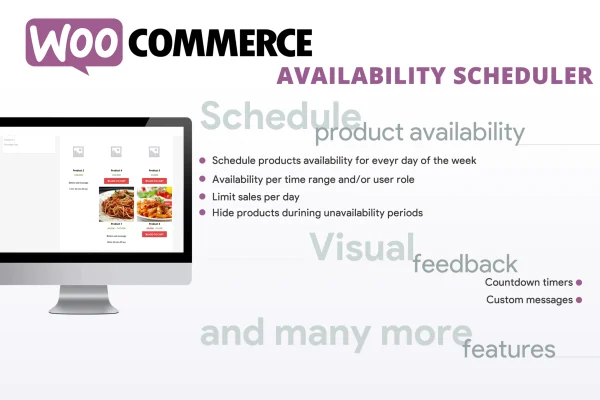
WooCommerce Availability Scheduler is a plugin for WooCommerce stores that controls when products can be purchased. You set time ranges for each day of the week, and the plugin shows or hides the Add to Cart button on its own, with messages and countdowns telling shoppers when items return.
- Version
- 12.6
- Released
- Jun 25, 2025
- Type
- WordPress plugin
- Requires
- WooCommerce
- Licence
- GPL
- Included in
- Every plan, or $3.99 on its own
What’s new in WooCommerce Availability Scheduler 12.6
Version 12.6 · Jun 25, 2025
Latest
- FixedFixed an issue related to the Role restrictions setting that were not copied when assigned to multiple days
What it does
Some products only make sense to sell at certain times. A restaurant may take meal orders during service hours, and a shop running a limited-time offer needs items to open and close on schedule. Doing this by hand means toggling products on and off every day. This plugin automates it: you define daily time windows for each product, and outside those windows the Add to Cart button is hidden so customers cannot place orders you are not ready to fill.
Settings live in a metabox on each product's edit page, so no coding is needed. For larger catalogs, a bulk scheduler applies the same rules to many products at once. You can also cap how many units of a product sell per day, which suits limited batches or daily specials. When an item is unavailable, custom messages and live countdown timers on product and shop pages let shoppers know when they can buy it. The plugin requires WooCommerce.
Best for
- Restaurants and food shops selling during set hours
- Stores running limited-time or limited-quantity offers
- WooCommerce shops managing daily stock or production caps
Features
Day and time scheduling
Set specific time ranges for each day of the week when a product can be purchased, so your store matches your opening or service hours.
Automatic Add to Cart control
The Add to Cart button is shown or hidden automatically based on each product's schedule, which helps prevent orders outside your selling windows.
Custom unavailability messages
Display your own message on product and shop pages when an item is not available, so customers understand why they cannot buy it right now.
Live countdown timers
Show a countdown on product and shop pages that tells shoppers how long until an unavailable item can be purchased again.
Daily sales limits
Cap the total number of units of a product sold each day, useful for limited batches, daily specials or controlling how much you commit to.
Bulk availability scheduler
Apply scheduling rules to multiple products at once through a bulk editor instead of opening and editing each product individually.
Product page metabox
Configure availability directly on each product's edit screen with a simple settings box that requires no coding knowledge.
Responsive messages
Availability messages and countdown timers are built to display properly across desktop, tablet and mobile screens.
Questions about WooCommerce Availability Scheduler
Can I set different hours for different days of the week?
Yes. Each product can have its own time ranges for each day of the week, so you might sell an item in the morning on weekdays and at different hours on weekends. Outside those ranges, the Add to Cart button is hidden automatically.
What do customers see when a product is unavailable?
They see a custom message that you write, and you can also show a live countdown timer on product and shop pages. Together these tell shoppers the item is currently unavailable and when they will be able to buy it again.
Do I have to schedule every product one by one?
No. You can configure a single product from the metabox on its edit page, or use the bulk availability scheduler to apply the same rules to many products at once, which saves time on larger catalogs.
Can I limit how many of a product sell each day?
Yes. The plugin includes a daily sales limit for each product. Once the set number of units has sold that day, the product stops being purchasable, which works well for limited batches, daily specials or capped production.
Is WooCommerce Availability Scheduler free?
The code of WooCommerce Availability Scheduler is licensed under the GPL, so anyone may use, change and share it. GPL Feast is a paid service: a plan or a single purchase gives you the download and automatic updates. The developer's own support, licence key and online services are not included.
Which version of WooCommerce Availability Scheduler is this?
Version 12.6, released Jun 25, 2025. New versions appear here when the developer publishes them, and members get them as automatic updates.
How do I update WooCommerce Availability Scheduler?
Install the free GPL Feast Updater on your site and connect it with your API key. It installs new versions of WooCommerce Availability Scheduler automatically and keeps a backup, so you can roll back.
What does WooCommerce Availability Scheduler need?
WooCommerce Availability Scheduler needs WooCommerce installed and active.
You might also like






