
Plugin
Updated
WooCommerce Bulk Product Editor
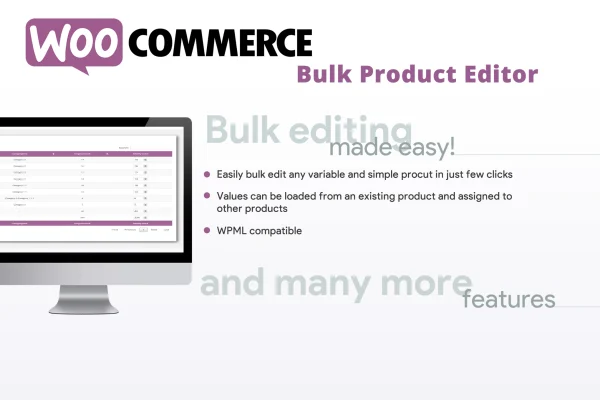
WooCommerce Bulk Product Editor is a plugin for WooCommerce stores that lets you change product data across many items in one pass. It handles simple products, variable products and their individual variations, so you can adjust prices, categories, tags, shipping details and other standard fields without opening each product one by one.
- Version
- 3.0
- Released
- Jan 9, 2026
- Type
- WordPress plugin
- Requires
- WooCommerce
- Licence
- GPL
- Included in
- Every plan, or $3.99 on its own
What’s new in WooCommerce Bulk Product Editor 3.0
Version 3.0
Latest
- SecuritySecurity improvement.
What it does
Editing products one at a time gets slow once a catalog grows. A seasonal price change or a category cleanup can mean opening dozens or hundreds of product screens and repeating the same edits, with plenty of room for mistakes along the way. This plugin gives you a single bulk editor where you pick the products you want to change and apply updates to all of them together, which keeps your product information consistent.
The editor sits inside the WooCommerce menu in your dashboard, so it works alongside your existing store setup. It covers simple and variable products, including individual variations. Prices can be set to a fixed value or raised and lowered by a percentage or a fixed amount. You can also assign or change categories and tags in bulk, and an import option copies values from an existing product onto others so you avoid typing the same data repeatedly. WooCommerce is required.
Best for
- WooCommerce stores with large product catalogs
- Store managers running frequent price changes
- Shops selling many variable products with variations
Features
Bulk edit standard product data
Update prices, categories, tags, shipping attributes and other standard product fields across many products at the same time instead of editing each one separately.
Simple and variable products
Work with simple products and variable products alike, including individual variations, so price and data changes can reach every part of your catalog.
Import values from existing products
Copy product data from any existing item and apply it to other products, keeping bulk updates consistent without entering the same values again.
Flexible price adjustments
Set prices to a fixed value, or increase and decrease them by a percentage or a fixed amount across all selected products.
Bulk category and tag changes
Assign or change product categories and tags for many products at once to keep your store organized and products easier to browse.
Editor inside the WooCommerce menu
Open the quick editor directly from the WooCommerce menu in your dashboard, so bulk changes happen where you already manage your store.
Questions about WooCommerce Bulk Product Editor
Can I edit individual variations of variable products?
Yes. The plugin supports both simple and variable products, and it can work with the individual variations of a variable product. That means you can apply price or data changes to variations in bulk rather than opening each parent product to edit them.
How do price changes work?
You can set a fixed price for the selected products, or raise or lower existing prices by a percentage or by a fixed amount. This makes it practical to apply a store-wide markdown or a price increase across many items in one step.
What does the import values option do?
It lets you pick an existing product and copy its data onto other products. This helps when several items should share the same settings, since you set the values once and apply them to the rest without retyping anything.
Does it need WooCommerce?
Yes. The plugin is built for WooCommerce and requires it. The bulk editor is added to the WooCommerce menu in your WordPress dashboard and works with your store's existing products.
Is WooCommerce Bulk Product Editor free?
The code of WooCommerce Bulk Product Editor is licensed under the GPL, so anyone may use, change and share it. GPL Feast is a paid service: a plan or a single purchase gives you the download and automatic updates. The developer's own support, licence key and online services are not included.
Which version of WooCommerce Bulk Product Editor is this?
Version 3.0, released Jan 9, 2026. New versions appear here when the developer publishes them, and members get them as automatic updates.
How do I update WooCommerce Bulk Product Editor?
Install the free GPL Feast Updater on your site and connect it with your API key. It installs new versions of WooCommerce Bulk Product Editor automatically and keeps a backup, so you can roll back.
What does WooCommerce Bulk Product Editor need?
WooCommerce Bulk Product Editor needs WooCommerce installed and active.
You might also like






