
Plugin
Updated
WooCommerce Cheapest & Most Expensive Product Promotions!
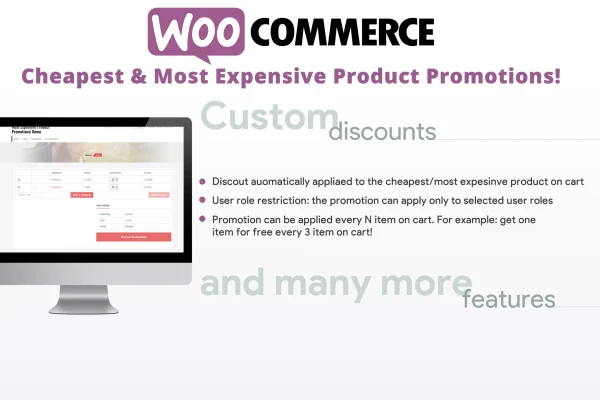
This WooCommerce plugin lets you run promotions that discount either the cheapest or the most expensive product in a customer's cart. You choose the discount percentage and the conditions that trigger it, and the plugin finds the qualifying product and applies the saving at checkout.
- Version
- 3.7
- Released
- Aug 25, 2026
- Type
- WordPress plugin
- Requires
- WooCommerce
- Licence
- GPL
- Included in
- Every plan, or $3.99 on its own
What’s new in WooCommerce Cheapest & Most Expensive Product Promotions! 3.7
Version 3.7
Latest
- ImprovedUpdated internal libraries
What it does
Many store owners want offers like a discount on the lowest priced item when someone buys several products, or a deal on the priciest item once the cart reaches a certain total. Setting that up by hand is fiddly. This plugin handles it for you. It checks the cart, picks out the cheapest or most expensive product (or the one within a product selection you define) and applies your chosen percentage off, up to a full discount.
Promotions can be triggered by the cart total or by the presence of specific products in the cart. The discount shows up as a cart fee, so shoppers can see what they are saving on the checkout page. Discounts can take product quantity into account, and only one promotion applies per qualifying product, which keeps offers from stacking. Everything is configured from an admin screen, with no coding needed. WooCommerce is required.
Best for
- WooCommerce stores running buy more, save more offers
- Shops wanting to move slow-selling or surplus inventory
- Store managers who prefer setting promotions without code
Features
Automatic product detection
The plugin identifies the cheapest or most expensive product in the cart on its own, so the right item gets the discount without manual checks.
Custom product selection
Limit the promotion to a set of products you choose, and the plugin finds the cheapest or most expensive item within that group.
Any discount percentage
Set the discount to whatever percentage suits the campaign, from a small saving all the way to a full discount on the qualifying product.
Cart total or product triggers
Activate a promotion when the cart reaches a set total or when specific products are in the cart, so offers only run under your conditions.
Quantity-based discounts
Discounts can be calculated according to how many units of the qualifying product are in the cart, which suits offers aimed at larger orders.
Discount shown as cart fee
The saving appears as a cart fee on the checkout page, giving shoppers a clear view of the discount they are getting on their order.
One promotion per product
Only one promotion applies to each qualifying cheapest or most expensive product, which prevents conflicting or stacked discounts at checkout.
No-code admin settings
Create and manage promotions from a straightforward admin interface without writing any code or editing theme files.
Questions about WooCommerce Cheapest & Most Expensive Product Promotions!
Can I give the cheapest item away for free?
Yes. You can set any discount percentage, including a full discount, so the cheapest or most expensive qualifying product can be offered at no charge when the promotion conditions are met.
What can trigger a promotion?
A promotion can be triggered by the cart total or by specific products being in the cart. That lets you run offers that only apply once a customer spends a certain amount or adds particular items.
How do customers see the discount?
The discount is applied automatically and displayed as a cart fee on the checkout page. Shoppers do not need to enter anything, and they can see the saving listed clearly with the rest of their order.
Can discounts stack on the same product?
No. Only one promotion applies per qualifying cheapest or most expensive product. This keeps multiple offers from combining on a single item and keeps your pricing predictable.
Is WooCommerce Cheapest & Most Expensive Product Promotions! free?
The code of WooCommerce Cheapest & Most Expensive Product Promotions! is licensed under the GPL, so anyone may use, change and share it. GPL Feast is a paid service: a plan or a single purchase gives you the download and automatic updates. The developer's own support, licence key and online services are not included.
Which version of WooCommerce Cheapest & Most Expensive Product Promotions! is this?
Version 3.7, released Aug 25, 2026. New versions appear here when the developer publishes them, and members get them as automatic updates.
How do I update WooCommerce Cheapest & Most Expensive Product Promotions!?
Install the free GPL Feast Updater on your site and connect it with your API key. It installs new versions of WooCommerce Cheapest & Most Expensive Product Promotions! automatically and keeps a backup, so you can roll back.
What does WooCommerce Cheapest & Most Expensive Product Promotions! need?
WooCommerce Cheapest & Most Expensive Product Promotions! needs WooCommerce installed and active.
You might also like






