
Plugin
Updated
WooCommerce Dashboard Widgets Stats
WooCommerce Dashboard Widgets Stats is a WordPress plugin that places sales and performance statistics as widgets on your admin dashboard. It turns WooCommerce order data into charts and reports, so store owners and their teams can check sales, top products, refunds and payment methods without opening separate report screens.
- Version
- 6.0
- Released
- Aug 25, 2026
- Type
- WordPress plugin
- Requires
- WooCommerce
- Licence
- GPL
- Included in
- Every plan, or $3.99 on its own
What’s new in WooCommerce Dashboard Widgets Stats 6.0
Version 6.0
Latest
- FixedFixed some issue related to the display without tax option.
What it does
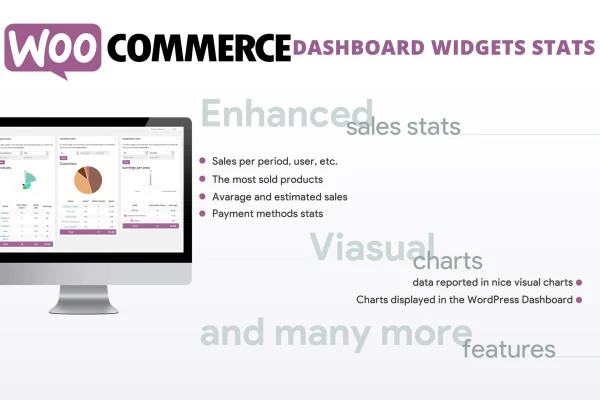
Running a shop means checking numbers often, and digging through report pages every time you want a quick look at sales gets tiresome. This plugin requires WooCommerce and puts the figures you check most right on the WordPress dashboard. You can see sales charts by time period, user and product, a list of top selling products, payment method breakdowns, refund statistics and earnings summaries, all as widgets you see as soon as you log in.
The widgets are built around how WooCommerce stores are set up. Stats work with variable products, so you can look at individual variations instead of only the parent product, and an item tags chart shows how products under each tag are performing. User role restrictions let you decide which roles can see which widgets, which helps when staff members need some figures but should not see everything. It suits small shops and larger stores that want a central view of sales.
Best for
- WooCommerce store owners who check sales daily
- Shops with staff needing limited access to sales data
- Stores selling many variable products
Features
Visual sales charts
View sales data in charts broken down by time period, by user and by product, making it easier to spot trends and busy periods in your store.
Top selling products
A dashboard widget lists your most popular products, giving you a quick reference when planning stock levels or deciding what to promote.
Payment methods analytics
See statistics on which payment options your customers choose, so you can keep an eye on how transactions are split across your available methods.
Refund statistics
Track refunds from the dashboard to notice patterns or recurring problems with particular orders or products before they grow.
User role restrictions
Control widget visibility by user role, so team members only see the sales data that is relevant to their job.
Variable product support
Stats cover individual product variations, giving you a more detailed picture of which sizes, colors or options are selling.
Item tags chart
Analyze performance by product tag to see how tagged groups of products sell, which can inform categorization and promotions.
Earnings and sales reports
Access earnings summaries and sales reports directly on the dashboard for a quick financial overview of your shop.
Questions about WooCommerce Dashboard Widgets Stats
Does this plugin need WooCommerce?
Yes. The plugin requires WooCommerce, since all of its charts and widgets are built from your WooCommerce sales, order, refund and product data and are shown on the WordPress admin dashboard.
Can I stop some team members from seeing sales figures?
Yes. User role restrictions let you choose which user roles can view specific dashboard widgets. That way shop managers or other staff can see the stats they need while sensitive figures stay limited to the people you choose.
Will it show stats for product variations?
It does. The plugin supports variable products and can show statistics for individual variations, so you can see which specific options of a product are selling instead of only seeing totals for the parent product.
What kinds of statistics appear on the dashboard?
You get sales charts by time period, user and product, top selling products, payment method stats, refund statistics, an item tags chart, and earnings and sales reports, all displayed as widgets on the admin dashboard.
Is WooCommerce Dashboard Widgets Stats free?
The code of WooCommerce Dashboard Widgets Stats is licensed under the GPL, so anyone may use, change and share it. GPL Feast is a paid service: a plan or a single purchase gives you the download and automatic updates. The developer's own support, licence key and online services are not included.
Which version of WooCommerce Dashboard Widgets Stats is this?
Version 6.0, released Aug 25, 2026. New versions appear here when the developer publishes them, and members get them as automatic updates.
How do I update WooCommerce Dashboard Widgets Stats?
Install the free GPL Feast Updater on your site and connect it with your API key. It installs new versions of WooCommerce Dashboard Widgets Stats automatically and keeps a backup, so you can roll back.
What does WooCommerce Dashboard Widgets Stats need?
WooCommerce Dashboard Widgets Stats needs WooCommerce installed and active.
You might also like






