
Plugin
Updated
WooCommerce Delivery Time Slots
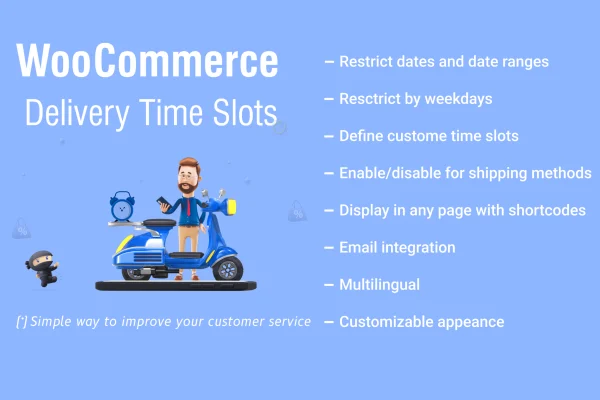
WooCommerce Delivery Time Slots is a WordPress plugin that adds delivery time selection to your WooCommerce checkout. Shoppers choose the window that suits them, and you control which days, hours and how many orders each slot can take.
- Version
- 2.1.2
- Released
- Sep 3, 2025
- Type
- WordPress plugin
- Requires
- WooCommerce
- Licence
- GPL
- Included in
- Every plan, or $3.99 on its own
What’s new in WooCommerce Delivery Time Slots 2.1.2
Version 2.1.2 · Sep 3, 2025
Latest
What it does
Local delivery gets messy when customers have no say in when orders arrive. Drivers show up to empty homes, and busy hours fill up with more orders than your team can handle. This plugin adds a delivery time picker to the checkout, so customers choose a slot before they pay. You set the intervals to match your working hours, pick which days you deliver, and cap the number of orders per slot so no window gets overbooked.
Everything runs inside your existing WooCommerce store, and the plugin requires WooCommerce to work. From the WordPress dashboard you can view delivery bookings and plan orders around them. Slot labels and descriptions can be renamed to explain availability or add delivery notes. Validation rules, such as a minimum lead time before delivery, keep bookings realistic. It suits grocery stores, food delivery services and other businesses that bring orders to the customer's door.
Best for
- Grocery stores offering scheduled home delivery
- Restaurants and food delivery services on WooCommerce
- Local shops that deliver orders within set hours
Features
Custom delivery intervals
Set delivery time intervals that match your operating hours, so customers only see windows your team can actually cover.
Order limits per slot
Choose a maximum number of orders for each time slot. Once a slot fills up, you avoid taking on more deliveries than you can handle.
Delivery day settings
Configure which days you deliver on, making it simple to offer weekday only, weekend, or mixed delivery schedules.
Editable slot labels
Rename time slots and add descriptions to explain availability or pass along special delivery notes to shoppers at checkout.
Dashboard booking view
See and manage delivery bookings from your WordPress dashboard, which helps you plan routes and staff around upcoming orders.
Mobile-friendly slot picker
The delivery time selection works on smartphones and tablets, so customers can pick a slot on whatever device they shop from.
Time zone adjustment
Slots adapt to customer time zones, keeping delivery times accurate for shoppers placing orders from different regions.
Lead time validation rules
Enforce rules such as a minimum time between ordering and delivery, so customers cannot book slots you have no time to prepare for.
Questions about WooCommerce Delivery Time Slots
Can I stop too many orders landing in the same delivery window?
Yes. You can set a maximum number of orders for each time slot. This keeps delivery volumes manageable and prevents a popular window from being overbooked during busy periods.
Can I choose which days of the week I deliver?
Yes. Delivery availability can be configured for specific days, so you can offer weekday delivery, weekend delivery, or any combination that fits how your business operates.
Will customers be able to book a slot that is too soon to fulfill?
You can add validation rules, such as a minimum amount of time before delivery. That way shoppers only see slots that leave your team enough time to prepare and dispatch the order.
Does it work on its own or does it need WooCommerce?
It requires WooCommerce. The time slot picker is added to your existing WooCommerce checkout, and bookings can be viewed and managed from your WordPress dashboard.
Is WooCommerce Delivery Time Slots free?
The code of WooCommerce Delivery Time Slots is licensed under the GPL, so anyone may use, change and share it. GPL Feast is a paid service: a plan or a single purchase gives you the download and automatic updates. The developer's own support, licence key and online services are not included.
Which version of WooCommerce Delivery Time Slots is this?
Version 2.1.2, released Sep 3, 2025. New versions appear here when the developer publishes them, and members get them as automatic updates.
How do I update WooCommerce Delivery Time Slots?
Install the free GPL Feast Updater on your site and connect it with your API key. It installs new versions of WooCommerce Delivery Time Slots automatically and keeps a backup, so you can roll back.
What does WooCommerce Delivery Time Slots need?
WooCommerce Delivery Time Slots needs WooCommerce installed and active.
You might also like






