
Plugin
Updated
WooCommerce Fake Variation Links for Any Product Type
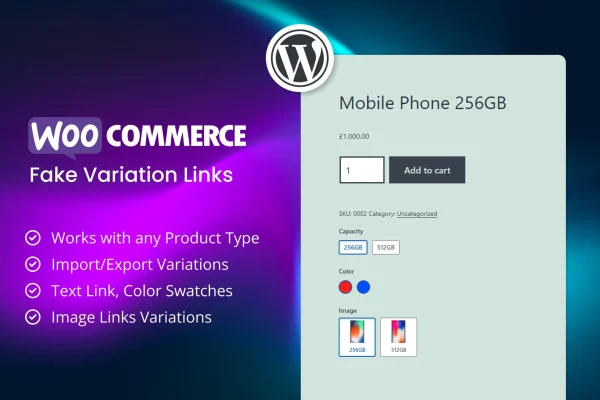
This WooCommerce plugin lets you add clickable "fake" variation links to product pages. Each link can point to any URL, so shoppers pick a color, size or style with a click instead of a drop-down menu. It works with every WooCommerce product type.
- Version
- 1.2
- Released
- Mar 12, 2024
- Type
- WordPress plugin
- Requires
- WooCommerce
- Licence
- GPL
- Included in
- Every plan, or $3.99 on its own
What’s new in WooCommerce Fake Variation Links for Any Product Type 1.2
Version 1.2 · Mar 12, 2024
Latest
What it does
Standard WooCommerce variations live inside a single variable product and appear in drop-down menus tied to attributes like size or color. That setup gets awkward when each option is really its own product, an affiliate offer or a page somewhere else. This plugin lets you place clickable variation links on a product page that send customers to any URL or custom destination, so related options sit side by side and visitors can move between them with one click.
You add and manage links from a backend panel, with no limit on how many links a product can have. Large catalogs can bring in variations in bulk through CSV import. The links work on simple, grouped, variable, virtual, downloadable, external/affiliate and subscription products, and they are designed to fit any WordPress theme. The display is responsive and retina ready, and the plugin comes with offline and online documentation plus video tutorials. WooCommerce is required.
Best for
- WooCommerce stores selling related products as separate listings
- Affiliate sites using external product links
- Subscription and digital product shops
Features
Unlimited variation links
Create as many fake variation links as you need for any product and decide exactly how each one is displayed and where it points.
Links to any URL
Each variation link can send customers to any URL or custom destination, such as a separate product, an affiliate offer or another page.
Works with all product types
Use variation links on simple, grouped, variable, virtual, downloadable, external/affiliate and subscription products, so you are not limited to variable products.
Bulk CSV import
Import many fake variations at once from a CSV file, which saves manual entry when you manage a large catalog.
Backend management panel
Add, edit and organize all your variation links from a single plugin panel in the WordPress admin area.
Theme compatibility
The variation links are built to display and work properly with any WordPress theme you already use.
Responsive and retina ready
Links display cleanly on desktops, tablets, phones and high-resolution screens, so shoppers get a consistent experience on any device.
Documentation and video guides
Offline and online documentation plus video tutorials walk you through creating and managing fake variations.
Questions about WooCommerce Fake Variation Links for Any Product Type
What is a fake variation link?
It is a clickable option on a product page that looks like a variation, such as a color or size, but links to any URL you set. Shoppers click it instead of choosing from a drop-down menu, and it can lead to another product or an outside page.
Can I use it on products that are not variable products?
Yes. The plugin supports simple, grouped, variable, virtual, downloadable, external/affiliate and subscription products, so you can add variation links to any of these product types in your WooCommerce store.
Is there a faster way to add links for a big catalog?
Yes. You can import multiple fake variations in bulk from a CSV file instead of adding each one by hand in the plugin panel, which helps when you manage many products.
Will the links fit my current theme and work on mobile?
The plugin is designed to work with any WordPress theme, and its links are responsive and retina ready, so they display properly on phones, tablets, desktops and high-resolution screens.
Is WooCommerce Fake Variation Links for Any Product Type free?
The code of WooCommerce Fake Variation Links for Any Product Type is licensed under the GPL, so anyone may use, change and share it. GPL Feast is a paid service: a plan or a single purchase gives you the download and automatic updates. The developer's own support, licence key and online services are not included.
Which version of WooCommerce Fake Variation Links for Any Product Type is this?
Version 1.2, released Mar 12, 2024. New versions appear here when the developer publishes them, and members get them as automatic updates.
How do I update WooCommerce Fake Variation Links for Any Product Type?
Install the free GPL Feast Updater on your site and connect it with your API key. It installs new versions of WooCommerce Fake Variation Links for Any Product Type automatically and keeps a backup, so you can roll back.
What does WooCommerce Fake Variation Links for Any Product Type need?
WooCommerce Fake Variation Links for Any Product Type needs WooCommerce installed and active.
You might also like






