
Plugin
Updated
WooCommerce Food
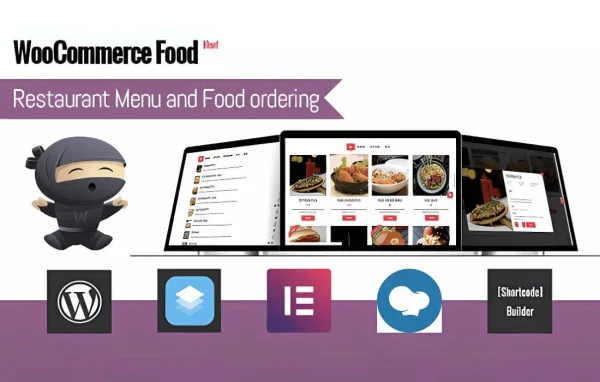
WooCommerce Food by Ex-Themes is a WordPress plugin that turns a WooCommerce store into an online ordering system for restaurants. It adds a food menu to your site so customers can browse dishes, customize their meals and place orders without leaving your pages.
- Version
- 3.4.5
- Released
- Jan 22, 2026
- Developer
- Ex-Themes
- Type
- WordPress plugin
- Requires
- WooCommerce
- Licence
- GPL
- Included in
- Every plan, or $5.59 on its own
What’s new in WooCommerce Food 3.4.5
Version 3.4.5 · Jan 22, 2026
Latest
What it does
Restaurants and cafes that want to take orders online often end up juggling phone calls or sending customers to outside ordering services. This plugin keeps the whole process on your own site. It requires WooCommerce and builds on it, so your dishes, checkout and orders run through the same system many store owners already know. Customers see a menu laid out for food, pick their dishes, choose add-ons or portion sizes, leave special instructions and pay at checkout.
On the restaurant side, an order management dashboard helps staff process incoming orders and keep kitchen work organized. You can set delivery zones, delivery fees and pickup schedules to match how your business operates. Customers can follow the status of their order from preparation to delivery. Payments can go through PayPal, Stripe or offline methods, and the menu adjusts to phones, tablets and desktops. The plugin is translation ready, so menus and checkout pages can be offered in more than one language.
Best for
- Restaurants taking delivery and pickup orders online
- Cafes and small eateries already using WooCommerce
- Freelancers building ordering sites for food businesses
Features
Food menu display
Presents your dishes in an easy-to-navigate menu on your site, so customers can browse what you offer and add items to their order.
Customizable order options
Customers can personalize meals with add-ons, portion sizes and special instructions before they check out, so the kitchen gets the details it needs.
Several payment methods
Accepts payments through PayPal, Stripe and offline payment options, giving customers a choice in how they pay for their food.
Order status tracking
Keeps customers informed about where their order stands, from preparation through to delivery, which can cut down on status questions.
Order management dashboard
A backend dashboard helps staff process orders quickly and keep the kitchen workflow organized during busy periods.
Delivery and pickup settings
Set delivery zones, delivery fees and pickup schedules so ordering options match your restaurant's logistics and the areas you serve.
Responsive layout
The menu and ordering screens adapt to mobiles, tablets and desktops, so customers can order from whatever device they are using.
Translation ready
Menus and checkout pages can be translated into multiple languages, which helps restaurants serving customers who speak different languages.
WooCommerce Food older versions
- 3.4.3Aug 4, 2025
- 3.4.2Jul 1, 2025
- 3.4.1May 6, 2025
- 3.4Mar 24, 2025
- 3.3.3Feb 15, 2025
- 3.3.2Jan 3, 2025
- 3.3.1Nov 13, 2024
- 3.3.0Sep 21, 2024
- 3.2.9Jul 24, 2024
- 3.2.8Jun 24, 2024
Members and buyers of this product can download older versions.
20 older versions in all. If you need one that is not listed, ask support.
Questions about WooCommerce Food
Do I need WooCommerce to use this plugin?
Yes. WooCommerce Food requires WooCommerce and works on top of it. Your orders and checkout run through WooCommerce, so you can also use other WooCommerce extensions alongside it to add more capabilities.
Can customers customize their meals?
Yes. Customers can choose add-ons, select portion sizes and add special instructions to their order. These choices are made while ordering, so the kitchen receives the details along with the order.
Does it handle both delivery and pickup?
It does. You can define delivery zones and set delivery fees, and you can also set pickup schedules. This lets you shape your ordering options around the areas you deliver to and the times customers can collect food.
Which payment options can customers use?
The plugin supports PayPal, Stripe and offline payment methods. Offering several choices lets customers pay in the way that suits them, whether online at checkout or offline.
Is WooCommerce Food free?
The code of WooCommerce Food is licensed under the GPL, so anyone may use, change and share it. GPL Feast is a paid service: a plan or a single purchase gives you the download and automatic updates. The developer's own support, licence key and online services are not included.
Which version of WooCommerce Food is this?
Version 3.4.5, released Jan 22, 2026. New versions appear here when the developer publishes them, and members get them as automatic updates.
How do I update WooCommerce Food?
Install the free GPL Feast Updater on your site and connect it with your API key. It installs new versions of WooCommerce Food automatically and keeps a backup, so you can roll back.
What does WooCommerce Food need?
WooCommerce Food needs WooCommerce installed and active.
You might also like






