
Plugin
Updated
WooCommerce Multiple Currencies
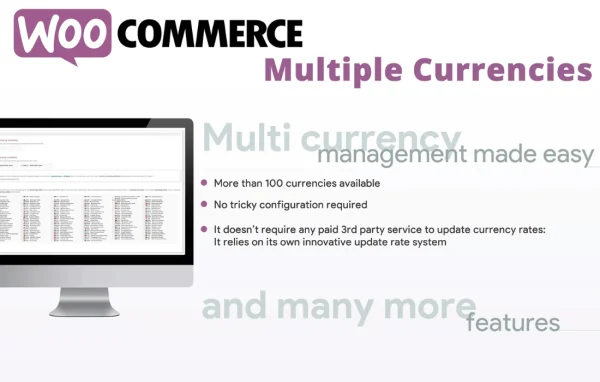
WooCommerce Multiple Currencies is a WordPress plugin for WooCommerce stores that sell to customers in more than one country. It adds a currency switcher so shoppers can see product prices in the currency they pick, and it keeps exchange rates current on a schedule you set.
- Version
- 6.2
- Released
- May 2, 2023
- Type
- WordPress plugin
- Requires
- WooCommerce
- Licence
- GPL
- Included in
- Every plan, or $3.99 on its own
What’s new in WooCommerce Multiple Currencies 6.2
Version 6.2 · May 2, 2023
Latest
What it does
Shoppers from other countries often have to convert prices in their heads before they decide to buy. This plugin removes that step by letting customers choose a currency and showing prices in it. Rates are refreshed automatically through its own update system powered by CurrencyConverterApi, so you do not need to set up a separate exchange rate service or enter rates by hand. You choose how often rates refresh: every 15 minutes, every 30 minutes or once a day.
Setup is short. You select the currencies you want to offer, pick the update interval and decide where the currency switcher appears on your storefront. The plugin runs alongside your existing WooCommerce products, cart and checkout, and it requires WooCommerce to work. You can also customize the currency signs shown to shoppers. It fits stores that already have a working WooCommerce catalog and want localized pricing without a complicated configuration.
Best for
- WooCommerce stores selling to customers in several countries
- Store owners who want automatic exchange rate updates
- Freelancers adding currency switching to client shops
Features
Multiple currency support
Offer prices in several currencies so international customers can browse your products in the currency they are most comfortable with.
Automatic exchange rate updates
Exchange rates refresh on their own at the interval you choose, every 15 minutes, every 30 minutes or daily, so you skip manual rate entry.
Built-in rate source
The plugin uses its own update system powered by CurrencyConverterApi, so there is no separate third-party exchange rate service to configure.
Currency switcher placement
Decide where the currency selector appears on your storefront so customers can find it easily while they shop.
Customizable currency signs
Adjust the currency signs displayed next to prices so they match how you want each currency to appear to shoppers.
Works with WooCommerce checkout
Designed to run alongside your existing WooCommerce products, cart and checkout, so multi-currency pricing fits into the store you already have.
Questions about WooCommerce Multiple Currencies
Do I need an exchange rate API account to use this?
No. The plugin runs its own update system powered by CurrencyConverterApi, so you do not have to sign up for or configure a separate external exchange rate service. You just choose your currencies and how often rates should refresh.
How often are exchange rates updated?
You pick the interval. Rates can refresh every 15 minutes, every 30 minutes or once a day. Once set, updates happen automatically, so prices in each currency stay current without you entering rates by hand.
Can I control where the currency switcher shows up?
Yes. During setup you choose where the currency selector appears on your storefront, so you can place it where customers will notice it. You can also customize the currency signs that display next to your prices.
Does it work without WooCommerce?
No. This plugin requires WooCommerce. It is built to work with your WooCommerce products, cart and checkout, displaying prices in the currency each shopper selects.
Is WooCommerce Multiple Currencies free?
The code of WooCommerce Multiple Currencies is licensed under the GPL, so anyone may use, change and share it. GPL Feast is a paid service: a plan or a single purchase gives you the download and automatic updates. The developer's own support, licence key and online services are not included.
Which version of WooCommerce Multiple Currencies is this?
Version 6.2, released May 2, 2023. New versions appear here when the developer publishes them, and members get them as automatic updates.
How do I update WooCommerce Multiple Currencies?
Install the free GPL Feast Updater on your site and connect it with your API key. It installs new versions of WooCommerce Multiple Currencies automatically and keeps a backup, so you can roll back.
What does WooCommerce Multiple Currencies need?
WooCommerce Multiple Currencies needs WooCommerce installed and active.
You might also like






