Plugin
Updated
WooCommerce My Account
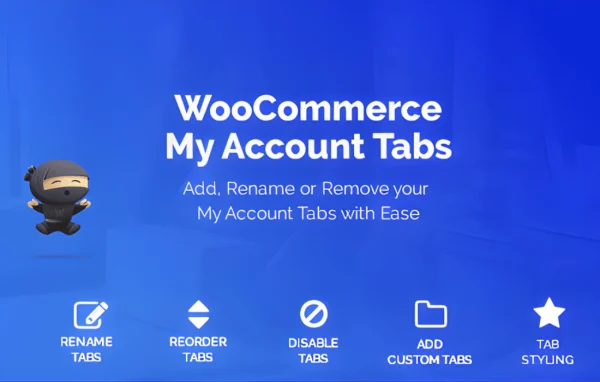
WooCommerce My Account by WeLaunch is a WordPress plugin for reshaping the customer account area of a WooCommerce store. You can add new tabs, rename or reorder the default ones and fill any tab with your own content, all without writing code.
- Version
- 1.1.1
- Released
- Feb 8, 2023
- Developer
- weLaunch
- Type
- WordPress plugin
- Licence
- GPL
- Included in
- Every plan, or $3.19 on its own
What’s new in WooCommerce My Account 1.1.1
Version 1.1.1
Latest
- NewAdded support for FooEvents Tickets
- NewAdded support for our WordPress HelpDesk Plugin
- NewAdded support for our WooCommerce Reward Points plugin
- FixedPHP Notice
- FixedReadded woocommerce_before_my_account and woocommerce_after_my_account
- FixedDashboard links not working when custom endpoint set in WooCommerce
What it does
The default My Account section in WooCommerce gives every customer the same set of tabs in the same order, with fixed labels. That works, but it rarely matches how a particular store talks to its buyers or what they look for first. This plugin gives you control over that area. You can move the sections customers use most to the top, change tab titles to fit your own wording, and add new tabs for things like guides, notices or resources that would otherwise live elsewhere on the site.
Everything is handled through a settings interface, so there is no template editing involved. New tabs can hold text, images, shortcodes or custom HTML, which means you can drop in content from other plugins that provide shortcodes. Tabs can also be shown or hidden by user role, so wholesale buyers, members or regular customers each see the sections meant for them. The layout is responsive for phones and tablets, and the plugin is built to work with WooCommerce and most WordPress themes.
Best for
- WooCommerce stores wanting a branded customer account area
- Shops serving different customer roles, such as wholesale and retail
- Freelancers and agencies customizing client WooCommerce sites
Features
Add custom tabs
Create new tabs in the My Account area to give customers extra pages for information, resources or other content specific to your store.
Drag and drop reordering
Reorder the default WooCommerce tabs by dragging them, so the sections your customers use most appear first in the account menu.
Rename existing tabs
Change the titles of account tabs so the labels match the language your store uses and are clearer for your customers.
Flexible tab content
Place text, images, shortcodes or custom HTML inside any tab, which lets you add formatted content or output from other plugins.
Role based tab visibility
Show or hide specific tabs depending on a user's role, so different customer groups see only the account sections intended for them.
No code settings interface
Manage all of the account page changes from the plugin settings, without editing template files or writing any code.
Responsive account layout
The customized account area adapts to smaller screens, so customers can check orders and addresses comfortably on phones and tablets.
Questions about WooCommerce My Account
Can I add my own pages to the WooCommerce account menu?
Yes. The plugin lets you create new tabs in the My Account area. Each tab can contain text, images, shortcodes or custom HTML, so you can add help content, notices or output from other plugins that use shortcodes.
Can I hide some account tabs from certain customers?
Yes. Tabs can be shown or hidden based on user role. This is useful when, for example, wholesale customers or members should see sections that regular shoppers do not, or when you want to remove a default tab for a particular group.
Do I need to know how to code to use it?
No. Adding, renaming, reordering and restricting tabs is all done through the plugin's settings interface. Custom HTML is supported inside tabs if you want it, but it is optional.
Will it work with my theme?
The plugin requires WooCommerce and is described as compatible with most WordPress themes. The account layout is responsive, so it adapts to phones and tablets as well as desktop screens.
Is WooCommerce My Account free?
The code of WooCommerce My Account is licensed under the GPL, so anyone may use, change and share it. GPL Feast is a paid service: a plan or a single purchase gives you the download and automatic updates. The developer's own support, licence key and online services are not included.
Which version of WooCommerce My Account is this?
Version 1.1.1, released Feb 8, 2023. New versions appear here when the developer publishes them, and members get them as automatic updates.
How do I update WooCommerce My Account?
Install the free GPL Feast Updater on your site and connect it with your API key. It installs new versions of WooCommerce My Account automatically and keeps a backup, so you can roll back.
You might also like






