
Plugin
Updated
Woocommerce NFT Importer - Dokan (Addon)
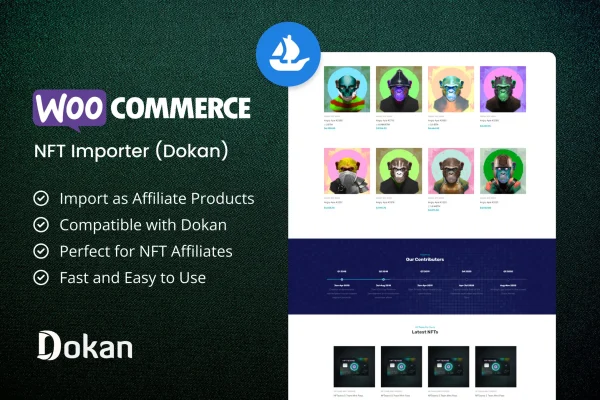
This WordPress plugin is an addon for multi-vendor marketplaces built on WooCommerce and Dokan. It pulls NFT listings from OpenSea.io and turns them into affiliate or external products, so vendors can offer NFTs without hosting or minting them.
- Version
- 1.0.0
- Released
- Mar 12, 2024
- Type
- WordPress plugin
- Requires
- WooCommerce
- Licence
- GPL
- Included in
- Every plan, or $3.99 on its own
What’s new in Woocommerce NFT Importer - Dokan (Addon) 1.0.0
Version 1.0.0 · Mar 12, 2024
Latest
What it does
Running an NFT section on a regular online store usually means dealing with crypto platforms, minting and custody. This addon avoids that by importing NFTs through the OpenSea.io API and listing them as WooCommerce affiliate or external products. Buyers browse the listing on your marketplace and follow through to the NFT itself, which means there is no inventory to track and nothing to ship.
The addon is built for the Dokan multi-vendor setup, and each vendor can import and manage their own NFT listings from their storefront. Product pages show the current Ethereum price next to the converted WooCommerce price, plus details such as auction history, the collection name with its image and link, and owner or author profiles. Pages are responsive and retina ready across desktops, tablets and phones. WooCommerce is required.
Best for
- Dokan multi-vendor marketplaces adding NFT listings
- WooCommerce stores selling NFTs as affiliate products
- Vendors who want to list OpenSea NFTs without minting
Features
Import NFTs from OpenSea
Pulls NFT listings through the OpenSea.io API and adds them to your store as products, so you can list NFTs without minting or owning them.
Affiliate product conversion
Imported NFTs become WooCommerce affiliate or external products, which removes inventory management and shipping from the process entirely.
Per-vendor NFT listings
Each Dokan marketplace vendor can import and manage their own NFT listings independently while keeping control over their storefront.
Live ETH price display
Shows the current Ethereum price next to the converted WooCommerce price, giving shoppers an up-to-date view of each NFT's value.
Auction history on product pages
Adds the auction history of an NFT to its product page, so buyers can see how the item has been bid on and traded.
Collection and owner details
Displays the NFT collection name with its image and link, along with owner or author profiles, on each imported product page.
Responsive, retina ready layout
NFT product pages adapt to desktops, tablets and smartphones and display sharply on high-resolution screens.
Questions about Woocommerce NFT Importer - Dokan (Addon)
Do I need to mint or hold the NFTs myself?
No. The addon imports NFT listings from OpenSea.io and turns them into WooCommerce affiliate or external products. Your marketplace displays the listing and links out, so you never need to mint, host or own the NFTs being offered.
Can every vendor on my Dokan marketplace import their own NFTs?
Yes. The addon is designed around the Dokan multi-vendor system, and each vendor can import and manage their own NFT listings independently. That keeps listings tied to individual storefronts while the marketplace stays unified.
How are NFT prices shown to shoppers?
Product pages show the current Ethereum price alongside the converted WooCommerce price. This gives shoppers a live sense of each NFT's market value in both crypto and your store's currency.
What details appear on an imported NFT product page?
Each page can include the NFT's auction history, the collection name with its image and link, and owner or author profiles. The layout is responsive and retina ready, so these details display well on phones, tablets and desktops.
Is Woocommerce NFT Importer - Dokan (Addon) free?
The code of Woocommerce NFT Importer - Dokan (Addon) is licensed under the GPL, so anyone may use, change and share it. GPL Feast is a paid service: a plan or a single purchase gives you the download and automatic updates. The developer's own support, licence key and online services are not included.
Which version of Woocommerce NFT Importer - Dokan (Addon) is this?
Version 1.0.0, released Mar 12, 2024. New versions appear here when the developer publishes them, and members get them as automatic updates.
How do I update Woocommerce NFT Importer - Dokan (Addon)?
Install the free GPL Feast Updater on your site and connect it with your API key. It installs new versions of Woocommerce NFT Importer - Dokan (Addon) automatically and keeps a backup, so you can roll back.
What does Woocommerce NFT Importer - Dokan (Addon) need?
Woocommerce NFT Importer - Dokan (Addon) needs WooCommerce installed and active.
You might also like






