
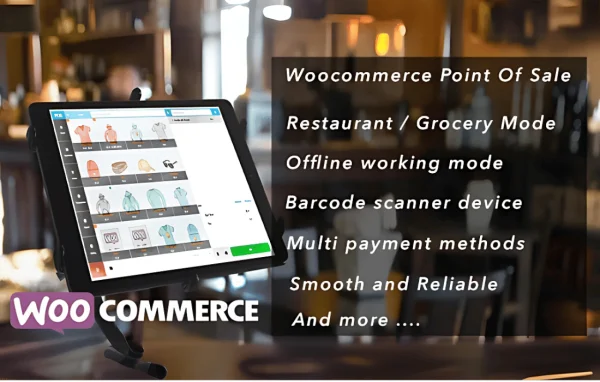
Plugin
Updated
Woocommerce OpenPos
Woocommerce OpenPos by anhvnit is a point of sale plugin that runs inside your WooCommerce store. It lets staff ring up in-person sales while orders, inventory and customer data stay in sync with your online shop, and it comes bundled with 82 add-ons.
- Version
- 8.5.0
- Released
- Jun 27, 2026
- Developer
- anhvnit
- Type
- WordPress plugin
- Requires
- WooCommerce
- Licence
- GPL
- Included in
- Every plan, or $4.79 on its own
What’s new in Woocommerce OpenPos 8.1.0
Version 8.1.0 · Jul 11, 2025
Latest
- NewAdd customer queue screen for restaurant mode
- ImprovedImprove kitchen view
- FixedFixed bug report by customers
What it does
Running a physical counter alongside an online store often means two systems, two stock counts and a lot of manual reconciling. This plugin moves checkout into WooCommerce itself, so sales made at the register and sales made on the website draw from the same inventory, orders and customer records. It requires WooCommerce, and because it lives in your existing store, your sales data stays on your own site instead of a separate hosted service.
The register works as a Progressive Web App, so staff can install it as a desktop app that opens without browser tabs or an address bar. Cashiers can process sales, returns and exchanges, scan barcodes or use a camera for product lookup, and keep selling in offline mode until the connection returns. It handles multiple outlets and staff roles, and it suits retail shops, restaurants with kitchen and customer queue screens, cafes, salons, gyms, bars and supermarkets.
Best for
- WooCommerce shops that also sell from a physical store
- Restaurants and cafes needing kitchen and queue screens
- Retail chains running several outlets with multiple staff
Features
Shared online and offline data
Inventory, orders and customer data sync between the register and your WooCommerce store, so both sales channels work from the same records.
Multiple outlets and staff
Manage several store locations and assign roles and permissions to sales staff, giving you control over who can do what at each register.
Installable desktop app
Progressive Web App support lets staff install the register as a desktop app that runs without a browser address bar or tabs.
Offline selling
Keep processing sales when the internet drops. Transaction data syncs back to the store once the connection is restored.
Several payment methods
Accept cash, card and offline payments, with transaction tracking that keeps a record of each sale for checking and auditing.
Barcode and camera lookup
Find products at checkout by scanning barcodes or using the camera, which cuts down on searching through the catalog by hand.
Stock alerts and reports
Watch stock levels in real time, get low inventory alerts, and review sales reports, transaction logs and staff performance metrics.
Custom receipt templates
Design branded receipts that include the transaction details your customers and your records need.
Woocommerce OpenPos older versions
- 8.3.0Mar 12
- 8.2.0Jan 20
- 8.1.3Dec 18, 2025
- 8.1.1Nov 11, 2025
- 8.1.0Nov 7, 2025
- 8.0.9Oct 24, 2025
- 8.0.5Oct 17, 2025
- 8.0.3Oct 15, 20252 new, 3 improvements, 1 fix, 1 change
- 8.0.1Oct 14, 2025
- 8.0Oct 13, 2025
Members and buyers of this product can download older versions.
56 older versions in all. If you need one that is not listed, ask support.
Questions about Woocommerce OpenPos
Do I need WooCommerce to use this POS?
Yes. The plugin requires WooCommerce and works inside it, using your existing products, inventory, orders and customer data. Sales made at the register are recorded in the same store as your online orders.
Can my staff keep selling if the internet goes down?
Yes. Offline mode lets cashiers continue processing sales without a connection. The data is synced back to your WooCommerce store once the internet connection is restored, so records stay consistent.
Does it work for restaurants as well as retail?
It does. Beyond retail shops, it supports restaurants, cafes, bars, salons, gyms, supermarkets and more. Restaurant mode includes a kitchen view and a customer queue screen for managing orders as they are prepared.
Can I run more than one store location?
Yes. You can manage multiple outlets and multiple staff members, assigning roles and permissions so each person has the right level of access at the register.
Is Woocommerce OpenPos free?
The code of Woocommerce OpenPos is licensed under the GPL, so anyone may use, change and share it. GPL Feast is a paid service: a plan or a single purchase gives you the download and automatic updates. The developer's own support, licence key and online services are not included.
Which version of Woocommerce OpenPos is this?
Version 8.5.0, released Jun 27, 2026. New versions appear here when the developer publishes them, and members get them as automatic updates.
How do I update Woocommerce OpenPos?
Install the free GPL Feast Updater on your site and connect it with your API key. It installs new versions of Woocommerce OpenPos automatically and keeps a backup, so you can roll back.
What does Woocommerce OpenPos need?
Woocommerce OpenPos needs WooCommerce installed and active.
You might also like






