
Plugin
Updated
WooCommerce Order Details
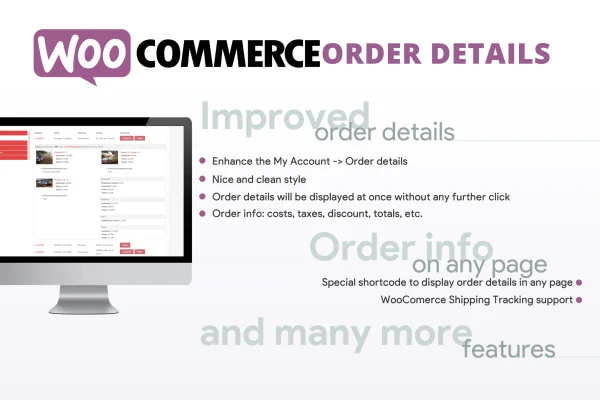
WooCommerce Order Details is a WordPress plugin that reworks the My Account Orders page on WooCommerce stores. It gives customers an organized table where they can expand any order to see its items, taxes, discounts, totals and shipping information on a single page.
- Version
- 3.2
- Released
- Dec 12, 2025
- Type
- WordPress plugin
- Requires
- WooCommerce
- Licence
- GPL
- Included in
- Every plan, or $3.99 on its own
What’s new in WooCommerce Order Details 3.2
Version 3.2
Latest
- SecurityImproved security
What it does
The default WooCommerce orders page shows customers a short list, and they have to click into each order to see what they bought and what they paid. This plugin replaces that experience with a table view inside My Account, where every order can be opened in place with an arrow icon. Itemized breakdowns, fees, discounts, taxes, subtotals and totals appear right there, so shoppers can check an order without leaving the page or opening extra tabs.
It needs WooCommerce and works without configuration, so the new layout takes over the orders page as soon as the plugin is running. The layout is responsive and displays on desktops, tablets and phones. For stores that also use WooCommerce Shipping Tracking, tracking information shows inside the same order table. A shortcode adds an order lookup form where someone can enter an order ID to see its details, which is handy for shoppers who are not logged in.
Best for
- WooCommerce stores with returning customers who check past orders
- Shops that want clearer order breakdowns in My Account
- Stores using WooCommerce Shipping Tracking for deliveries
Features
Table layout for orders
Replaces the standard My Account Orders list with an organized table so customers can review complete order data without navigating to separate pages.
Expandable order rows
Each order has an arrow icon that toggles its detailed information open or closed, keeping the page tidy while still giving access to every order specific.
Order lookup shortcode
The [wcod_order_details] shortcode lets customers track an order by entering its ID, which extends order visibility to people who are not logged in.
Shipping tracking display
When WooCommerce Shipping Tracking is installed, shipping and tracking information appears directly inside the order details table alongside the rest of the order.
Full order breakdown
Shows taxes, fees, discounts, subtotals and totals clearly for each order, so customers can see exactly how their final amount was calculated.
No setup required
The plugin works right away with no settings to configure, upgrading the order details page automatically once it is in place on your store.
Responsive design
The order table adapts to desktops, tablets and mobile phones, giving customers a consistent view of their orders on whatever device they use.
WooCommerce Order Details older versions
- 3.1Oct 10, 20231 new
Members and buyers of this product can download older versions.
Questions about WooCommerce Order Details
Does this change the WooCommerce My Account Orders page?
Yes. It replaces the default orders list with a table view where each order can be expanded with an arrow icon to show items, taxes, fees, discounts, subtotals, totals and shipping status on the same page.
Can guests look up an order without logging in?
You can place the [wcod_order_details] shortcode on a page. It lets someone enter an order ID to track that order, which gives order visibility beyond logged-in users.
Will it show shipment tracking information?
If your store uses WooCommerce Shipping Tracking, the plugin displays shipping and tracking details directly inside the order details table, so customers see delivery updates next to the rest of their order information.
Do I need to configure anything before it works?
No configuration is needed. The order details page is upgraded automatically. The plugin does require WooCommerce, since it builds on the WooCommerce My Account Orders page.
Is WooCommerce Order Details free?
The code of WooCommerce Order Details is licensed under the GPL, so anyone may use, change and share it. GPL Feast is a paid service: a plan or a single purchase gives you the download and automatic updates. The developer's own support, licence key and online services are not included.
Which version of WooCommerce Order Details is this?
Version 3.2, released Dec 12, 2025. New versions appear here when the developer publishes them, and members get them as automatic updates.
How do I update WooCommerce Order Details?
Install the free GPL Feast Updater on your site and connect it with your API key. It installs new versions of WooCommerce Order Details automatically and keeps a backup, so you can roll back.
What does WooCommerce Order Details need?
WooCommerce Order Details needs WooCommerce installed and active.
You might also like






