
Plugin
Updated
WooCommerce Orders & Customer exporter
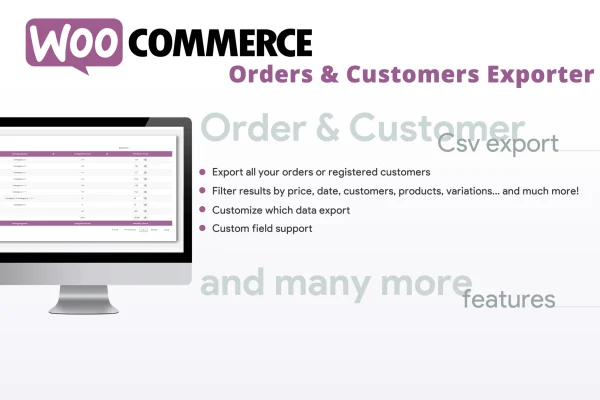
WooCommerce Orders & Customers Exporter is a WordPress plugin that pulls order and customer records out of your WooCommerce store and saves them as CSV files. It requires WooCommerce and lets you filter exports by status, product, category, date range and spending, so you get only the data you need.
- Version
- 5.6
- Released
- Sep 25, 2025
- Type
- WordPress plugin
- Requires
- WooCommerce
- Licence
- GPL
- Included in
- Every plan, or $3.99 on its own
What’s new in WooCommerce Orders & Customer exporter 5.6
Version 5.6 · Sep 25, 2025
Latest
- FixedFixed an issue related to the ip field export.
What it does
Store data is easy to collect and harder to get out in a usable shape. When you need a sales report, a list of customers for a campaign or figures for your bookkeeper, copying details from the WooCommerce admin by hand takes a long time. This plugin handles that job by exporting orders and customers into CSV files you can open in a spreadsheet or bring into another tool for analysis.
The filters are where it earns its place. You can narrow an export by order status, a single product or variation, a product category, a date range or the amount a customer has spent. Exports can include both registered customers and guest buyers, and product custom fields can be added for extra detail. You can also skip the filters and export everything at once. It suits shop admins, marketers and anyone who keeps the books for a WooCommerce store.
Best for
- WooCommerce store owners who need regular sales reports
- Marketers building targeted customer lists from store data
- Bookkeepers and analysts working with WooCommerce order records
Features
Order and customer CSV export
Export WooCommerce orders and customer records into CSV files that open in spreadsheet software or can be shared with other tools for reporting and analysis.
Filter by order status
Limit an export to orders with a particular status, which helps when you only want completed sales or need to review orders still in progress.
Product and variation filters
Pull orders tied to a specific product, a single product variation or a whole product category, so each export matches the question you are trying to answer.
Date range selection
Set a date range to export orders from a specific period, such as a month or quarter, for regular sales reports or accounting work.
Spending-based customer filtering
Export customers based on the total amount they have spent, making it simple to build a list of high-value buyers or a particular spending segment.
Registered and guest customers
Include both customers with accounts and guest shoppers in your exports, so buyers who checked out without registering still appear in your data.
Product custom fields
Add product metadata and custom fields to your exports to capture extra product details alongside the standard order information.
Full or targeted exports
Export all orders or customers in one go, or narrow the scope to specific groups for marketing lists or detailed bookkeeping records.
WooCommerce Orders & Customer exporter older versions
- 5.5Sep 11, 20251 improvement
- 5.4Aug 16, 20251 new
- 5.1Jun 1, 20251 security fix
- 5.0Jul 5, 2024
Members and buyers of this product can download older versions.
Questions about WooCommerce Orders & Customer exporter
Does this plugin work without WooCommerce?
No. It is built to export data from a WooCommerce store, so WooCommerce needs to be active on your site. The plugin reads your existing orders and customer records and turns them into CSV files.
Can I export customers who checked out as guests?
Yes. Exports can include both registered customers and guest shoppers. This is useful because many stores have buyers who never created an account, and leaving them out would give you an incomplete customer list.
Can I find customers who spent above a certain amount?
Yes. You can filter customers by their total spending, which lets you export only buyers within a chosen spending range. That works well for building a list of your highest-value customers for a marketing campaign.
What can I filter orders by?
Orders can be filtered by order status, specific product, product variation, product category, date range and spending amount. You can combine these to get a focused export, or skip filtering and export all orders at once.
Is WooCommerce Orders & Customer exporter free?
The code of WooCommerce Orders & Customer exporter is licensed under the GPL, so anyone may use, change and share it. GPL Feast is a paid service: a plan or a single purchase gives you the download and automatic updates. The developer's own support, licence key and online services are not included.
Which version of WooCommerce Orders & Customer exporter is this?
Version 5.6, released Sep 25, 2025. New versions appear here when the developer publishes them, and members get them as automatic updates.
How do I update WooCommerce Orders & Customer exporter?
Install the free GPL Feast Updater on your site and connect it with your API key. It installs new versions of WooCommerce Orders & Customer exporter automatically and keeps a backup, so you can roll back.
What does WooCommerce Orders & Customer exporter need?
WooCommerce Orders & Customer exporter needs WooCommerce installed and active.
You might also like






