
Plugin
Updated
WooCommerce Product Custom Size Guide
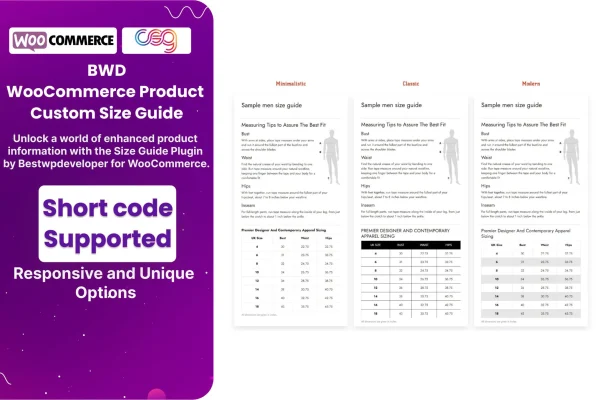
This WooCommerce plugin lets store owners build size charts and display them on product pages. You create guides in a visual editor, assign them to single products or whole categories, and style them to match your store so shoppers can check sizing before they buy.
- Version
- 1.4
- Released
- Aug 24, 2026
- Type
- WordPress plugin
- Requires
- WooCommerce
- Licence
- GPL
- Included in
- Every plan, or $3.99 on its own
What’s new in WooCommerce Product Custom Size Guide 1.4
Version 1.4 · Aug 24, 2026
Latest
What it does
Sizing questions come up constantly in stores that sell clothing, shoes and accessories. When shoppers cannot tell how an item will fit, they hesitate or order the wrong size and send it back. Product Custom Size Guide For WooCommerce gives you a place to put clear measurement information right where customers are making their choice, so they can compare sizes without leaving the product page or contacting you.
The plugin requires WooCommerce and works inside your existing store. You build charts with a visual editor that needs no coding, then attach each one to an individual product or to an entire category. Styling options let you match colors and layout to your branding, and the charts are responsive and retina ready for phones and desktops. It is translation ready, and because it is built on HTML, CSS and JavaScript, developers can extend it further.
Best for
- WooCommerce clothing and apparel stores
- Footwear and accessories shops with varied sizing
- Store builders setting up fashion sites for clients
Features
Visual size chart editor
Create and edit size charts through a visual interface, with no coding needed to set up rows, columns and measurement details.
Product and category guides
Assign a size chart to a single product or to a whole category, so related items share the same sizing information.
Responsive, retina ready display
Size guides adjust to different screen sizes and display sharply on high resolution screens, from desktops to smartphones.
Custom styling options
Adjust the look of your size guides so they match your store branding and fit in with the rest of your product pages.
Translation ready
The plugin supports translation, so you can present size guides in multiple languages for customers in different regions.
Extendable HTML, CSS and JS
Built with HTML, CSS and JavaScript, giving developers room to customize the output or extend how the size guides behave.
Included documentation
Step by step documentation walks you through creating charts and configuring the available options for your store.
WooCommerce Product Custom Size Guide older versions
- 1.3Oct 23, 2024
- 1.0Mar 12, 2024
Members and buyers of this product can download older versions.
Questions about WooCommerce Product Custom Size Guide
Can I use different size charts for different products?
Yes. You can attach a chart to an individual product, or assign one to an entire category so every product in it shows the same guide. This works well when, for example, shirts and shoes need separate measurements.
Do I need to know how to code to build a size chart?
No. Charts are created in a visual editor, so you can set up and adjust sizing tables without writing code. Developers who want more control can still customize it, since it is built on HTML, CSS and JavaScript.
Will the size guides look right on mobile phones?
The size guides use a responsive, retina ready design, so they adapt to smaller screens and display clearly on high resolution devices as well as desktops.
Can I show size charts in other languages?
Yes. The plugin is translation ready and multilingual, so you can display size guide content in more than one language for international shoppers.
Is WooCommerce Product Custom Size Guide free?
The code of WooCommerce Product Custom Size Guide is licensed under the GPL, so anyone may use, change and share it. GPL Feast is a paid service: a plan or a single purchase gives you the download and automatic updates. The developer's own support, licence key and online services are not included.
Which version of WooCommerce Product Custom Size Guide is this?
Version 1.4, released Aug 24, 2026. New versions appear here when the developer publishes them, and members get them as automatic updates.
How do I update WooCommerce Product Custom Size Guide?
Install the free GPL Feast Updater on your site and connect it with your API key. It installs new versions of WooCommerce Product Custom Size Guide automatically and keeps a backup, so you can roll back.
What does WooCommerce Product Custom Size Guide need?
WooCommerce Product Custom Size Guide needs WooCommerce installed and active.
You might also like






