
Plugin
Updated
WooCommerce Products Gallery for Elementor
WooCommerce Products Gallery for Elementor is a plugin that adds product gallery building to the Elementor page builder. It lets store owners display WooCommerce products in customizable gallery layouts, with lightbox options, color styles and responsive column settings, all without writing code.
- Version
- 1.0
- Released
- May 2, 2023
- Type
- WordPress plugin
- Requires
- Elementor
- Licence
- GPL
- Included in
- Every plan, or $3.99 on its own
What’s new in WooCommerce Products Gallery for Elementor 1.0
Version 1.0 · May 2, 2023
Latest
What it does
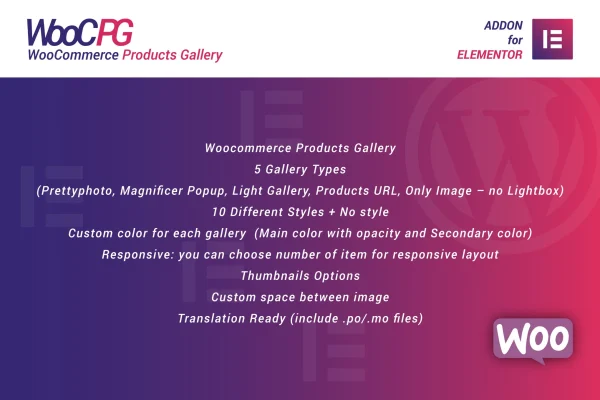
Showing products in a tidy, branded grid usually means custom code or settling for default shop layouts. This plugin works inside Elementor, so you can place a product gallery on any page you design and adjust it visually. You can use it to feature bestsellers, new arrivals or a hand-picked collection, choosing how each item opens when clicked: in a lightbox, through a link to the product page, or as a plain image.
Styling happens through settings. You pick from more than 10 styles, set main and secondary colors with fade opacity, and control spacing between images and thumbnail behavior. Separate item counts for mobile, tablet and desktop keep the grid sensible on smaller screens, and animations add motion to gallery elements. The plugin is retina ready and ships with .po and .mo files, so the gallery text can be translated for stores serving customers in other languages.
Best for
- WooCommerce stores built with Elementor
- Designers creating custom shop and landing pages
- Shop owners featuring collections or new arrivals
Features
Five gallery types
Choose between Prettyphoto, Magnific Popup, Light Gallery, Products URL and Image Only, covering lightbox viewing, links to product pages and simple image displays.
More than 10 styles
Pick from over 10 gallery styles and adjust main and secondary colors with fade opacity so the gallery matches your store branding.
Responsive column controls
Set how many items appear on mobile, tablet and desktop views, so the product grid fits each screen size you care about.
Thumbnail and spacing options
Customize the spacing between images and control how thumbnails behave, giving you finer control over the look of the product grid.
Gallery animations
Add transitions and effects to gallery elements so products appear with motion instead of loading as a static grid.
Translation ready
Included .po and .mo files let you translate the gallery text for shoppers who browse your store in other languages.
Retina ready display
Product images are prepared for retina and high-density screens, so they stay sharp on modern phones, tablets and laptops.
Questions about WooCommerce Products Gallery for Elementor
Do I need Elementor to use this plugin?
Yes. The plugin requires Elementor and works inside the Elementor page builder. It is built to display WooCommerce products, so it is meant for stores running both WooCommerce and Elementor.
What happens when a shopper clicks a product in the gallery?
That depends on the gallery type you pick. Prettyphoto, Magnific Popup and Light Gallery open images in a lightbox, Products URL sends shoppers to the product page, and Image Only shows the images without extra behavior.
Can I control how the gallery looks on phones?
Yes. You can set the number of items shown on mobile, tablet and desktop separately. You can also adjust image spacing and thumbnail behavior so the layout works well on smaller screens.
Can I translate the gallery for a multilingual store?
The plugin is translation ready and includes .po and .mo files, which you can use to translate its text into the languages your customers use.
Is WooCommerce Products Gallery for Elementor free?
The code of WooCommerce Products Gallery for Elementor is licensed under the GPL, so anyone may use, change and share it. GPL Feast is a paid service: a plan or a single purchase gives you the download and automatic updates. The developer's own support, licence key and online services are not included.
Which version of WooCommerce Products Gallery for Elementor is this?
Version 1.0, released May 2, 2023. New versions appear here when the developer publishes them, and members get them as automatic updates.
How do I update WooCommerce Products Gallery for Elementor?
Install the free GPL Feast Updater on your site and connect it with your API key. It installs new versions of WooCommerce Products Gallery for Elementor automatically and keeps a backup, so you can roll back.
What does WooCommerce Products Gallery for Elementor need?
WooCommerce Products Gallery for Elementor needs Elementor installed and active.
You might also like






