
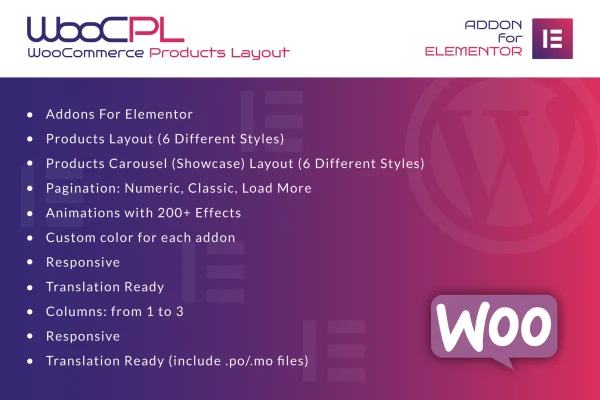
Plugin
Updated
WooCommerce Products Layout for Elementor
This plugin is an Elementor addon for displaying WooCommerce products in custom layouts. It adds two widgets, one for classic grids and one for carousels, so store owners and designers can build product listings with the Elementor drag and drop editor and no code.
- Version
- 1.0
- Released
- May 2, 2023
- Type
- WordPress plugin
- Requires
- Elementor
- Licence
- GPL
- Included in
- Every plan, or $3.99 on its own
What’s new in WooCommerce Products Layout for Elementor 1.0
Version 1.0 · May 2, 2023
Latest
What it does
Default WooCommerce product listings often look the same from store to store, and changing them usually means editing templates or writing CSS. WooCommerce Products Layout for Elementor moves that work into the Elementor editor. You drop a Classic or Carousel widget onto a page, pick one of six layout styles, set the number of columns from one to three, and adjust colors to match your brand. It requires Elementor to run.
The plugin suits stores with many products where navigation matters. You can choose numeric, classic or load more pagination, and add motion to product elements from a library of more than 200 animation effects. Layouts are responsive and retina ready, so they adapt to desktops, tablets and phones. Translation files in .po and .mo format are included, which helps if your store runs in a language other than English.
Best for
- WooCommerce stores built with Elementor
- Designers building custom shop pages for clients
- Stores with large catalogs needing pagination
Features
Classic and carousel widgets
Two dedicated Elementor widgets let you show products in a standard grid or in a sliding carousel, depending on the page and the look you want.
Six layout styles
Pick from six product layout designs to change how product cards appear, without writing templates or custom CSS for each listing.
Pagination choices
Use numeric, classic or load more pagination so shoppers can move through long product lists on category and shop pages.
Over 200 animation effects
Apply motion to product elements from a library of more than 200 animation effects to add visual interest to your listings.
Custom colors per addon
Set colors for each widget separately so your product displays match your site's color scheme and brand identity.
Column control
Choose between one and three columns for your product grid to fit the space and the amount of detail you want to show.
Responsive and retina ready
Product layouts adjust to different screen sizes and display sharply on high resolution screens, from desktop monitors to smartphones.
Translation ready
Included .po and .mo files let you translate the plugin's text so product displays work for stores serving other languages.
Questions about WooCommerce Products Layout for Elementor
Do I need Elementor to use this plugin?
Yes. The plugin works as an addon for Elementor and adds its widgets to the Elementor editor, so Elementor must be active on your site. It is designed to display products from WooCommerce.
Can I show products in a slider instead of a grid?
Yes. Along with the Classic widget for grid layouts, there is a Carousel widget that displays your WooCommerce products in a sliding format. Both widgets work with the six layout styles and color settings.
How many columns can a product grid have?
You can set the grid to one, two or three columns. This lets you choose between larger product cards with more detail or a denser layout that fits more products on screen.
Will the layouts work on mobile devices?
The layouts are fully responsive and retina ready, so they adjust to phones, tablets and desktops and stay sharp on high resolution screens. You can preview and adjust them inside the Elementor editor.
Is WooCommerce Products Layout for Elementor free?
The code of WooCommerce Products Layout for Elementor is licensed under the GPL, so anyone may use, change and share it. GPL Feast is a paid service: a plan or a single purchase gives you the download and automatic updates. The developer's own support, licence key and online services are not included.
Which version of WooCommerce Products Layout for Elementor is this?
Version 1.0, released May 2, 2023. New versions appear here when the developer publishes them, and members get them as automatic updates.
How do I update WooCommerce Products Layout for Elementor?
Install the free GPL Feast Updater on your site and connect it with your API key. It installs new versions of WooCommerce Products Layout for Elementor automatically and keeps a backup, so you can roll back.
What does WooCommerce Products Layout for Elementor need?
WooCommerce Products Layout for Elementor needs Elementor installed and active.
You might also like






