
Plugin
Updated
WooCommerce Products Showcase for Elementor
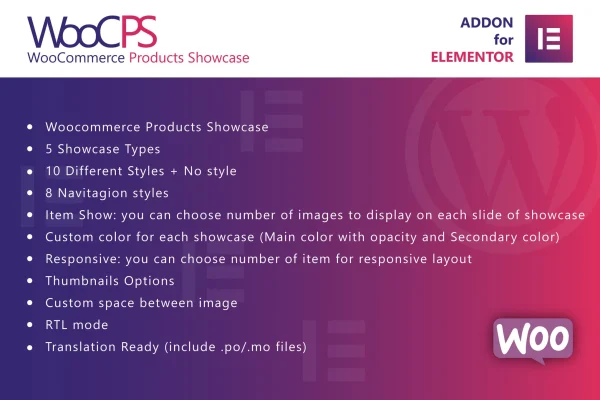
WooCommerce Products Showcase for Elementor is a WordPress plugin for building product sliders and galleries from your WooCommerce catalog. It works inside Elementor and the block editor, and gives you control over layout, styling, navigation and how each product opens when a shopper clicks it.
- Version
- 1.0
- Released
- May 2, 2023
- Type
- WordPress plugin
- Requires
- WooCommerce and Elementor
- Licence
- GPL
- Included in
- Every plan, or $3.99 on its own
What’s new in WooCommerce Products Showcase for Elementor 1.0
Version 1.0 · May 2, 2023
Latest
What it does
Default WooCommerce product grids are functional, but they offer little room to change how items are presented. This plugin adds sliding product displays you configure visually. You pick one of five display types, including Prettyphoto, Magnific Popup and Light Gallery lightboxes, direct links to product pages, or a plain image view. Then you choose from ten styles, or a no style option if you want your theme's look to take over. The plugin requires WooCommerce and Elementor.
Once a display is placed on a page, you can set how many images appear on each slide, pick one of eight navigation styles, and adjust thumbnails and spacing. Main and secondary colors, each with adjustable opacity, are set per display, so different pages can carry different looks. Item counts can be changed for different screen sizes, and images are retina ready. RTL mode and included .po and .mo translation files help on sites that serve readers in other languages.
Best for
- WooCommerce stores built with Elementor
- Shops wanting lightbox product galleries on landing pages
- Multilingual or right-to-left language online stores
Features
Five display types
Open products in Prettyphoto, Magnific Popup or Light Gallery lightboxes, link straight to product URLs, or show a simple image with no click action.
Ten styles plus no style
Choose from ten built-in visual styles for each product slider, or select the no style option to let your theme handle the appearance.
Eight navigation styles
Pick from eight sets of navigation controls so shoppers can move through the slider in a way that matches the rest of your design.
Per-display color settings
Set main and secondary colors with adjustable opacity for every individual display, so each one can fit the page it sits on.
Responsive item counts
Control how many items show on desktops, tablets and phones, and set the number of images that appear on each slide.
Thumbnails and spacing
Adjust thumbnail options and the spacing between items to keep product sliders tidy and evenly laid out.
RTL and translation support
An RTL mode supports right-to-left languages, and included .po and .mo files let you translate the plugin's text for your audience.
Elementor and block editor
Add and configure product sliders with drag and drop in Elementor or in the WordPress block editor, with retina ready image output.
Questions about WooCommerce Products Showcase for Elementor
Do I need both WooCommerce and Elementor to use this plugin?
Yes. The plugin pulls products from WooCommerce and is built to work with the Elementor page builder, so both need to be active on your site. It can also be used through the WordPress block editor for setup and customization.
What happens when a shopper clicks a product in the slider?
That depends on the display type you choose. Products can open in a Prettyphoto, Magnific Popup or Light Gallery lightbox, link directly to the product page, or appear as a simple image. You set this separately for each slider you build.
Can I change how the slider looks on mobile devices?
Yes. The layout is responsive, and you can control how many items appear on different screen sizes. You can also set the number of images per slide and adjust thumbnails and spacing so the slider fits smaller screens well.
Will it work on a site in Arabic or Hebrew?
The plugin includes an RTL mode for languages written right to left, such as Arabic and Hebrew. It is also translation ready, with .po and .mo files included so you can localize its text.
Is WooCommerce Products Showcase for Elementor free?
The code of WooCommerce Products Showcase for Elementor is licensed under the GPL, so anyone may use, change and share it. GPL Feast is a paid service: a plan or a single purchase gives you the download and automatic updates. The developer's own support, licence key and online services are not included.
Which version of WooCommerce Products Showcase for Elementor is this?
Version 1.0, released May 2, 2023. New versions appear here when the developer publishes them, and members get them as automatic updates.
How do I update WooCommerce Products Showcase for Elementor?
Install the free GPL Feast Updater on your site and connect it with your API key. It installs new versions of WooCommerce Products Showcase for Elementor automatically and keeps a backup, so you can roll back.
What does WooCommerce Products Showcase for Elementor need?
WooCommerce Products Showcase for Elementor needs WooCommerce and Elementor installed and active.
You might also like






