
Plugin
Updated
WooCommerce Products Tab for Elementor
This plugin adds a dedicated Elementor widget that displays your WooCommerce products in organized tabs. You can group items by category, popular picks or promotions, then style each tab's colors and add animations, all from the Elementor editor without writing code.
- Version
- 1.0
- Released
- May 2, 2023
- Type
- WordPress plugin
- Requires
- Elementor
- Licence
- GPL
- Included in
- Every plan, or $3.99 on its own
What’s new in WooCommerce Products Tab for Elementor 1.0
Version 1.0 · May 2, 2023
Latest
What it does
Stores with a lot of products often struggle to present them on a single page without overwhelming visitors. A long grid of items makes it hard to find anything. This plugin solves that by splitting products into tabs, so shoppers can click between categories, featured items or sale products in one compact section. It works inside Elementor, which the plugin requires, so you build the tabs on the same pages you already design with the page builder.
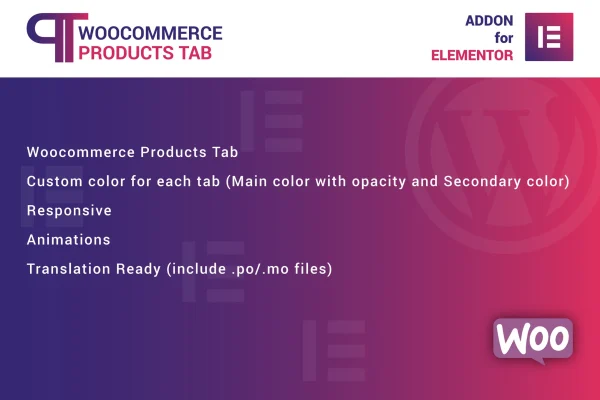
Setup happens through a dedicated widget in the Elementor interface. You drag it onto a page, choose what each tab should hold and adjust the look. Each tab can have its own main and secondary colors with opacity control, and animations add motion as products appear. The tabs are responsive across desktops, tablets and phones, display cleanly on retina screens and include .po and .mo files for translating the interface. It fits homepages, shop landing pages and campaign pages.
Best for
- WooCommerce stores built with Elementor
- Shops with many product categories to organize
- Freelancers designing store homepages for clients
Features
Dedicated Elementor widget
A drag and drop widget inside the Elementor editor lets you place and configure product tabs on any page without touching code.
Products sorted into tabs
Group WooCommerce products into tabs by category, popular items or promotional products so shoppers can switch between sections in one place.
Per-tab color settings
Set a main and a secondary color for each tab, with opacity control, so the tabs match your store's branding.
Display animations
Add animated transitions and effects to how products appear in the tabs, giving the section some movement as visitors browse.
Responsive layout
The tabs adapt to desktops, tablets and smartphones, so the product section stays usable on whatever screen your customers have.
Retina ready display
Visuals are prepared for high-resolution screens, keeping product tabs sharp on modern laptops and phones with dense displays.
Translation files included
Bundled .po and .mo files let you translate the plugin's text for stores that serve visitors in other languages.
Questions about WooCommerce Products Tab for Elementor
Do I need Elementor to use this plugin?
Yes. The plugin requires Elementor and works through its own widget in the Elementor editor. You place the widget on a page and configure your product tabs there, so it suits sites that already use Elementor for page design.
Can I give each tab a different color?
Yes. Every tab has its own main and secondary color settings, and you can control opacity for each. That lets you color code categories or match the tabs to your brand palette.
What kinds of products can I show in the tabs?
You can organize WooCommerce products into tabs by category, or create sections for popular items and promotional products. This gives shoppers a compact way to move between groups without scrolling through one long list.
Will the tabs work on mobile phones?
The tabs are built to be responsive, adjusting their layout for desktops, tablets and smartphones. They are also retina ready, so products display clearly on high-resolution screens.
Is WooCommerce Products Tab for Elementor free?
The code of WooCommerce Products Tab for Elementor is licensed under the GPL, so anyone may use, change and share it. GPL Feast is a paid service: a plan or a single purchase gives you the download and automatic updates. The developer's own support, licence key and online services are not included.
Which version of WooCommerce Products Tab for Elementor is this?
Version 1.0, released May 2, 2023. New versions appear here when the developer publishes them, and members get them as automatic updates.
How do I update WooCommerce Products Tab for Elementor?
Install the free GPL Feast Updater on your site and connect it with your API key. It installs new versions of WooCommerce Products Tab for Elementor automatically and keeps a backup, so you can roll back.
What does WooCommerce Products Tab for Elementor need?
WooCommerce Products Tab for Elementor needs Elementor installed and active.
You might also like






