
Plugin
Updated
Woocommerce Responsive Bookshelf Grid
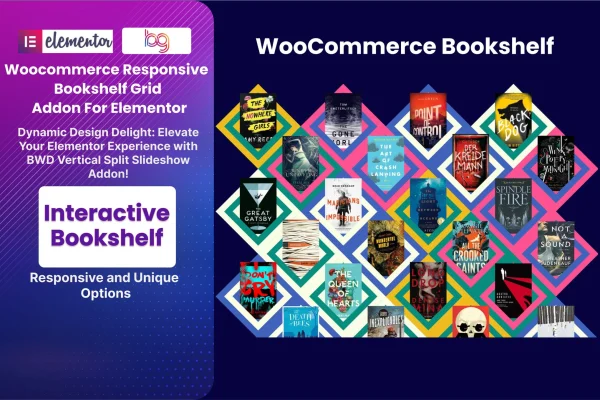
Woocommerce Responsive Bookshelf Grid is a WordPress plugin that adds a bookshelf style product grid to Elementor for WooCommerce stores. It displays books and media products on shelves that adapt to desktops, tablets and phones, with filters to help shoppers browse.
- Version
- 1.7
- Released
- Aug 24, 2026
- Type
- WordPress plugin
- Requires
- WooCommerce
- Licence
- GPL
- Included in
- Every plan, or $3.99 on its own
What’s new in Woocommerce Responsive Bookshelf Grid 1.7
Version 1.7 · Aug 24, 2026
Latest
What it does
A standard product grid works for most shops, but a bookstore or library often wants its catalog to look like a real shelf. This addon arranges your WooCommerce products in a bookshelf layout that resizes to fit any screen. It suits online bookstores, libraries and any WooCommerce shop that sells books or other media, and it gives visitors a familiar way to scan covers and move through a collection.
You build and adjust the shelf inside Elementor with a drag and drop interface, so no coding is needed. From there you can change colors, typography and spacing, swap the background behind the shelf, and turn on interactive effects. An advanced product filter lets customers narrow the display by category or attribute. The plugin works with WooCommerce and fits into an existing Elementor workflow.
Best for
- Online bookstores running WooCommerce
- Libraries presenting their collections on a website
- WooCommerce shops selling books, music or other media
Features
Responsive bookshelf grid
Products sit on a shelf style grid that adapts its layout to desktops, tablets and mobile phones so the collection stays readable on every device.
Advanced product filter
Shoppers can filter the shelf by product categories or attributes, which makes it easier to find a specific title or genre in a larger catalog.
Drag and drop editing
Create and change bookshelf layouts inside Elementor using drag and drop controls, with no code required for setup or later adjustments.
Background change option
Set a custom backdrop behind the bookshelf so it matches your brand identity or the overall theme of your online store.
Interactive effects
Add visual effects that react as visitors move through the shelf, giving browsing a more hands-on feel than a static product list.
Colors, typography and spacing
Adjust colors, fonts and spacing for the shelf elements so the display follows the same design language as the rest of your site.
Retina ready visuals
The grid is built for high resolution screens, so book covers and shelf graphics look sharp on modern displays.
Woocommerce Responsive Bookshelf Grid older versions
- 1.0Mar 12, 2024
Members and buyers of this product can download older versions.
Questions about Woocommerce Responsive Bookshelf Grid
Do I need WooCommerce and Elementor to use this?
Yes. The addon displays WooCommerce products, so WooCommerce must be active on your site. The bookshelf layouts are built and customized inside Elementor, so you will also need Elementor to place and edit the grid.
Can customers filter the books on the shelf?
Yes. The advanced product filter lets visitors narrow the displayed products by category or by product attributes. This helps shoppers browse larger catalogs and reach the titles they want without scrolling through every shelf.
How much can I change the look of the bookshelf?
You can customize colors, typography and spacing, change the background behind the shelf, and add interactive effects. These settings let you match the bookshelf to your brand and the rest of your store design.
Will the bookshelf work on phones?
Yes. The grid is responsive and adapts to screens from desktops down to mobile phones. It is also retina ready, so covers and shelf visuals stay crisp on high resolution displays.
Is Woocommerce Responsive Bookshelf Grid free?
The code of Woocommerce Responsive Bookshelf Grid is licensed under the GPL, so anyone may use, change and share it. GPL Feast is a paid service: a plan or a single purchase gives you the download and automatic updates. The developer's own support, licence key and online services are not included.
Which version of Woocommerce Responsive Bookshelf Grid is this?
Version 1.7, released Aug 24, 2026. New versions appear here when the developer publishes them, and members get them as automatic updates.
How do I update Woocommerce Responsive Bookshelf Grid?
Install the free GPL Feast Updater on your site and connect it with your API key. It installs new versions of Woocommerce Responsive Bookshelf Grid automatically and keeps a backup, so you can roll back.
What does Woocommerce Responsive Bookshelf Grid need?
Woocommerce Responsive Bookshelf Grid needs WooCommerce installed and active.
You might also like






