
Plugin
Updated
WooCommerce Role-O-Matic
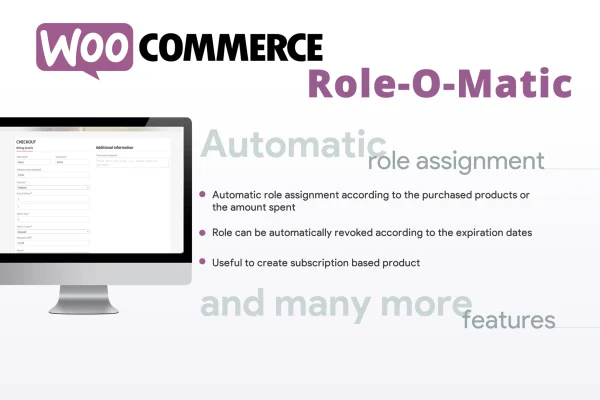
WooCommerce Role-O-Matic is a WordPress plugin for WooCommerce stores that assigns user roles automatically. You create assignment rules based on how much customers spend within a set time frame or which products they buy, and the plugin gives matching customers the right role.
- Version
- 9.2
- Released
- Jun 8, 2025
- Type
- WordPress plugin
- Requires
- WooCommerce
- Licence
- GPL
- Included in
- Every plan, or $3.99 on its own
What’s new in WooCommerce Role-O-Matic 9.2
Version 9.2 · Jun 8, 2025
Latest
- FixedFixed a warning about missing "removed_roles" key
What it does
Many stores use roles to separate customer groups, such as wholesale buyers, loyal regulars or members who get special prices. Assigning those roles by hand means checking order histories and editing user accounts one at a time. This plugin handles that work with rules. You decide the conditions, such as a minimum or maximum amount spent over a daily, weekly, monthly or custom period, or the purchase of a particular product, and qualifying customers receive the role you choose.
The plugin requires WooCommerce and adds its settings to a menu inside the WooCommerce admin panel. It is designed to work alongside WooCommerce Pricing or a compatible third-party pricing plugin, so the roles it assigns can drive role-based prices and discounts. You can also tell it which existing roles to evaluate or skip, and combine spending, role and product conditions in a single rule. That makes it a good fit for stores building pricing tiers, loyalty rewards or segmented offers.
Best for
- WooCommerce stores offering role-based pricing tiers
- Shops rewarding repeat or high-spending customers
- Stores granting roles after specific product purchases
Features
Spending-based role assignment
Assign a user role automatically when a customer's total spending during a configurable time period meets the conditions you set in a rule.
Product-based role assignment
Give customers a specific role when they purchase particular products, which helps you group buyers by what they actually ordered.
Configurable time frames
Base spending calculations on daily, weekly or monthly periods, or define a custom time frame that matches how your store measures customer activity.
Role inclusion and exclusion filters
Choose which existing user roles the plugin evaluates or ignores when applying rules, so accounts like administrators or staff stay untouched.
Combined rule conditions
Mix minimum and maximum spent amounts, user roles and product criteria in one rule to match the exact customer group you want.
Works with pricing plugins
Pairs with WooCommerce Pricing or a compatible third-party pricing plugin so assigned roles can trigger role-based prices and discounts.
Settings in the WooCommerce menu
All assignment rules are configured from a menu inside the WooCommerce admin panel, keeping role setup next to your other store settings.
Questions about WooCommerce Role-O-Matic
Can I give customers a new role after they spend a certain amount?
Yes. You can create a rule that assigns a role when a customer's spending reaches a minimum amount, or stays under a maximum, within a time period you choose. Periods can be daily, weekly, monthly or a custom range.
Does it change prices by itself?
The plugin assigns roles. To change prices or apply discounts based on those roles, it works together with WooCommerce Pricing or a compatible third-party pricing plugin, which reads the assigned role and applies the pricing you set there.
Can I stop it from changing roles for staff or certain users?
Yes. Role inclusion and exclusion filters let you choose which existing user roles the plugin evaluates during rule application, so you can leave out administrators, shop managers or any other roles you want to protect.
What do I need to use it?
It requires WooCommerce, and its settings appear in a menu within the WooCommerce admin panel. For role-based pricing, you would also use WooCommerce Pricing or another compatible pricing plugin.
Is WooCommerce Role-O-Matic free?
The code of WooCommerce Role-O-Matic is licensed under the GPL, so anyone may use, change and share it. GPL Feast is a paid service: a plan or a single purchase gives you the download and automatic updates. The developer's own support, licence key and online services are not included.
Which version of WooCommerce Role-O-Matic is this?
Version 9.2, released Jun 8, 2025. New versions appear here when the developer publishes them, and members get them as automatic updates.
How do I update WooCommerce Role-O-Matic?
Install the free GPL Feast Updater on your site and connect it with your API key. It installs new versions of WooCommerce Role-O-Matic automatically and keeps a backup, so you can roll back.
What does WooCommerce Role-O-Matic need?
WooCommerce Role-O-Matic needs WooCommerce installed and active.
You might also like






