
Plugin
Updated
WooCommerce Sale Products Layout for Elementor
WooCommerce Sale Products Layout for Elementor is a plugin that adds widgets to Elementor for displaying your discounted products. It gives you two layout widgets, six product styles and carousel options, so you can build a dedicated sale section on any page without writing code.
- Version
- 1.0
- Released
- May 2, 2023
- Type
- WordPress plugin
- Requires
- Elementor
- Licence
- GPL
- Included in
- Every plan, or $3.99 on its own
What’s new in WooCommerce Sale Products Layout for Elementor 1.0
Version 1.0 · May 2, 2023
Latest
What it does
Most WooCommerce stores run sales at some point, but putting discounted items in front of shoppers on a custom page can take more work than it should. This plugin addresses that by giving Elementor users ready-made widgets built specifically for sale products. You drop a widget onto a page, pick a style and adjust colors and animations to match your store. It works as an Elementor addon, so Elementor needs to be installed on your site.
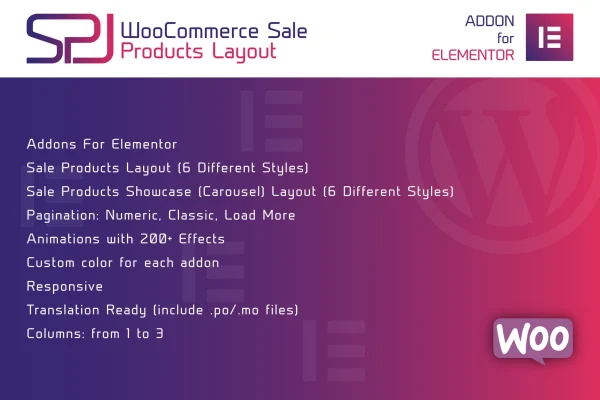
The plugin includes two widgets: a Classic layout and a second layout that supports a carousel for discounted items. Between them you get six product styles to choose from. For longer sale listings, you can set numeric, classic or Load More pagination so shoppers can move through the products in the way that suits your page. Over 200 animation effects are available for product blocks, the layouts are responsive and retina ready, and .po and .mo files are included for translation.
Best for
- WooCommerce stores that run regular sales or clearance events
- Elementor users building dedicated sale or deals pages
- Freelancers and agencies designing ecommerce sites in Elementor
Features
Two Elementor widgets
Choose between the Classic layout widget and a second layout widget, each built for presenting sale products on Elementor pages.
Six product styles
Pick from six different product styles to change how your discounted items look and to match the design of your store.
Sale products carousel
Display discounted items in a sliding carousel so shoppers can browse through several sale products within one section of the page.
Multiple pagination options
Use numeric, classic or Load More pagination to control how visitors move through longer lists of sale products.
Over 200 animation effects
Apply animation effects to your product blocks, with more than 200 options to choose from for adding motion to sale listings.
Customizable colors
Adjust the color scheme of each addon so your sale product displays stay consistent with your brand colors.
Responsive and retina ready
Layouts adapt to different screen sizes and are prepared for high-resolution displays, so sale products look sharp on phones, tablets and desktops.
Translation ready
The plugin comes with .po and .mo files, which let you translate the layouts into other languages for multilingual stores.
Questions about WooCommerce Sale Products Layout for Elementor
Do I need Elementor to use this plugin?
Yes. The plugin is built as an Elementor addon, and Elementor needs to be installed for its widgets to work. Once it is in place, the sale product widgets appear in the Elementor editor alongside your other widgets.
How many layout styles are included?
You get two Elementor widgets, a Classic layout and a second layout with carousel support. Together they offer six product styles, and you can change colors and add animation effects to further adjust how each one looks.
Can I show sale products in a carousel?
Yes. One of the included layouts supports a carousel, which lets shoppers slide through your discounted items. For grid style listings, you can also use numeric, classic or Load More pagination instead.
Will the layouts work on a translated or multilingual store?
The plugin is translation ready and includes .po and .mo files. You can use these to translate the layout text into other languages so your sale sections match the language of your store.
Is WooCommerce Sale Products Layout for Elementor free?
The code of WooCommerce Sale Products Layout for Elementor is licensed under the GPL, so anyone may use, change and share it. GPL Feast is a paid service: a plan or a single purchase gives you the download and automatic updates. The developer's own support, licence key and online services are not included.
Which version of WooCommerce Sale Products Layout for Elementor is this?
Version 1.0, released May 2, 2023. New versions appear here when the developer publishes them, and members get them as automatic updates.
How do I update WooCommerce Sale Products Layout for Elementor?
Install the free GPL Feast Updater on your site and connect it with your API key. It installs new versions of WooCommerce Sale Products Layout for Elementor automatically and keeps a backup, so you can roll back.
What does WooCommerce Sale Products Layout for Elementor need?
WooCommerce Sale Products Layout for Elementor needs Elementor installed and active.
You might also like






