
Plugin
Updated
WooCommerce TrackingMore
WooCommerce TrackingMore is a WordPress plugin that connects your WooCommerce store to the TrackingMore service. It lets you add tracking details to orders and shows customers the progress of their shipments right on your site.
- Version
- 4.3
- Released
- Oct 17, 2023
- Type
- WordPress plugin
- Requires
- WooCommerce
- Licence
- GPL
- Included in
- Every plan, or $3.99 on its own
What’s new in WooCommerce TrackingMore 4.3
Version 4.3
Latest
- NewAdded compatibility with HPOS
What it does
Once an order ships, customers want to know where it is. Without tracking on your own site, they either hunt through carrier websites or contact you to ask. This plugin brings that information into your store. It connects to the TrackingMore service through an API key, supports more than 700 shipping carriers, and lets you choose which carriers you want to use, so the list matches the logistics partners you actually work with.
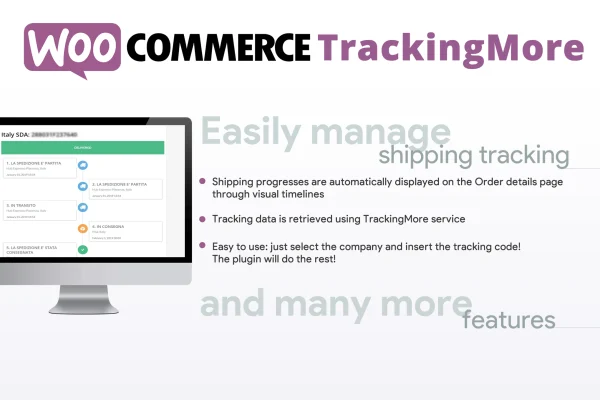
Day to day, you enter tracking information on the WooCommerce admin order page. The plugin then syncs shipment statuses automatically and displays them as a visual timeline on the customer's order details page. For shoppers who are not logged in, a shortcode places an order tracking form on any page you like. It requires WooCommerce and suits shops of different sizes that ship physical products and want customers to check order status on their own.
Best for
- WooCommerce stores shipping physical products
- Shops wanting fewer where-is-my-order support questions
- Retailers working with several shipping carriers
Features
TrackingMore API connection
Link your WooCommerce store to the TrackingMore service by entering an API key, which brings shipment updates into your store without complex configuration.
Visual shipping timelines
Customers see shipment progress as a clear timeline on their order details page, so they can follow each stage of delivery without leaving your site.
Support for 700+ carriers
Work with more than 700 shipping carriers worldwide and select only the companies you use, keeping the carrier list relevant to your store.
Tracking entry on orders
Add tracking information directly on the WooCommerce admin order page, keeping shipping details in the same place where you already manage each order.
Order tracking shortcode
Use the [wcafw_order_status] shortcode to place an order tracking form on any page, so customers can check an order without logging in.
Automatic status syncing
Shipment statuses sync automatically, so you do not need to update each order by hand and customers see current information when they check.
Questions about WooCommerce TrackingMore
Do I need a TrackingMore account to use this plugin?
The plugin works by connecting to the TrackingMore service through an API key. You enter that key during setup, and the plugin uses it to pull shipment updates into your WooCommerce store and show them to customers.
Can customers track orders without logging in?
Yes. The plugin includes the [wcafw_order_status] shortcode, which embeds an order tracking form on any page of your site. Customers can use it to check an order's status without signing in to an account.
Which shipping carriers are supported?
The plugin supports more than 700 shipping carriers worldwide through the TrackingMore service. You can choose which carriers to enable, so only the companies you actually ship with appear in your setup.
Where do customers see their tracking information?
Logged-in customers see a visual shipping timeline on their order details page showing the progress of their shipment. Anyone can also check status through the tracking form placed with the shortcode.
Is WooCommerce TrackingMore free?
The code of WooCommerce TrackingMore is licensed under the GPL, so anyone may use, change and share it. GPL Feast is a paid service: a plan or a single purchase gives you the download and automatic updates. The developer's own support, licence key and online services are not included.
Which version of WooCommerce TrackingMore is this?
Version 4.3, released Oct 17, 2023. New versions appear here when the developer publishes them, and members get them as automatic updates.
How do I update WooCommerce TrackingMore?
Install the free GPL Feast Updater on your site and connect it with your API key. It installs new versions of WooCommerce TrackingMore automatically and keeps a backup, so you can roll back.
What does WooCommerce TrackingMore need?
WooCommerce TrackingMore needs WooCommerce installed and active.
You might also like






