
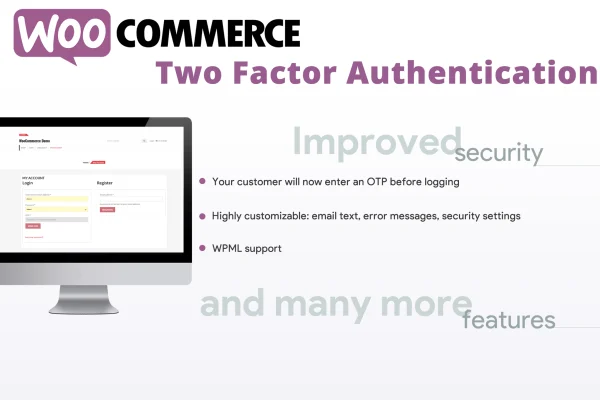
Plugin
Updated
WooCommerce Two Factor Authentication
This is a WordPress plugin for WooCommerce stores that adds a second verification step to customer logins. Customers confirm their identity with a one-time password sent to their registered email. It also includes a file approval system so shop managers can share files with customers after a purchase and collect their decisions.
- Version
- 2.3
- Released
- May 27, 2025
- Type
- WordPress plugin
- Requires
- WooCommerce
- Licence
- GPL
- Included in
- Every plan, or $3.99 on its own
- Topics
- Security Plugins
What’s new in WooCommerce Two Factor Authentication 2.3
Version 2.3 · May 27, 2025
Latest
- FixedFixed an issue due to the OTP field not being properly displayed
What it does
Stolen or guessed passwords are a common way into customer accounts, and a store holds personal details and order history that deserve protection. This plugin works on the WooCommerce login page itself. When a customer enters a username or email, an OTP field and a Send OTP button appear. The login button stays hidden until a code has been sent, so the verification steps happen in the right order and a password alone is not enough to sign in.
The second part of the plugin handles post-purchase file review. A shop manager can share a file with a customer, such as a proof or document tied to an order, and the customer approves or rejects it. Customers can leave a message explaining their choice, and the back and forth continues until the file is approved. This suits stores that sell custom or made-to-order work and need sign-off from buyers. WooCommerce is required.
Best for
- WooCommerce stores wanting stronger protection for customer accounts
- Shops selling custom products that need customer proof approval
- Agencies building secure WooCommerce sites for clients
Features
Login page integration
Adds two-factor authentication directly to the existing WooCommerce login page, so customers sign in where they already do without a separate login screen.
Email one-time passwords
Sends a unique one-time password to the customer's registered email address, which they enter to confirm their identity before the login completes.
Ordered login workflow
Shows the OTP field and Send OTP button after a username or email is entered, and keeps the login button hidden until a code has been sent.
File approval system
Lets shop managers share files with customers after a purchase so customers can review them and either approve or reject each one.
Customer decision messages
Customers can add a message explaining why they approved or rejected a file, giving the shop manager clear feedback for the next revision.
Lightweight front-end code
Built with optimized CSS and JavaScript so the extra login and approval steps add little weight to your store's pages.
WooCommerce Two Factor Authentication older versions
- 2.0Jan 29, 20251 improvement
Members and buyers of this product can download older versions.
Questions about WooCommerce Two Factor Authentication
How do customers receive their verification code?
The code is a one-time password sent to the email address on the customer's account. After entering their username or email on the login page, the customer clicks Send OTP, checks their inbox and enters the code to finish signing in.
Does it replace the normal WooCommerce login page?
No separate page is needed. WooCommerce Two Factor Authentication adds the OTP field and Send OTP button to the existing WooCommerce login form. The login button only appears once a code has been sent, which keeps the steps in the correct order.
What is the file approval feature used for?
It lets a shop manager share a file with a customer after a purchase, such as a design proof or document. The customer approves or rejects it and can leave a message explaining why, and the exchange continues until the file is approved.
Is WooCommerce Two Factor Authentication free?
The code of WooCommerce Two Factor Authentication is licensed under the GPL, so anyone may use, change and share it. GPL Feast is a paid service: a plan or a single purchase gives you the download and automatic updates. The developer's own support, licence key and online services are not included.
Which version of WooCommerce Two Factor Authentication is this?
Version 2.3, released May 27, 2025. New versions appear here when the developer publishes them, and members get them as automatic updates.
How do I update WooCommerce Two Factor Authentication?
Install the free GPL Feast Updater on your site and connect it with your API key. It installs new versions of WooCommerce Two Factor Authentication automatically and keeps a backup, so you can roll back.
What does WooCommerce Two Factor Authentication need?
WooCommerce Two Factor Authentication needs WooCommerce installed and active.
You might also like






