
Plugin
Updated
WooCommerce Wallet
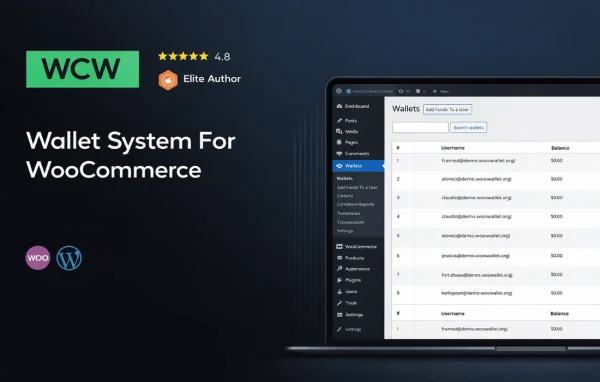
WooCommerce Wallet by Firas Saidi is a plugin that adds a personal wallet to each customer account in your WooCommerce store. Shoppers deposit funds, keep a balance and spend it on future orders, while you can send refunds straight back to that wallet.
- Version
- 4.0.0
- Released
- Feb 8, 2026
- Developer
- Firas Saidi
- Type
- WordPress plugin
- Requires
- WooCommerce
- Licence
- GPL
- Included in
- Every plan, or $5.59 on its own
What’s new in WooCommerce Wallet 4.0.0
Version 4.0.0 · Feb 8, 2026
Latest
- NewUI Revamp
- NewAdded the option to set a custom amount while approving a refund request.
What it does
Many stores want a simple way to hold customer funds as store credit, whether for prepaid balances or for refunds that stay in the shop. This plugin adds that wallet layer to WooCommerce. Customers top up their balance, see it update in real time and review their recent transactions from their account. At checkout they can pay the full order from the wallet or use part of the balance and cover the rest another way.
On the merchant side, you can track wallet activity through a detailed transaction history and issue refunds directly to a customer's wallet. When approving a refund request, you can set a custom amount instead of refunding the full total. Settings let you adjust wallet limits, notifications and appearance so the wallet fits your store. It also supports multiple currencies, which suits shops that sell to buyers in different regions.
Best for
- WooCommerce stores offering store credit or prepaid balances
- Shops that prefer issuing refunds as wallet credit
- Stores selling to customers in multiple currencies
Features
Customer fund deposits
Customers can add money to their wallet balance from their account, then use those funds when they place future orders in your store.
Full or partial wallet payments
At checkout, shoppers choose whether to pay the whole order with their wallet balance or apply only part of it toward the total.
Refunds to the wallet
Store owners can send refunds directly to a customer's wallet, and can set a custom amount while approving a refund request.
Real-time balance updates
Customers can view their current wallet balance and recent transactions at any time, with the balance updating as deposits and payments happen.
Detailed transaction history
Both merchants and customers get a log of wallet activity, which makes it easier to track deposits, payments and refunds over time.
Multiple currency support
The wallet works with transactions in various currencies, which helps stores that serve customers in more than one country or region.
Customizable wallet settings
Store owners can adjust wallet limits, notifications and appearance so the wallet matches their brand and how their business runs.
WooCommerce Wallet older versions
- 3.1.0Aug 22, 20241 new
- 3.0.9May 7, 20241 fix
- 3.0.8May 5, 20241 security fix
- 3.0.7Apr 15, 2024
- 3.0.6Mar 20, 2024
- 3.0.5Oct 29, 2023
- 3.0.4Oct 29, 2023
- 3.0.3Sep 23, 2023
- 3.0.2Sep 4, 2023
- 3.0Jun 20, 2023
Members and buyers of this product can download older versions.
11 older versions in all. If you need one that is not listed, ask support.
Questions about WooCommerce Wallet
Can customers pay for only part of an order with their wallet?
Yes. During checkout, customers can choose to pay the full order with their wallet balance or use part of it. This is handy when a balance does not cover the whole total.
Can I refund customers to their wallet instead of the original payment method?
Yes. The plugin lets store owners issue refunds directly to a customer's wallet. When you approve a refund request, you can also enter a custom amount rather than refunding the full order value.
Will customers be able to see their balance and past activity?
Customers can view their wallet balance, which updates in real time, along with their recent transactions. A detailed transaction history is available to both customers and store owners for tracking wallet activity.
Does it need WooCommerce to work?
Yes. WooCommerce Wallet is built for WooCommerce and requires it. The wallet ties into your store's customer accounts and checkout so balances can be used on orders.
Is WooCommerce Wallet free?
The code of WooCommerce Wallet is licensed under the GPL, so anyone may use, change and share it. GPL Feast is a paid service: a plan or a single purchase gives you the download and automatic updates. The developer's own support, licence key and online services are not included.
Which version of WooCommerce Wallet is this?
Version 4.0.0, released Feb 8, 2026. New versions appear here when the developer publishes them, and members get them as automatic updates.
How do I update WooCommerce Wallet?
Install the free GPL Feast Updater on your site and connect it with your API key. It installs new versions of WooCommerce Wallet automatically and keeps a backup, so you can roll back.
What does WooCommerce Wallet need?
WooCommerce Wallet needs WooCommerce installed and active.
You might also like






