
Plugin
Updated
WooEvents
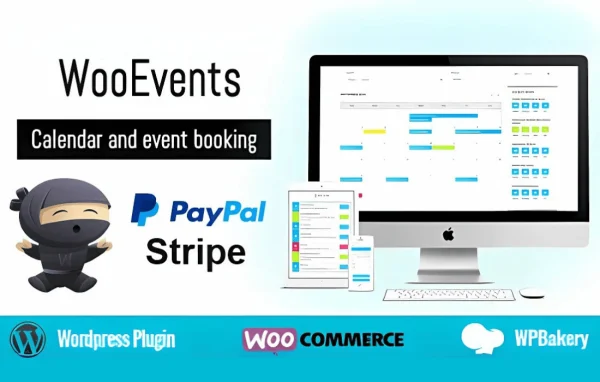
WooEvents is a WordPress plugin that connects event management with WooCommerce. It lets you build event calendars, take bookings and sell tickets through your store, with support for recurring events, custom ticket types and attendee tracking.
- Version
- 4.1.8
- Released
- Jan 15, 2026
- Type
- WordPress plugin
- Requires
- WooCommerce
- Licence
- GPL
- Included in
- Every plan, or $4.79 on its own
What’s new in WooEvents 4.1.8
Version 4.1.8 · Jan 15, 2026
Latest
- FixedCompatible with WordPress 6.9
- SecurityRemoves notice message visible on php 8.3
- SecuritySecurity hardening to prevent Broken Access Control
What it does
Running events on a WordPress site usually means juggling a calendar tool, a booking form and a separate way to take payments. This plugin brings those jobs together by working with WooCommerce, which it requires. You create events from the WordPress dashboard, sell tickets through your store's checkout, and manage the people who register, all in one place. It handles single events as well as recurring and multi-day schedules.
On the visitor side, events appear in monthly, weekly, agenda or timeline calendar views, with filtering and search to help people find what interests them. Shortcodes and widgets let you place calendars, event lists and booking forms where you need them, and the layout is responsive for phones and tablets. Users or vendors can submit events from a frontend form, and automated email notifications and reminders keep organizers and attendees informed.
Best for
- Event organizers selling tickets through a WooCommerce store
- Venues and businesses running recurring classes or sessions
- Community sites accepting event listings from users or vendors
Features
Ticket sales through WooCommerce
Tickets are sold and paid for using WooCommerce, so event bookings run through the same checkout and payment setup your store already uses.
Multiple calendar views
Display events in monthly, weekly, agenda or timeline views, choosing the format that fits your site layout and how visitors like to browse.
Recurring and multi-day events
Schedule events that repeat or span several days, which suits workshops, courses, festivals and other sessions that run more than once.
Custom ticket types
Set up different ticket types for various attendee categories, price points and access levels within a single event.
Attendee management
Track registrations and attendance for each event, and send email notifications to the people who have signed up.
Frontend event submission
Users or vendors can submit their own events through a form on the front of your site, adding listings without manual entry by you.
Shortcodes and widgets
Place calendars, event lists and booking forms on any page or sidebar using the included shortcodes and widgets.
Filtering and search
Visitors can filter and search your event listings to find events that match their interests, and pages adapt to mobile screens.
WooEvents older versions
- 4.1.6Jun 24, 2025
- 4.1.5Jun 2, 20252 new, 1 improvement
Members and buyers of this product can download older versions.
Questions about WooEvents
Do I need WooCommerce to use this plugin?
Yes. WooEvents requires WooCommerce, which it uses to handle ticket sales and payments. Your events and tickets work alongside your store, so bookings go through the WooCommerce checkout.
Can I sell different kinds of tickets for one event?
Yes. You can create custom ticket types for different attendee categories, pricing and access levels, so a single event can offer options such as standard and VIP entry.
Can visitors add their own events to my calendar?
Yes. A frontend submission form lets users or vendors submit events directly from your site, which helps you grow your listings without entering every event yourself.
How will events look on my site?
Events can be shown in monthly, weekly, agenda or timeline calendar views. You can place calendars, event lists and booking forms using shortcodes and widgets, and the design is responsive across devices.
Is WooEvents free?
The code of WooEvents is licensed under the GPL, so anyone may use, change and share it. GPL Feast is a paid service: a plan or a single purchase gives you the download and automatic updates. The developer's own support, licence key and online services are not included.
Which version of WooEvents is this?
Version 4.1.8, released Jan 15, 2026. New versions appear here when the developer publishes them, and members get them as automatic updates.
How do I update WooEvents?
Install the free GPL Feast Updater on your site and connect it with your API key. It installs new versions of WooEvents automatically and keeps a backup, so you can roll back.
What does WooEvents need?
WooEvents needs WooCommerce installed and active.
You might also like






