
Plugin
Updated
WordPress CountDown Pro - WebSites/Products Launch
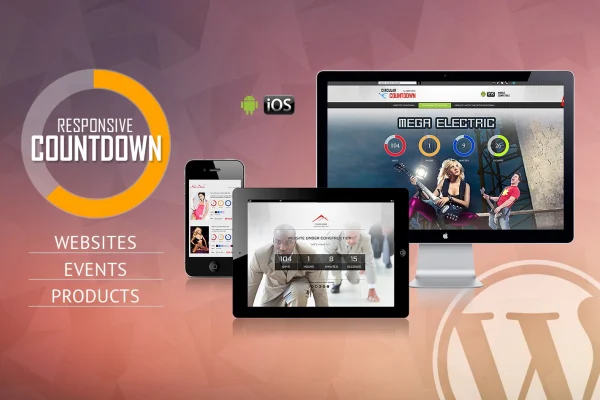
WordPress CountDown Pro - WebSites/Products Launch is a WordPress plugin that adds countdown timers to your pages. Use it ahead of a site launch, a new product release or a time-limited offer, and adjust the timer's look and timing so it fits your design and schedule.
- Version
- 2.8
- Released
- Jan 23, 2026
- Type
- WordPress plugin
- Licence
- GPL
- Included in
- Every plan, or $3.99 on its own
What’s new in WordPress CountDown Pro - WebSites/Products Launch 2.8
Version 2.8 · Jan 23, 2026
Latest
What it does
A countdown timer gives visitors a clear deadline: when a new site goes live, when a product becomes available, or when an offer ends. This plugin puts that timer on your WordPress site and lets you style it to match your theme. There are over 80 settings covering colors, fonts, transparency, borders and dimensions, so the timer can blend into a minimal layout or stand out on a bold landing page. The layout is responsive and adapts to desktops, tablets and phones, with support for iOS and Android devices.
Timing is set down to the second. You choose a start and end point by year, month, day, hour, minute and second, and decide whether the countdown follows server time or the visitor's computer time. When the timer reaches zero, a callback function can run a follow-up action you define. For recurring events or repeating promotions, an auto-reset option restarts the countdown once it ends. Designers also get responsive PSD files for working on the visual elements before building them out.
Best for
- Sites preparing for a launch or relaunch
- Stores running limited-time sales and offers
- Agencies building event and product landing pages
Features
Over 80 style settings
Adjust colors, fonts, transparency, borders and dimensions so the countdown timer matches the look of your existing WordPress theme and branding.
Responsive layout
The timer adapts to different browser sizes and screen resolutions, so it displays properly on desktops, tablets and smartphones.
iOS and Android support
The countdown is built to work on both iOS and Android devices, covering the major mobile platforms your visitors are likely to use.
Second-level timing control
Set start and end times by year, month, day, hour, minute and second to line the countdown up with your exact campaign schedule.
Server or client time
Choose whether the countdown runs on your server's time or on the visitor's computer time, depending on how you want it synchronized.
Callback when time runs out
Define a custom callback function that runs when the countdown finishes, so you can trigger a follow-up action or notification automatically.
Automatic reset
Have the countdown restart on its own after it ends, which suits recurring events, weekly deals or other repeating offers.
Included PSD files
Responsive PSD templates come with the plugin, giving designers a starting point for customizing the timer's visual elements.
WordPress CountDown Pro - WebSites/Products Launch older versions
- 2.7Jul 1, 2024
Members and buyers of this product can download older versions.
Questions about WordPress CountDown Pro - WebSites/Products Launch
Can I make the timer match my site's design?
Yes. The plugin offers over 80 configurable options, including colors, fonts, transparency, borders and dimensions. That range lets you fit the countdown to most themes, and the included PSD files help designers plan the visual style ahead of time.
Will the countdown work on phones?
The layout is responsive and adjusts to different screen sizes, including tablets and smartphones. It is also built to work on both iOS and Android devices.
Can something happen automatically when the countdown ends?
You can define a custom callback function that runs once the timer reaches zero, which is useful for triggering a follow-up action or notification. There is also an auto-reset option that restarts the countdown for recurring events or offers.
Does the timer use my server's clock or the visitor's clock?
You choose. The plugin lets you base the countdown on server time or on the visitor's computer time, so you can pick the option that suits how your campaign should be synchronized.
Is WordPress CountDown Pro - WebSites/Products Launch free?
The code of WordPress CountDown Pro - WebSites/Products Launch is licensed under the GPL, so anyone may use, change and share it. GPL Feast is a paid service: a plan or a single purchase gives you the download and automatic updates. The developer's own support, licence key and online services are not included.
Which version of WordPress CountDown Pro - WebSites/Products Launch is this?
Version 2.8, released Jan 23, 2026. New versions appear here when the developer publishes them, and members get them as automatic updates.
How do I update WordPress CountDown Pro - WebSites/Products Launch?
Install the free GPL Feast Updater on your site and connect it with your API key. It installs new versions of WordPress CountDown Pro - WebSites/Products Launch automatically and keeps a backup, so you can roll back.
You might also like






