
Plugin
Updated
WordPress File Management System
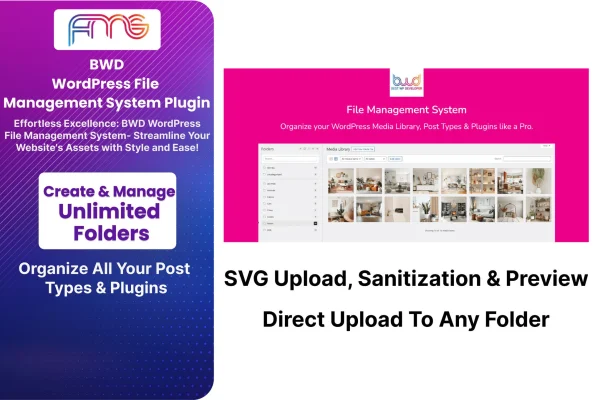
WordPress File Management System by BestWpDeveloper is a plugin for organizing files inside your WordPress dashboard. It adds folders, drag and drop sorting, search and access controls to the Media Library, so you can keep uploads, post type content and plugin files in order without leaving your site.
- Version
- 1.3
- Released
- Aug 24, 2026
- Type
- WordPress plugin
- Licence
- GPL
- Included in
- Every plan, or $3.99 on its own
What’s new in WordPress File Management System 1.3
Version 1.3 · Aug 24, 2026
Latest
What it does
A busy Media Library turns into one long grid of images and documents, and finding a single file can take far too long. This plugin gives that library a folder structure. You can create as many folders as you need, then drag files into them one at a time or in bulk. It also covers post types and plugins, so more of your site's content can be sorted the same way instead of living in separate, unorganized lists.
Everything happens inside the familiar WordPress interface, which means your existing media workflow stays the same. Search filters let you look up files by name, type or folder. Version control keeps earlier copies of files so you can roll back a change. SVG files can be uploaded with sanitization and previewed in the dashboard, and user permissions let you decide which roles can reach which files. The layout is responsive and retina ready, so it works on desktops and phones.
Best for
- Bloggers with large, growing media libraries
- Business sites storing documents that need restricted access
- Teams and agencies managing files across several user roles
Features
Unlimited folders
Create and manage as many folders as your site needs, building a structure that matches how you actually group your images, documents and other files.
Drag and drop sorting
Move files into folders by dragging them, either individually or in bulk, which cuts down on the repetitive clicking of sorting media by hand.
Search by name, type or folder
Search tools filter your files by name, file type or folder location, so you can narrow a large library down to the item you need.
File version control
Earlier versions of your files are kept, giving you a way to roll back to a previous copy when an update or replacement goes wrong.
SVG upload and preview
Upload SVG vector graphics with sanitization applied, then preview them right in the dashboard instead of guessing what each file contains.
User role permissions
Set access rights for different user roles so sensitive files are only available to the people on your team who should see them.
Media Library integration
Folders and tools work within the native WordPress Media Library, and organization extends to post types and plugins as well.
Responsive, retina ready layout
The interface adapts to desktops, tablets and smartphones and displays crisp visuals on high resolution screens.
WordPress File Management System older versions
- 1.0.0Dec 20, 2023
Members and buyers of this product can download older versions.
Questions about WordPress File Management System
Does this replace the WordPress Media Library?
No. It works inside the native Media Library and adds folders, drag and drop sorting, search filters and permissions on top of it. Your existing media workflow stays familiar, and organization also extends to post types and plugins.
Can I limit which users see certain files?
Yes. You can customize access rights for different user roles, which helps keep sensitive files available only to authorized people. This is useful on sites where editors, authors and administrators should not all see the same documents.
Can I safely upload SVG files with it?
Yes. The plugin supports SVG uploads with sanitization and lets you preview SVG files inside the dashboard, which makes it easier to manage vector graphics such as logos and icons alongside your other media.
What happens if I replace a file by mistake?
The plugin includes version control, which keeps previous versions of your files. If a replacement goes wrong, you can roll back to an earlier copy instead of hunting for the original on your computer.
Is WordPress File Management System free?
The code of WordPress File Management System is licensed under the GPL, so anyone may use, change and share it. GPL Feast is a paid service: a plan or a single purchase gives you the download and automatic updates. The developer's own support, licence key and online services are not included.
Which version of WordPress File Management System is this?
Version 1.3, released Aug 24, 2026. New versions appear here when the developer publishes them, and members get them as automatic updates.
How do I update WordPress File Management System?
Install the free GPL Feast Updater on your site and connect it with your API key. It installs new versions of WordPress File Management System automatically and keeps a backup, so you can roll back.
You might also like






