
Plugin
Updated
WordPress Store Locator
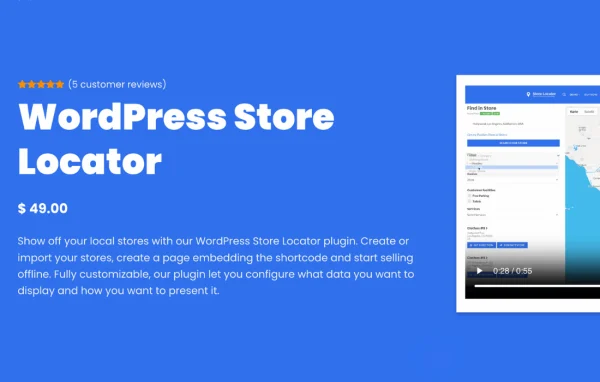
WordPress Store Locator is a plugin that adds an interactive store finder to your site. It places your physical locations on a Google Map and lets visitors search by distance, category or address, so they can find the nearest shop and see its details.
- Version
- 2.2.7
- Released
- Apr 8, 2025
- Type
- WordPress plugin
- Licence
- GPL
- Included in
- Every plan, or $4.79 on its own
What’s new in WordPress Store Locator 2.2.7
Version 2.2.7
Latest
- FixedCustom fields not showing in export / import files
What it does
Businesses with more than one physical location often struggle to show customers where those locations are and how to reach them. A plain list of addresses is hard to scan, especially on a phone. This plugin solves that by putting every store on an interactive Google Map, with search filters that narrow results by distance, category or address. Each location can show its address, contact details, working hours and directions, so a visitor has what they need before heading out.
You manage locations from the WordPress dashboard, where you can add, edit and organize stores and sort them into categories by type or services offered. Custom fields are supported and carry through export and import files, which helps when moving location data in bulk. Markers and the overall layout and styling can be adjusted to match your branding, and the responsive layout works on smartphones and tablets. It suits WooCommerce shops, retail chains and franchises that want online visitors to find their physical storefronts.
Best for
- Retail chains with several physical shop locations
- WooCommerce stores that also run brick and mortar outlets
- Franchises needing a branded store finder map
Features
Interactive Google Maps
Displays your store locations on a Google Map that visitors can move around and zoom to see where each shop sits.
Search by distance or address
Visitors can filter stores by distance, category or address to quickly narrow the map down to the locations that matter to them.
Custom map markers
Design your own markers so the pins on the map match your brand colors and style instead of the default look.
Detailed store information
Each location can show its address, contact details, working hours and directions, giving customers practical information before they visit.
Dashboard location management
Add, edit and organize store locations directly from the WordPress dashboard without working outside your site admin.
Store categories
Group stores by type or by the services they offer, which lets visitors filter the map to the kind of location they need.
Export and import with custom fields
Move location data in and out through export and import files, with custom fields included so extra store details are kept.
Responsive, customizable layout
Adjust the layout and styling to fit your theme, and the locator adapts to smartphones and tablets for mobile visitors.
Questions about WordPress Store Locator
Can customers find the store closest to them?
Yes. Visitors can search by distance, category or address, and the results appear on an interactive Google Map. Each store listing can include the address, contact details, working hours and directions, so customers can pick the nearest location and plan their visit.
Can I make the map match my brand?
You can design custom map markers and adjust the locator's layout and styling to fit your website's theme and branding. This lets the store finder look like part of your site rather than a generic embedded map.
How do I add and organize my store locations?
Locations are added, edited and organized from the WordPress dashboard. You can sort stores into categories by type or services offered, and use export and import files, including custom fields, to handle location data in bulk.
Does the store locator work on phones?
Yes. The plugin uses a responsive layout built to display properly on smartphones and tablets, so visitors searching for a store while on the go can use the map and filters comfortably.
Is WordPress Store Locator free?
The code of WordPress Store Locator is licensed under the GPL, so anyone may use, change and share it. GPL Feast is a paid service: a plan or a single purchase gives you the download and automatic updates. The developer's own support, licence key and online services are not included.
Which version of WordPress Store Locator is this?
Version 2.2.7, released Apr 8, 2025. New versions appear here when the developer publishes them, and members get them as automatic updates.
How do I update WordPress Store Locator?
Install the free GPL Feast Updater on your site and connect it with your API key. It installs new versions of WordPress Store Locator automatically and keeps a backup, so you can roll back.
You might also like






