
Plugin
Updated
WordPress Upload Files Anywhere
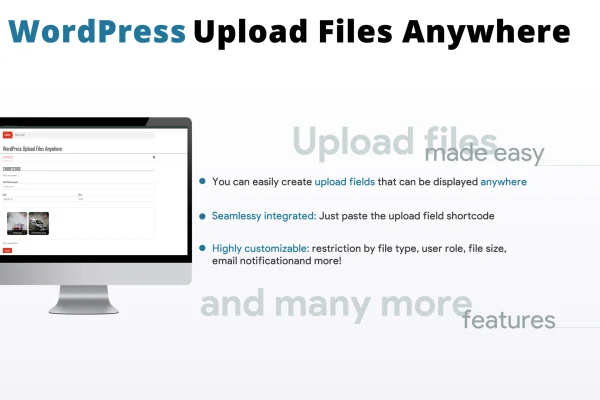
WordPress Upload Files Anywhere is a plugin that lets you place file upload areas on any page, post or widget of your site. You build each upload field in a configurator, set the rules for it, then embed it with a shortcode.
- Version
- 2.8
- Released
- Nov 28, 2025
- Type
- WordPress plugin
- Requires
- WooCommerce
- Licence
- GPL
- Included in
- Every plan, or $3.99 on its own
What’s new in WordPress Upload Files Anywhere 2.8
Version 2.8 · Nov 28, 2025
Latest
- ImprovedImproved security
What it does
Collecting files from visitors on a WordPress site often runs into server upload limits, and raising those limits usually means editing PHP settings. This plugin is built to handle uploads of any file size on any page without changing your server configuration. That makes it practical for collecting documents, images, videos or other formats from clients, customers or members, without asking your host to adjust anything.
Each upload area is created in a configurator, where you choose which file types are accepted, how large files can be and which user roles can use the field. You can attach extra input fields such as text, date or select menus so each upload arrives with the details you need. The configurator generates a shortcode you can drop into pages, posts or widgets. It works alongside WooCommerce, which it requires, and it is compatible with WPML for multilingual sites.
Best for
- WooCommerce stores that collect files from customers
- Agencies and freelancers gathering client documents or media
- Multilingual sites running WPML that need upload forms
Features
Any file size, any page
Place upload fields wherever you need them and accept files of any size without editing server PHP settings or upload limits.
File type and size rules
Decide which file formats each upload field accepts and set size limits, so you keep control over what visitors send to your site.
User role restrictions
Limit each upload area to specific user roles, so only the people you choose can submit files through that field.
Upload field configurator
Create and manage your upload fields from a single configuration interface, adjusting each field's settings without touching code.
Extra input fields
Attach text, textarea, date, time, select and multiselect fields to each upload to gather more details along with the file.
Shortcode embedding
Insert the generated shortcode into any page, post or widget to display an upload area exactly where you want it.
WPML compatibility
Works with WPML, so upload areas can be used on multilingual sites that serve visitors in more than one language.
WordPress Upload Files Anywhere older versions
- 2.7Nov 20, 20241 improvement
- 2.6Jul 19, 20241 improvement
- 2.5Jun 23, 20231 new, 1 fix
- 2.4Jun 22, 2023
Members and buyers of this product can download older versions.
Questions about WordPress Upload Files Anywhere
Will I need to change my server settings to accept large files?
No. The plugin is designed to accept uploads of any file size on any page without altering your server's PHP settings or upload limits, so you can collect large files without adjusting your hosting configuration.
Can I control who is allowed to upload files?
Yes. Each upload field can be restricted to specific user roles. You can also limit the accepted file types and set size limits, giving you control over who uploads and what they are able to send.
Can visitors add information along with their files?
Yes. You can associate extra input fields with each upload, including text, textarea, date, time, select and multiselect options. This lets you collect names, notes, dates or choices together with the uploaded file.
Does the plugin require WooCommerce?
Yes, WooCommerce is listed as a requirement. Once your upload field is configured, you place it on pages, posts or widgets using the shortcode the configurator generates.
Is WordPress Upload Files Anywhere free?
The code of WordPress Upload Files Anywhere is licensed under the GPL, so anyone may use, change and share it. GPL Feast is a paid service: a plan or a single purchase gives you the download and automatic updates. The developer's own support, licence key and online services are not included.
Which version of WordPress Upload Files Anywhere is this?
Version 2.8, released Nov 28, 2025. New versions appear here when the developer publishes them, and members get them as automatic updates.
How do I update WordPress Upload Files Anywhere?
Install the free GPL Feast Updater on your site and connect it with your API key. It installs new versions of WordPress Upload Files Anywhere automatically and keeps a backup, so you can roll back.
What does WordPress Upload Files Anywhere need?
WordPress Upload Files Anywhere needs WooCommerce installed and active.
You might also like






