
Plugin
Updated
WordPress User Photo
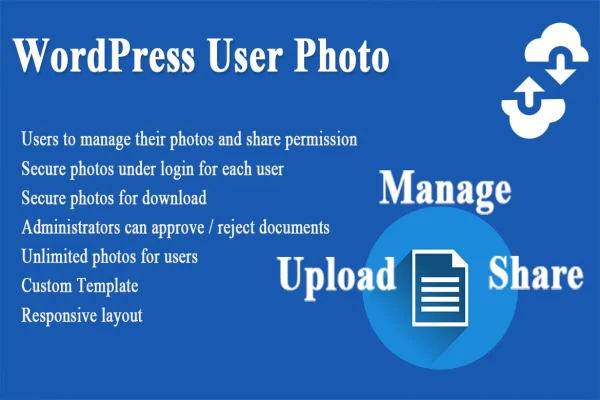
WordPress User Photo is a plugin that adds member photo uploads and sharing to a WordPress site. Users can upload and manage their own images, and administrators keep control over what gets published. It suits community and membership sites where people contribute pictures.
- Version
- 1.0.0
- Released
- May 2, 2023
- Type
- WordPress plugin
- Licence
- GPL
- Included in
- Every plan, or $3.99 on its own
What’s new in WordPress User Photo 1.0.0
Version 1.0.0 · May 2, 2023
Latest
What it does
Many community sites want members to share pictures, but WordPress has no simple front end for that. This plugin lets members upload photos and manage them without restrictions, while site admins can create, edit, approve or reject each submission. That balance means you can open the site to user content and still keep it in line with your own policies. Admins can also manage photo licensing and sort images by type and age group, which helps keep a growing collection organized.
On the visitor side, photos can be opened in a popup window, and albums can play as a slideshow. A set of widgets lets you highlight content in sidebars and other widget areas, including top viewed, most liked, most discussed and featured photos, plus a tag cloud, categories and a statistics widget with total views, likes and photo counts. The layout is responsive, and members can share their photos on external websites.
Best for
- Online communities where members share their own photos
- Membership sites that want moderated user galleries
- Photography clubs or hobby groups collecting member images
Features
Unlimited member uploads
Users can upload and organize as many photos as they like, so members can build their own collections on your site without hitting a cap.
Approval and editing controls
Administrators can create, edit, approve or reject photos, which keeps submissions in line with your site rules before they appear publicly.
License, type and age settings
Admins can manage photo licensing and categorize images by type and age group, making a large library easier to sort and curate.
Popup and slideshow viewing
Visitors can open photos in a popup window or watch albums play in slideshow mode, giving them more than one way to browse images.
Popular photo widgets
Widgets display top viewed, most liked, most discussed and featured photos, along with a tag cloud and categories for easier browsing.
Statistics widget
A statistics widget shows total views, likes and photo counts, giving administrators and visitors a quick picture of activity on the site.
External sharing
Members can share their photos on other external websites, so images posted on your site can travel beyond it.
Responsive layout
The photo pages and galleries use a responsive design, so they adjust to phones, tablets and desktop screens.
Questions about WordPress User Photo
Can I review photos before they go live?
Yes. Administrators can approve or reject member submissions, and they can also edit or create photos themselves. That lets you moderate uploaded content and keep the gallery consistent with your site policies.
Is there a limit on how many photos users can upload?
No limit is described. The plugin allows unlimited photo uploads and lets users organize their own photos, which suits communities where members add images regularly.
What widgets come with the plugin?
It includes widgets for top viewed photos, most liked photos, most discussed photos, featured photos, a tag cloud, categories and statistics. The statistics widget shows total views, likes and photo counts.
How do visitors view the photos?
Photos can be opened in a popup window, and albums can be viewed in slideshow mode. The design is responsive, so the viewing experience adapts to different screen sizes.
Is WordPress User Photo free?
The code of WordPress User Photo is licensed under the GPL, so anyone may use, change and share it. GPL Feast is a paid service: a plan or a single purchase gives you the download and automatic updates. The developer's own support, licence key and online services are not included.
Which version of WordPress User Photo is this?
Version 1.0.0, released May 2, 2023. New versions appear here when the developer publishes them, and members get them as automatic updates.
How do I update WordPress User Photo?
Install the free GPL Feast Updater on your site and connect it with your API key. It installs new versions of WordPress User Photo automatically and keeps a backup, so you can roll back.
You might also like






