
Plugin
Updated
WordPress Widget Style Editor Elementor Addon
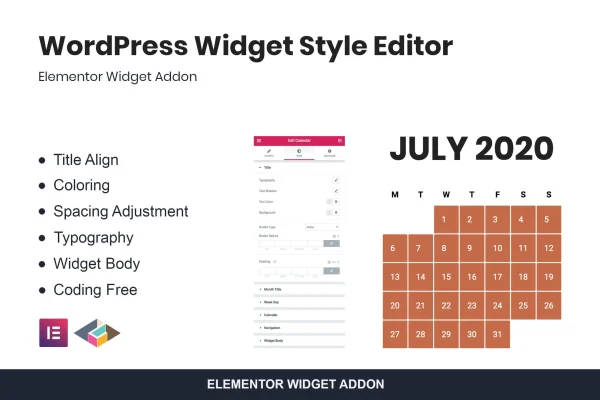
WordPress Widget Style Editor Elementor Addon by TemeGUM is a plugin for Elementor that lets you display and style default WordPress widgets on your Elementor pages. You can adjust titles, colors, typography and spacing from a code-free interface, so widget areas match the rest of your design.
- Version
- 1.0.2
- Released
- May 2, 2023
- Type
- WordPress plugin
- Requires
- Elementor
- Licence
- GPL
- Included in
- Every plan, or $3.99 on its own
What’s new in WordPress Widget Style Editor Elementor Addon 1.0.2
Version 1.0.2 · May 2, 2023
Latest
What it does
Default WordPress widgets such as Archives, Categories and Recent Posts often look out of place next to pages built in Elementor. Their styling usually comes from the theme, and changing it tends to mean writing custom CSS. This addon brings those widgets into Elementor and gives you style controls for them, so you can make sidebars, footers and other widget areas look consistent with the pages around them.
It works inside Elementor, which the plugin requires. Once a widget is on the page, you set title alignment, pick colors for widget elements, choose fonts and sizes, and fine-tune margins and padding. It covers Meta, Archives, Categories, Tag Cloud, Recent Posts, Recent Comments, Search, Navigation Menu, Calendar and Pages. It suits site owners and designers who want tidy widget styling without touching code.
Best for
- Elementor sites using default WordPress widgets in sidebars
- Bloggers wanting styled archives, categories and recent posts
- Designers styling widget areas for client sites without code
Features
Widget title alignment
Align widget titles to the left, center or right so they fit the layout of the page or column where the widget sits.
Custom color options
Change the colors of widget elements to match your site's palette, keeping sidebars and footers in line with the rest of your design.
Adjustable spacing
Fine-tune margins and padding on widgets to control how much room they take up and how they sit alongside other page elements.
Typography controls
Choose fonts, sizes and styles for widget text to improve readability and keep typography consistent with your brand across the site.
Default WordPress widget support
Style Meta, Archives, Categories, Tag Cloud, Recent Posts, Recent Comments, Search, Navigation Menu, Calendar and Pages widgets from within Elementor.
Code-free styling interface
Every style setting is handled through visual controls, so you can design widget areas without writing CSS or editing theme files.
Responsive widget display
Widgets styled with the addon are built to display properly across different devices, from desktop screens to phones.
Questions about WordPress Widget Style Editor Elementor Addon
Do I need Elementor to use this plugin?
Yes. The addon requires Elementor and works inside it. It lets you display default WordPress widgets on your Elementor pages and style them with Elementor-based controls for titles, colors, typography and spacing.
Which widgets can I style with it?
It supports the default WordPress widgets: Meta, Archives, Categories, Tag Cloud, Recent Posts, Recent Comments, Search, Navigation Menu, Calendar and Pages. These are the widgets most often found in blog sidebars and footers.
Will I need to write CSS to change how widgets look?
No. The styling is done through a code-free interface. You set title alignment, colors, fonts, sizes, margins and padding with visual controls, which makes it usable for beginners as well as experienced designers.
Can I use it inside Elementor kits?
Yes. The plugin is designed to display and style widgets directly within Elementor kits, so widget areas can follow the same design as the rest of a kit-based site.
Is WordPress Widget Style Editor Elementor Addon free?
The code of WordPress Widget Style Editor Elementor Addon is licensed under the GPL, so anyone may use, change and share it. GPL Feast is a paid service: a plan or a single purchase gives you the download and automatic updates. The developer's own support, licence key and online services are not included.
Which version of WordPress Widget Style Editor Elementor Addon is this?
Version 1.0.2, released May 2, 2023. New versions appear here when the developer publishes them, and members get them as automatic updates.
How do I update WordPress Widget Style Editor Elementor Addon?
Install the free GPL Feast Updater on your site and connect it with your API key. It installs new versions of WordPress Widget Style Editor Elementor Addon automatically and keeps a backup, so you can roll back.
What does WordPress Widget Style Editor Elementor Addon need?
WordPress Widget Style Editor Elementor Addon needs Elementor installed and active.
You might also like






