
Plugin
Updated
World Map
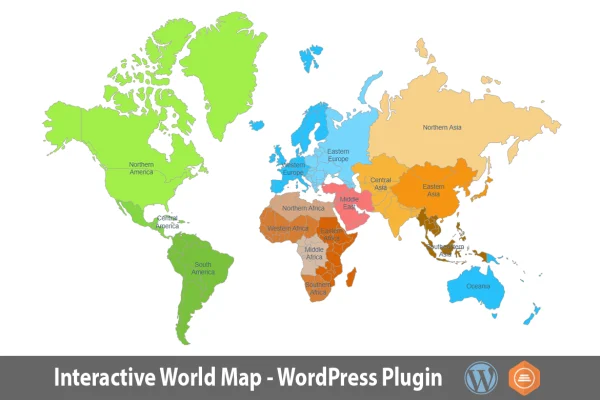
World Map is a WordPress plugin by Art101 that adds an interactive, clickable world map to your site. You build and style the map in a visual editor, then place it on pages or posts with a shortcode, with no coding needed.
- Version
- 1.4
- Released
- May 2, 2023
- Type
- WordPress plugin
- Licence
- GPL
- Included in
- Every plan, or $3.99 on its own
What’s new in World Map 1.4
Version 1.4 · May 2, 2023
Latest
What it does
Static map images can't do much beyond sit on the page. This plugin replaces them with a map visitors can interact with. You can set colors, define regions and turn areas into clickable spots that show extra information or link to other pages. That makes it handy for pointing out international offices, marking travel destinations, presenting data by country or building simple map-based navigation.
Maps are created in a drag-and-drop visual editor and managed from a dashboard that keeps the settings in one place. The map is drawn on an SVG canvas, so it stays sharp at any size, and it is built to display and work properly on desktops, tablets and phones. Once a map is ready, a shortcode lets you embed it on as many pages or posts as you like, and it can be used alongside page builders such as Elementor.
Best for
- Travel blogs marking destinations on a world map
- Business directories and companies with international offices
- Educational sites presenting country-based information
Features
Drag and drop visual editor
Create and customize your world map in a visual editor with drag-and-drop controls, so you can design maps without writing any code.
Clickable regions
Make areas of the map clickable so they show additional information or link visitors to other pages on your site.
Custom colors and regions
Adjust colors and set up regions to highlight the locations that matter to your content, such as offices or destinations.
SVG graphic canvas
The map uses scalable vector graphics, so lines and shapes stay crisp at any size or screen resolution.
Responsive on all devices
Maps are built to display and work properly on desktops, tablets and smartphones, so mobile visitors get a usable map too.
Shortcode embedding
Insert a map into any number of pages or posts with a simple shortcode, which makes reusing the same map across your site easy.
Organized settings dashboard
Manage all of your map settings from a clean dashboard laid out for quick navigation between options.
Works with Elementor
The plugin is compatible with page builders such as Elementor, so you can place maps within layouts you already design there.
Questions about World Map
Do I need coding skills to build a map?
No. Maps are created in a drag-and-drop visual editor and managed from a dashboard, so you can set colors, regions and clickable areas without touching code.
Can visitors click on countries or regions?
Yes. You can make areas of the map clickable so they display additional information or act as links to other pages, which works well for navigation or highlighting specific locations.
Will the map look right on phones and tablets?
The map is responsive and mobile friendly, built to display and function across desktops, tablets and smartphones. Because it is drawn with SVG graphics, it also stays sharp at any size.
Can I use the same map on several pages?
Yes. Each map can be embedded with a shortcode, and you can place that shortcode in any number of pages or posts. It can also be used with page builders like Elementor.
Is World Map free?
The code of World Map is licensed under the GPL, so anyone may use, change and share it. GPL Feast is a paid service: a plan or a single purchase gives you the download and automatic updates. The developer's own support, licence key and online services are not included.
Which version of World Map is this?
Version 1.4, released May 2, 2023. New versions appear here when the developer publishes them, and members get them as automatic updates.
How do I update World Map?
Install the free GPL Feast Updater on your site and connect it with your API key. It installs new versions of World Map automatically and keeps a backup, so you can roll back.
You might also like






