
Plugin
Updated
WP Activity Log
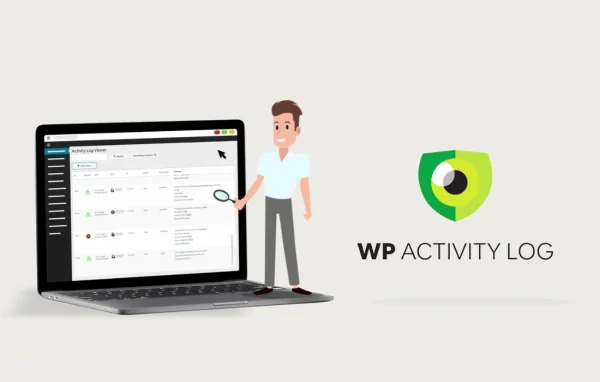
WP Activity Log by MelaPress is a WordPress plugin that keeps an audit trail of what happens on your site. It records user logins, profile and password changes, content edits, plugin activations and role changes, so you can see who did what and when.
- Version
- 5.6.7
- Released
- Sep 22, 2026
- Type
- WordPress plugin
- Requires
- Social Warfare
- Licence
- GPL
- Included in
- Every plan, or $5.59 a year on its own
- Topics
- Security Plugins
What’s new in WP Activity Log 5.6.7
Version 5.6.7 · Sep 22, 2026
Latest
- SecuritySecurity fix: Fixed an Administrator SQL Injection responsibly reported by Ananda Dhakal.
- ImprovedFunctionality & plugin improvements: Updated the External DB mirroring screen to use the plugin’s existing Select2 4.0.13 library instead of the legacy version.
- ImprovedFunctionality & plugin improvements: Improved multisite access checks for event details, the activity log viewer, and the Latest Events widget to respect site-level viewing permissions.
- ImprovedFunctionality & plugin improvements: Improved search input handling in post-title and post-ID searches in plugin settings and Select2 fields.
- ImprovedFunctionality & plugin improvements: Event 2008 (permanent post deletion) now identifies System as the actor and displays the server’s IP address for deletions triggered by WordPress cron, scheduled trash cleanup, or WP-CLI.
- FixedBug fixes: Fixed user session policies for individual roles requiring the global session policies setting to be enabled.
- FixedBug fixes: Fixed a banner styling conflict with Ultimate WordPress Auction Plugin that affected the activity log layout.
- FixedBug fixes: Fixed missing refund amounts in WooCommerce order refund event 9041.
What it does
When something changes on a WordPress site and nobody remembers doing it, tracking down the cause can take hours. This plugin solves that by logging events as they happen. Each entry shows the activity and the user behind it, and system actions such as scheduled cleanups or WP-CLI tasks are labeled with the server's IP address. That record helps you spot suspicious behavior, answer questions during troubleshooting and keep a history for compliance audits.
Logs are searchable and can be filtered, so you can find a specific event without scrolling through everything. You can set up email alerts for critical changes, focus monitoring on particular user roles and schedule reports for clients or colleagues. It also works across WordPress multisite networks with site-level viewing permissions, and it offers sensitive data masking and secure log storage options to support GDPR compliance.
Best for
- Administrators who need a record of who changed what
- Agencies managing client sites with several users
- Multisite networks needing central activity monitoring
Features
User activity tracking
Records logins, login attempts, profile updates, password changes, content edits, plugin activations and user role changes, along with the user responsible for each one.
Email alerts
Sends notifications when suspicious events or critical changes occur, so administrators hear about important activity without checking the log constantly.
Searchable audit logs
Lets you search and filter the activity log to find specific events quickly, which helps with troubleshooting and compliance audits.
Role-based monitoring
Tailors tracking and alerts to specific user roles, so sensitive areas get close attention while routine activity stays out of the way.
Scheduled reports
Generates detailed activity reports on demand or on a schedule, useful for keeping stakeholders informed or maintaining records over time.
Multisite network support
Monitors activity across a WordPress multisite network from one place, with access checks that respect site-level viewing permissions.
Data masking for privacy
Supports GDPR compliance through sensitive data masking and secure log storage options for the information the plugin records.
WooCommerce event logging
Captures store events such as WooCommerce order refunds, including the refund amount, alongside the rest of your site activity.
WP Activity Log older versions
- 5.5.1Sep 26, 2025
- 5.3.3Mar 14, 2025
Members and buyers of this product can download older versions.
Questions about WP Activity Log
What kinds of activity does this plugin record?
It logs user logins and login attempts, profile updates, password changes, content edits, plugin activations and user role changes. It also records system actions, such as permanent post deletions triggered by cron, scheduled trash cleanup or WP-CLI, and WooCommerce order refund events.
Can I get notified when something important happens?
Yes. You can set up real-time alerts and email notifications for suspicious events or critical changes. Alerts can be tailored by user role, so you hear about activity in sensitive areas without being flooded by routine events.
Does WP Activity Log work on a multisite network?
Yes. It supports WordPress multisite networks and allows centralized monitoring across the sites in the network. Access to event details, the activity log viewer and the Latest Events widget respects site-level viewing permissions.
Does it help with GDPR compliance?
It supports GDPR compliance by offering sensitive data masking and secure log storage options. Searchable logs and scheduled reports also make it easier to produce activity records when you need them for audits.
Is WP Activity Log free?
The code of WP Activity Log is licensed under the GPL, so anyone may use, change and share it. GPL Feast is a paid service: a plan or a single purchase gives you the download and automatic updates. The developer's own support, licence key and online services are not included.
Which version of WP Activity Log is this?
Version 5.6.7, released Sep 22, 2026. New versions appear here when the developer publishes them, and members get them as automatic updates.
How do I update WP Activity Log?
Install the free GPL Feast Updater on your site and connect it with your API key. It installs new versions of WP Activity Log automatically and keeps a backup, so you can roll back.
What does WP Activity Log need?
WP Activity Log needs Social Warfare installed and active.
You might also like






