
Plugin
Updated
WP Armour Extended
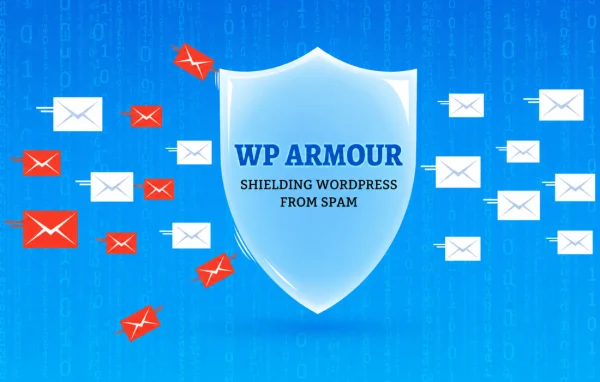
WP Armour Extended is a WordPress plugin that stops spam form submissions without asking visitors to solve a CAPTCHA. It adds invisible honeypot fields to your forms, so automated bots get caught while real people fill out the form as usual.
- Version
- 1.41
- Released
- Jul 23, 2026
- Type
- WordPress plugin
- Requires
- Honeypot
- Licence
- GPL
- Included in
- Every plan, or $5.59 a year on its own
- Topics
- Security Plugins
What’s new in WP Armour Extended 1.41
Version 1.41
Latest
- ImprovedKeyword based spam detection.
What it does
Spam bots tend to find every form on a site, from contact pages to checkout and registration screens. The usual fix is a CAPTCHA, but those puzzles add friction for the people you actually want to hear from. This plugin takes a quieter route. It places hidden fields inside your forms that human visitors never see. Bots, which tend to fill in every field they find, complete those hidden inputs and reveal themselves, and the submission is blocked.
The protection covers popular WordPress contact forms, the WooCommerce checkout, user registration forms and other WordPress forms. You can adjust the honeypot fields and settings to match how your forms work, and keyword based spam detection adds another check on submitted content. A log of blocked attempts lets you see what is being stopped and spot patterns over time. It fits sites that want fewer junk entries while keeping forms short and simple.
Best for
- Business sites receiving spam through contact forms
- WooCommerce stores with bot traffic at checkout
- Sites with open user registration forms
Features
Invisible honeypot fields
Hidden fields are added to your forms. Real visitors never see them, while bots that fill them in are identified and their submissions are blocked.
No CAPTCHA challenges
Visitors are not asked to solve puzzles or pick images, so forms stay clean and quick to complete for genuine users.
Contact form coverage
Works with popular WordPress contact forms, helping keep your inbox clear of automated junk messages sent through your site.
WooCommerce checkout protection
Extends the honeypot check to the WooCommerce checkout, helping filter out bot activity on your store's order form.
Registration form protection
Guards user registration forms against automated sign ups, which helps keep fake accounts out of your user list.
Customizable honeypot settings
Adjust the honeypot fields and protection settings to suit the specific forms and needs of your website.
Keyword based spam detection
Checks submissions for spam keywords, adding a content based filter alongside the hidden field technique.
Spam blocking logs
Review a log of blocked spam attempts to see what is being caught and look for trends over time.
Questions about WP Armour Extended
Will my visitors have to solve a CAPTCHA?
No. The plugin relies on invisible honeypot fields instead of CAPTCHA challenges. Visitors fill out your forms normally and never see the hidden fields, while bots that complete them are blocked.
Which forms does it protect?
It works with popular WordPress contact forms, the WooCommerce checkout and user registration forms, along with other WordPress forms. That lets you cover several entry points for spam with one plugin.
Can I see what spam has been blocked?
Yes. The plugin keeps detailed logs of blocked spam attempts. You can review them to understand what is being caught and watch for trends in the bot activity reaching your forms.
Does it only look at hidden fields?
The honeypot fields are the main method, and the plugin also includes keyword based spam detection that checks submitted content. You can customize the honeypot fields and settings to fit your forms.
Is WP Armour Extended free?
The code of WP Armour Extended is licensed under the GPL, so anyone may use, change and share it. GPL Feast is a paid service: a plan or a single purchase gives you the download and automatic updates. The developer's own support, licence key and online services are not included.
Which version of WP Armour Extended is this?
Version 1.41, released Jul 23, 2026. New versions appear here when the developer publishes them, and members get them as automatic updates.
How do I update WP Armour Extended?
Install the free GPL Feast Updater on your site and connect it with your API key. It installs new versions of WP Armour Extended automatically and keeps a backup, so you can roll back.
What does WP Armour Extended need?
WP Armour Extended needs Honeypot installed and active.
You might also like






