
Plugin
Updated
WP Content Copy Protection, wccp pro
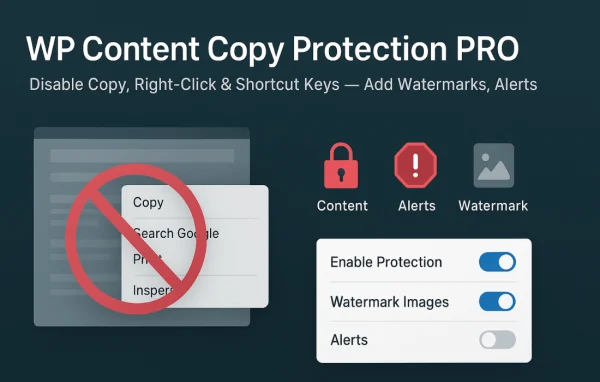
WP Content Copy Protection & No Right Click (PRO) is a WordPress plugin by wpbuy that makes it harder for visitors to copy your text and images. It disables right-click, text selection and common keyboard shortcuts, and it can add watermarks to your images.
- Version
- 17.6
- Released
- Aug 19, 2026
- Developer
- wpbuy
- Type
- WordPress plugin
- Licence
- GPL
- Included in
- Every plan, or $4.79 a year on its own
What’s new in WP Content Copy Protection, wccp pro 17.6
Version 17.6
Latest
- FixedFatal error "Call to undefined function getmypid()" when saving the settings or deactivating the plugin on hosts that block this function (Kinsta, WP Engine and other managed hosts)
- ImprovedThe temporary file name used for the atomic .htaccess write is now generated without relying on any PHP function that hosting providers may disable
What it does
If you publish original articles, photos or designs, it only takes a right-click or a quick CTRL+C for someone to lift them. This plugin puts several barriers in the way. It disables context menus on images, text and links, blocks shortcuts such as CTRL+C, CTRL+V, CTRL+S and CTRL+U, and uses both JavaScript and CSS methods to guard content. There are fallback options for visitors who turn JavaScript off, so protection does not simply vanish when scripts are disabled.
You decide where protection applies. Exclude specific pages, posts, images by name or size, or user roles, including admins. Selective mode lets you protect only certain URLs, and you can allow right-click on links so navigation still feels normal. Images can carry dynamic watermarks, and custom alert messages tell visitors when an action is blocked. Everything is managed from a flat, clean admin panel.
Best for
- Bloggers publishing original written content
- Artists and photographers sharing images online
- Businesses protecting product descriptions and site content
Features
Right-click blocking
Disable the context menu on images, text and links so visitors cannot easily copy or save your content through right-click options.
Keyboard shortcut blocking
Stop common shortcuts including CTRL+C, CTRL+V, CTRL+S and CTRL+U, which are used to copy, paste, save pages or view source code.
Dynamic image watermarks
Add customizable watermarks to your images on the fly, so your branding stays on visual content even if someone accesses it elsewhere.
Flexible exclusions
Exclude chosen pages, posts, images by name or size, or specific user roles such as admins from the copy protection rules.
Selective protection mode
Apply protection only to certain URLs or pages instead of the whole site, so you can lock down just the content that matters to you.
Link right-click control
Optionally keep right-click working on hyperlinks so visitors can open links normally while the rest of the page stays protected.
Custom alert messages
Show your own popup warnings or notifications when a visitor tries a blocked action, so they know the content is protected.
JavaScript-disabled fallback
Fallback options keep content protection in place for visitors who have turned off JavaScript in their browser settings.
WP Content Copy Protection, wccp pro older versions
- 17.5Aug 113 fixes
- 17.4Jun 171 improvement, 1 fix
- 17.0Jan 181 fix
- 16.9Oct 10, 2025
- 16.8Sep 5, 2025
- 16.7Sep 2, 2025
- 16.6Aug 28, 2025
- 15.3Aug 5, 2024
- 15.2Jul 26, 2024
- 15.1Jul 15, 2024
Members and buyers of this product can download older versions.
14 older versions in all. If you need one that is not listed, ask support.
Questions about WP Content Copy Protection, wccp pro
Can I still copy content when I am logged in as an admin?
Yes, if you set it up that way. The plugin lets you exclude user roles from protection, including administrators, so you and your editors can select and copy text while regular visitors face the restrictions.
Do I have to protect my entire site?
No. Selective protection mode lets you protect only certain URLs or pages, and you can also exclude specific pages, posts and images by name or size. That way protection only runs where you want it.
Will visitors still be able to right-click my menu links?
You can allow that. There is an option to enable right-click on hyperlinks, so people can open links in new tabs and use navigation normally while text and images elsewhere stay protected.
What happens if a visitor disables JavaScript?
The plugin uses CSS methods alongside JavaScript and includes fallback options for browsers with JavaScript turned off, so content protection stays active instead of disappearing when scripts are blocked.
Is WP Content Copy Protection, wccp pro free?
The code of WP Content Copy Protection, wccp pro is licensed under the GPL, so anyone may use, change and share it. GPL Feast is a paid service: a plan or a single purchase gives you the download and automatic updates. The developer's own support, licence key and online services are not included.
Which version of WP Content Copy Protection, wccp pro is this?
Version 17.6, released Aug 19, 2026. New versions appear here when the developer publishes them, and members get them as automatic updates.
How do I update WP Content Copy Protection, wccp pro?
Install the free GPL Feast Updater on your site and connect it with your API key. It installs new versions of WP Content Copy Protection, wccp pro automatically and keeps a backup, so you can roll back.
You might also like






