
Plugin
Updated
WP Data Access Premium
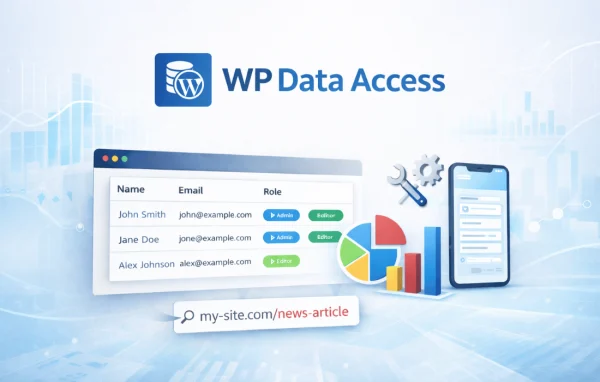
WP Data Access Premium by Passionate Programmers is a WordPress plugin for working with your site's database from the dashboard. It lets you browse, edit, filter and sort tables, build SQL queries, and move data in and out with CSV import and export.
- Version
- 5.5.74
- Released
- May 23, 2026
- Developer
- Passionate Programmers
- Type
- WordPress plugin
- Licence
- GPL
- Included in
- Every plan, or $3.99 a year on its own
What’s new in WP Data Access Premium 5.5.74
Version 5.5.74
Latest
- FixedExpand column filters on startup not available for POPUPs
- FixedMust manually enable "show column filters in compact mode" for POPUPs
- FixedBorder between column filters on left to fat
What it does
Managing a WordPress database usually means leaving the dashboard for a separate tool, signing in to the server, or handling FTP. That adds steps and makes mistakes more likely, especially for site owners who are not comfortable with SQL. This plugin brings table management into the admin area, so you can browse records, change values and organize tables in the same place you manage the rest of your site.
For day-to-day work you can apply column filters and sorting to find records in large tables, and set up custom columns to read the data more easily. When you need something more specific, the query builder helps you create and run SQL queries, and developers can save queries and review log records. Role-based permissions control who can view or change tables, and scheduled backups and CSV import and export cover data transfers and migration. It suits content-heavy sites, online stores and data-driven projects.
Best for
- Developers who need database access inside WordPress
- Site owners managing content-heavy or data-driven websites
- Online stores that import, export or edit large tables
Features
Table browsing and editing
Browse, edit and organize your WordPress database tables from the dashboard, without needing a separate database tool or FTP access.
Filtering and sorting
Apply custom column filters and sorting options to locate specific records and work through large datasets from a single table view.
SQL query builder
Create and run SQL queries to pull exactly the data you need, with tools aimed at users who do not write SQL by hand.
CSV import and export
Import data from CSV files or export database tables for backups, migrations or sharing data with other people and systems.
Role-based access control
Assign permissions so only authorized users can view or modify database tables, which helps protect the integrity of your data.
Customizable table columns
Display data in tables with columns you can adjust, so you can read and compare information without exporting it elsewhere.
Scheduled table backups
Set up automatic, regular backups of selected database tables to reduce the risk of losing data or dealing with corruption.
Query saving and logs
Developers can save queries for reuse and check detailed log records, which helps during development work and debugging.
WP Data Access Premium older versions
- 5.5.71Apr 289 new, 2 improvements, 11 fixes
- 5.5.69Mar 96 new, 13 fixes
- 5.5.68Feb 131 fix
- 5.5.65Jan 28
- 5.5.64Jan 11
Members and buyers of this product can download older versions.
Questions about WP Data Access Premium
Do I need to know SQL to use this plugin?
No. You can browse, edit, filter and sort tables through the dashboard interface. The query builder is there for more specific data retrieval, and it is designed so you can create queries without writing code yourself.
Can I control which users can see or change database tables?
Yes. The plugin includes role-based access control, so you can assign permissions and limit viewing or editing of database tables to authorized users only.
Can I move data in and out of my database with it?
Yes. You can import data from CSV files and export database tables, which is useful for backups, site migrations and sharing data. Scheduled backups of selected tables are also available.
Does it work on mobile devices?
The dashboard interface is responsive, so you can view and manage your table data from phones and tablets as well as desktop screens.
Is WP Data Access Premium free?
The code of WP Data Access Premium is licensed under the GPL, so anyone may use, change and share it. GPL Feast is a paid service: a plan or a single purchase gives you the download and automatic updates. The developer's own support, licence key and online services are not included.
Which version of WP Data Access Premium is this?
Version 5.5.74, released May 23, 2026. New versions appear here when the developer publishes them, and members get them as automatic updates.
How do I update WP Data Access Premium?
Install the free GPL Feast Updater on your site and connect it with your API key. It installs new versions of WP Data Access Premium automatically and keeps a backup, so you can roll back.
You might also like






