
Plugin
Updated
WP Mega Intro for WordPress
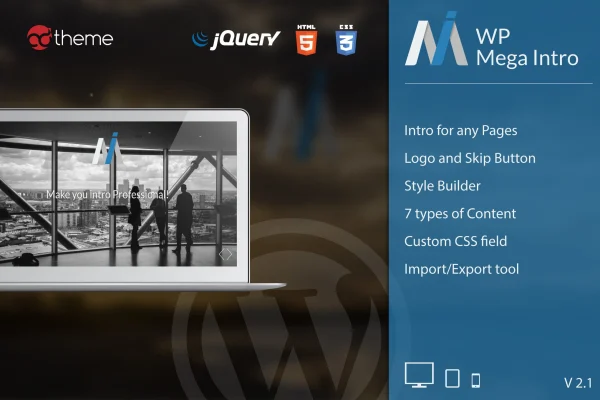
WP Mega Intro for WordPress is a plugin that adds an introduction page visitors see before your main content. You can build intros from video, an audio slider, images or custom HTML, then control where visitors go next and how the page looks, all without writing code.
- Version
- 3.0
- Released
- Dec 14, 2022
- Type
- WordPress plugin
- Licence
- GPL
- Included in
- Every plan, or $3.99 on its own
What’s new in WP Mega Intro for WordPress 3.0
Version 3.0 · Dec 14, 2022
Latest
- ImprovedAdded compatiblity with WP 6.x
- ImprovedAdded compatiblity with Gutenberg
What it does
Some sites want a welcome moment before the main content appears, such as a brand video, a short audio piece or a logo on a styled background. Building that by hand usually means custom templates and redirect code. This plugin handles it from the WordPress admin. You pick an intro type, add your media from YouTube, Vimeo or your local media library, and decide whether the intro shows on the homepage or on specific pages and posts.
Once the intro is set up, you choose what happens after it. Visitors can be redirected automatically when the intro finishes, sent to a custom URL, or allowed to skip at any time with a button you can style and position. Logo uploads, background and typography settings help the page match the rest of your site. The layout is responsive and retina ready, and an import and export tool lets you move intro settings between sites or keep them as a backup.
Best for
- Brands that want a video or logo welcome page
- Agencies building branded intro screens for client sites
- Musicians or creatives introducing a site with audio or images
Features
Several intro types
Build intros from YouTube, Vimeo or local video, an audio slider, images or custom HTML, depending on the mood or message you want.
Auto redirect after intro
Send visitors straight to your main content once the intro finishes, so nobody is left waiting on the intro page.
Custom URL destination
Point visitors to any URL you choose after the intro, such as a landing page, a product page or a specific post.
Per page enable or disable
Turn intros on or off for the homepage or for individual pages and posts, so they appear only where you want them.
Skip intro button
Let visitors skip the intro whenever they like, with control over the button's appearance and where it sits on the page.
Logo upload and placement
Add your brand logo to the intro page and adjust its background and position to keep the page on brand.
Styling controls
Change the page background and typography so the intro fits the colors and fonts used across the rest of your site.
Import and export settings
Save your intro configuration and move it to another site or keep it as a backup for later use.
Questions about WP Mega Intro for WordPress
Can I use YouTube or Vimeo videos for the intro?
Yes. Video intros can pull from YouTube, Vimeo or files in your WordPress media library. You can also choose an audio slider, image based intro or custom HTML if video is not the right fit.
Will every visitor be forced to watch the whole intro?
No. You can add a skip intro button so visitors can leave at any time, and you can style and position that button. You can also set an automatic redirect when the intro ends.
Can I show the intro on only certain pages?
Yes. Intros can be enabled or disabled for the homepage or for any specific page or post, so you decide exactly where the intro appears on your site.
Does the intro page work on phones?
The intro pages are responsive and retina ready, so they adjust to screens from desktops to smartphones and display images clearly on high resolution displays.
Is WP Mega Intro for WordPress free?
The code of WP Mega Intro for WordPress is licensed under the GPL, so anyone may use, change and share it. GPL Feast is a paid service: a plan or a single purchase gives you the download and automatic updates. The developer's own support, licence key and online services are not included.
Which version of WP Mega Intro for WordPress is this?
Version 3.0, released Dec 14, 2022. New versions appear here when the developer publishes them, and members get them as automatic updates.
How do I update WP Mega Intro for WordPress?
Install the free GPL Feast Updater on your site and connect it with your API key. It installs new versions of WP Mega Intro for WordPress automatically and keeps a backup, so you can roll back.
You might also like






