
Plugin
Updated
WP Post Modules for Elementor
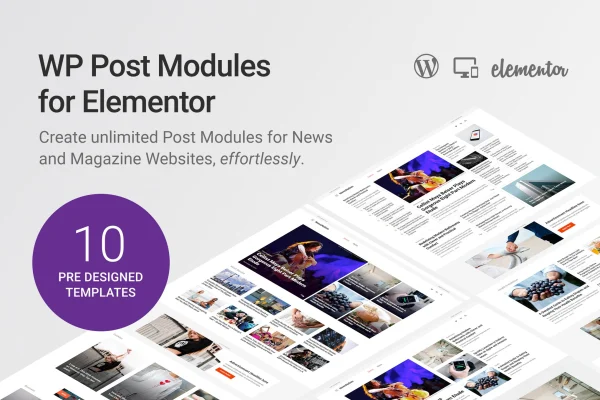
This is an Elementor addon plugin for displaying blog posts in custom layouts. It gives you post modules in grid, list, tile and multi-column styles, plus ready-made homepage layouts for magazines, blogs and news sites, all styled through the Elementor drag and drop editor.
- Version
- 2.7.0
- Released
- Jan 6, 2026
- Type
- WordPress plugin
- Requires
- Elementor
- Licence
- GPL
- Included in
- Every plan, or $3.99 on its own
What’s new in WP Post Modules for Elementor 2.7.0
Version 2.7.0
Latest
- ImprovedUpdated Fontawesome free icons to v7.1.0
- ImprovedElementor tested upto 3.34.0
- ImprovedEnsured compatibility upto WordPress 6.9 and php 8.3.28
What it does
Magazine, newspaper and blog homepages need many post sections: featured stories, category lists, recent posts and more. Building these by hand or with code takes time. WP Post Modules for Elementor handles this inside Elementor, so you add a post module to a page, pick a display style and adjust the look without writing code. It requires Elementor, and it suits content-heavy sites as well as creative portfolios that display work as posts.
You can start from one of 10 pre-built homepage layouts, supplied as Elementor JSON templates for magazine, blog and news sites, or build your own sections from scratch. Each module offers styling sub-options: column counts, gutter spacing, the split ratio between thumbnail and text, circular list thumbnails, border choices and content overlays on custom backgrounds. Layouts are responsive and retina ready, so post sections adapt to different screen sizes and high-resolution displays.
Best for
- Online magazines and newspaper-style websites
- Bloggers building custom homepages in Elementor
- Designers creating creative portfolio sites
Features
Multiple display styles
Choose from grid, list, tile and multi-column layouts, each with styling sub-options, to build post modules that match the section you are designing.
Ten pre-built homepage layouts
Import ready-made Elementor JSON templates designed for magazines, blogs and news websites, then adjust them to fit your own content and branding.
Columns and custom gutters
Set up layouts with multiple columns and control the spacing between them to keep post sections aligned and easy to read.
Thumbnail and content split ratio
Adjust the width ratio between a post's image and its text so you can give more room to visuals or to headlines and excerpts.
Circular list thumbnails
Display list-style posts with rounded thumbnail images instead of standard square or rectangular ones for a softer look.
Border options
Pick full, half or no borders around post content so the modules match the rest of your site's design.
Overlay content on backgrounds
Layer post content over custom backgrounds to create featured sections where text sits on top of imagery or color.
Responsive and retina ready
Post modules adapt to different screen sizes and display cleanly on high-resolution devices, from phones to large desktop monitors.
WP Post Modules for Elementor older versions
- 2.4.0Nov 15, 20234 improvements, 1 removal
- 2.3.0Oct 17, 20231 new, 3 improvements
- 2.2.1May 18, 20232 improvements, 1 fix
Members and buyers of this product can download older versions.
Questions about WP Post Modules for Elementor
Do I need Elementor to use this plugin?
Yes. The plugin is an Elementor addon and requires Elementor to be active. Post modules are added and styled inside the Elementor editor using its drag and drop interface.
Can I start from a ready-made homepage design?
Yes. It includes 10 pre-built homepage layouts provided as Elementor JSON templates. They are aimed at magazine, blog and news websites, and you can customize them after importing.
What layout styles are available for posts?
You can display posts in grid, list, tile and multi-column layouts. Each style has sub-options, and you can also set columns, gutters, thumbnail to text ratio, borders, circular thumbnails and overlays.
Will my post layouts work on mobile devices?
The modules are responsive and retina ready, so they adapt to different screen sizes and display clearly on high-resolution screens.
Is WP Post Modules for Elementor free?
The code of WP Post Modules for Elementor is licensed under the GPL, so anyone may use, change and share it. GPL Feast is a paid service: a plan or a single purchase gives you the download and automatic updates. The developer's own support, licence key and online services are not included.
Which version of WP Post Modules for Elementor is this?
Version 2.7.0, released Jan 6, 2026. New versions appear here when the developer publishes them, and members get them as automatic updates.
How do I update WP Post Modules for Elementor?
Install the free GPL Feast Updater on your site and connect it with your API key. It installs new versions of WP Post Modules for Elementor automatically and keeps a backup, so you can roll back.
What does WP Post Modules for Elementor need?
WP Post Modules for Elementor needs Elementor installed and active.
You might also like






