
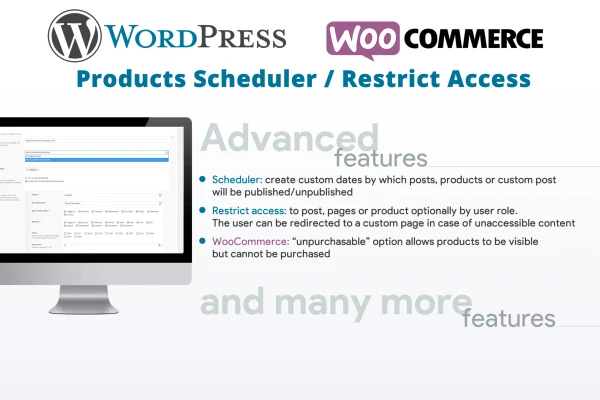
Plugin
Updated
WP Posts & WC Products Restrict Access / Scheduler
WP Posts & WC Products Restrict Access / Scheduler is a WordPress plugin that controls when content appears and who can see it. You set date and time windows for posts, pages, custom post types and WooCommerce products, and you limit access by user role.
- Version
- 5.6
- Released
- Aug 25, 2026
- Type
- WordPress plugin
- Requires
- WooCommerce
- Licence
- GPL
- Included in
- Every plan, or $3.99 on its own
What’s new in WP Posts & WC Products Restrict Access / Scheduler 5.6
Version 5.6
Latest
- ImprovedInternal libraries update.
What it does
Running a site often means content has a shelf life. A seasonal product should go live on a set day and vanish later, and some pages should only be seen by certain members. Doing this by hand means remembering to log in and change settings at the right moment. This plugin automates that work by publishing or unpublishing items inside the date and time windows you choose, and by checking user roles before showing restricted content.
Rules are managed from a dedicated scheduler menu in the WordPress admin. It works with native WordPress post types, bbPress posts, third-party custom post types and WooCommerce products, so WooCommerce is required for the store features. For shops, a product can stay visible while being impossible to add to the cart, which helps with upcoming launches or items you want people to see before they can buy. Visitors who are denied access can be sent to a custom page you pick.
Best for
- WooCommerce stores running timed product launches or seasonal items
- Membership sites restricting content by user role
- Publishers scheduling posts and pages to expire
Features
Date and time scheduling
Automatically publish or unpublish posts, pages, custom post types and WooCommerce products within the exact date and time windows you set.
Role-based access restriction
Limit who can view specific content or products according to their user role, which suits member areas and audience-specific pages.
Unpurchasable product mode
Keep a WooCommerce product visible on the store while preventing it from being added to the cart, useful for upcoming launches or out-of-stock items.
Redirects for restricted content
Send visitors to a custom page of your choice when they try to open content they are not allowed to see.
Wide post type coverage
Apply rules to all native WordPress post types, bbPress posts and custom post types created by third-party plugins.
Dedicated scheduler menu
Set up and manage all your visibility and access rules from a scheduling screen placed directly in the WordPress admin menu.
Questions about WP Posts & WC Products Restrict Access / Scheduler
Can I make a product disappear from my shop on a certain date?
Yes. You can set a date and time window for a WooCommerce product so it is published at the start and unpublished at the end. The same scheduling works for posts, pages and custom post types.
Can customers see a product without being able to buy it?
Yes. The unpurchasable product mode keeps a WooCommerce product visible while blocking it from being added to the cart. This is handy for teasing an upcoming release or displaying items that are currently out of stock.
What happens when someone without the right role visits restricted content?
Access is denied based on the user roles you choose, and you can redirect those visitors to a custom page. That page could explain how to gain access or point them to related content.
Does it work with forums and custom post types?
It supports all native WordPress post types, bbPress posts and third-party custom post types, so you can schedule or restrict forum content and items created by other plugins alongside regular posts and products.
Is WP Posts & WC Products Restrict Access / Scheduler free?
The code of WP Posts & WC Products Restrict Access / Scheduler is licensed under the GPL, so anyone may use, change and share it. GPL Feast is a paid service: a plan or a single purchase gives you the download and automatic updates. The developer's own support, licence key and online services are not included.
Which version of WP Posts & WC Products Restrict Access / Scheduler is this?
Version 5.6, released Aug 25, 2026. New versions appear here when the developer publishes them, and members get them as automatic updates.
How do I update WP Posts & WC Products Restrict Access / Scheduler?
Install the free GPL Feast Updater on your site and connect it with your API key. It installs new versions of WP Posts & WC Products Restrict Access / Scheduler automatically and keeps a backup, so you can roll back.
What does WP Posts & WC Products Restrict Access / Scheduler need?
WP Posts & WC Products Restrict Access / Scheduler needs WooCommerce installed and active.
You might also like






