
Plugin
Updated
WPForms Offline Forms
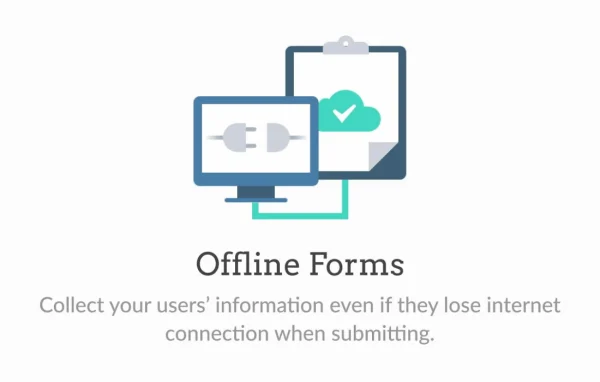
WPForms Offline Forms is an addon for the WPForms form builder, made by WPForms. It saves what people type into a form directly in their browser when the internet connection drops. Once they are back online, they can restore their entries and finish submitting.
- Version
- 1.5.0
- Released
- Aug 18, 2026
- Developer
- WPForms
- Type
- WordPress plugin
- Licence
- GPL
- Included in
- Every plan, or $5.59 a year on its own
What’s new in WPForms Offline Forms 1.5.0
Version 1.5.0 · Aug 18, 2026
Latest
- NewSupport for the Ranking field.
- FixedA Phone field set to the Smart format was not restored with its previously entered value when using the Offline Forms restore feature.
What it does
Forms are easy to lose when a connection is weak. Someone filling out a long survey on patchy Wi-Fi can hit submit, see an error and lose everything they typed. This addon keeps a copy of their progress in the browser as they go. If the connection fails, the data stays put, and when the person reconnects they can bring it back with one click and send the form without starting over.
The stored data also survives closing the tab or the browser, so people can return later and pick up where they left off. That makes it a good fit for field work such as inspections, audits and checklists, and for on-site events where the Wi-Fi is unreliable. You build the forms in the WPForms drag and drop builder as usual, and the addon works alongside features like multi-page forms, conditional logic and the Form Abandonment addon.
Best for
- Teams running field inspections, audits and checklists
- Event organizers collecting registrations on unstable Wi-Fi
- Sites running long surveys for visitors on spotty connections
Features
Automatic offline saving
When the internet connection drops, the user's form progress is stored in their browser right away, so typed answers are kept instead of lost.
One-click data restoration
After the connection returns, users can bring back their saved entries with a single click and complete the submission without retyping anything.
Storage across sessions
Saved form data remains even if the user closes the browser or leaves the tab, letting them come back later and continue where they stopped.
Works in the drag and drop builder
Forms are created and customized in the regular WPForms drag and drop builder, with no coding needed to set up offline-ready forms.
Pairs with Form Abandonment
Use it together with the Form Abandonment addon to recover partial entries from people who start a form but do not finish it.
Multiple email notifications
Set up several email alerts so different team members are notified when a form is submitted, which helps the right people respond quickly.
CSV and XLSX export
Export collected form entries as CSV or XLSX files for analysis, reporting or sharing with others on your team.
Broad field support
Restored entries cover fields such as the Ranking field and Phone fields set to the Smart format, keeping previously entered values intact.
WPForms Offline Forms older versions
- 1.4.0Apr 301 improvement, 1 security fix
- 1.3.0Aug 2, 20241 improvement, 1 fix, 2 security fixes
- 1.2.4Jul 4, 20231 improvement, 1 fix
- 1.2.3Apr 18, 2023
Members and buyers of this product can download older versions.
Questions about WPForms Offline Forms
Do I need WPForms to use this addon?
Yes. It is an addon for the WPForms form builder and works inside it. You build your forms in the WPForms drag and drop builder, and the addon adds the ability to save and restore entries when the connection drops.
What happens if someone closes their browser before submitting?
Their form data stays stored in the browser even after closing the tab or the browser. When they return to the form, they can restore what they entered and continue from where they left off, then submit once they are online.
Can my team use it for inspections in places with no signal?
That is one of its main uses. Field teams can fill out checklists, audits, inspections and surveys in areas without internet access. Entries are saved in the browser and can be restored and submitted once a connection is available again.
Does it work with multi-page forms and conditional logic?
Yes. You can combine offline saving with WPForms multi-page forms and conditional logic, and you can also pair it with the Form Abandonment addon to recover partial entries from visitors who leave a form unfinished.
Is WPForms Offline Forms free?
The code of WPForms Offline Forms is licensed under the GPL, so anyone may use, change and share it. GPL Feast is a paid service: a plan or a single purchase gives you the download and automatic updates. The developer's own support, licence key and online services are not included.
Which version of WPForms Offline Forms is this?
Version 1.5.0, released Aug 18, 2026. New versions appear here when the developer publishes them, and members get them as automatic updates.
How do I update WPForms Offline Forms?
Install the free GPL Feast Updater on your site and connect it with your API key. It installs new versions of WPForms Offline Forms automatically and keeps a backup, so you can roll back.
More from WPForms






