
Plugin
Updated
WPHobby WooCommerce Product Filter
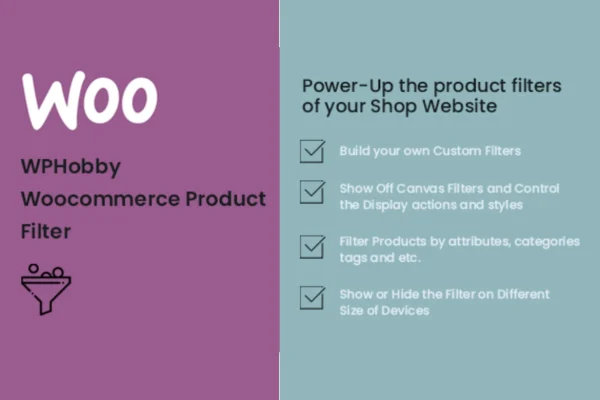
WPHobby WooCommerce Product Filter is a WordPress plugin that adds product filtering to WooCommerce stores. Shoppers can narrow the catalog by categories, attributes, tags, taxonomies and price, and results update with AJAX so the page does not fully reload.
- Version
- 1.0.1
- Released
- Jul 21, 2019
- Type
- WordPress plugin
- Requires
- WooCommerce
- Licence
- GPL
- Included in
- Every plan, or $3.99 on its own
What’s new in WPHobby WooCommerce Product Filter 1.0.1
Version 1.0.1 · Jul 21, 2019
Latest
- NewAdd "Help & Guide" New Sub Page.
- NewAdd "Change Log" New Sub Page.
- NewAdd "How-to Videos" Section.
- NewAdd "Online Documentation" Section.
- NewAdd "Premium E-mail Support" Section.
What it does
A store with a growing catalog gets hard to browse. Category pages turn into long lists, and shoppers looking for a specific size, color or price range have to scroll and guess. This plugin gives them filter controls so they can cut the list down to the products that match what they want. It works with WooCommerce, which it requires, and draws on the categories, attributes, tags and taxonomies you already use to organize your products.
Filters are placed with built-in widgets, and you can add multiple filter instances in different parts of your site, such as a shop sidebar or a category page area. You can adjust the layout and behavior of each filter to suit your store design. Filtering runs through AJAX, so results refresh in place. Variable products are supported, which helps when your items come in several options, and the filters are responsive for use on phones and tablets.
Best for
- WooCommerce stores with large or growing product catalogs
- Shops selling variable products like clothing or footwear
- Freelancers and agencies building WooCommerce sites for clients
Features
Filter by many criteria
Shoppers can filter products by categories, attributes, tags, custom taxonomies and price ranges, combining them to narrow results to what they need.
Built-in filter widgets
Add filter widgets to different areas of your site, and place more than one filter instance where it makes sense for your store layout.
AJAX filtering
Product results update in place as shoppers pick filter options, without a full page reload between each change.
Customizable filter layouts
Adjust how filters look and behave so they fit your store's branding and the rest of your interface.
Variable product support
Filtering works with products that have variations, so shoppers can find items available in the options they are looking for.
Clean filtered URLs
Filtered pages keep clean URLs, giving filtered views a tidy address structure that can be indexed.
Responsive filter controls
Filters are built to work on desktops, tablets and phones, giving shoppers the same filtering options on any screen size.
Questions about WPHobby WooCommerce Product Filter
Does this plugin need WooCommerce?
Yes. It is built for WooCommerce and requires it to be active. The filters work with your WooCommerce product data, including categories, attributes, tags, taxonomies and prices.
Can I put filters in more than one place on my site?
Yes. The plugin includes built-in widgets, and you can add multiple filter instances to different areas of your site. Each one can be set up with its own layout and filter settings.
Will the page reload every time a shopper picks a filter?
No. Filtering is AJAX powered, so the product results refresh in place when a shopper changes a filter option instead of loading a whole new page.
Can shoppers filter by product variations like size or color?
The plugin supports variable products, so shoppers can filter items that have variations. Combined with attribute filters, this helps them find products in the options they want.
Is WPHobby WooCommerce Product Filter free?
The code of WPHobby WooCommerce Product Filter is licensed under the GPL, so anyone may use, change and share it. GPL Feast is a paid service: a plan or a single purchase gives you the download and automatic updates. The developer's own support, licence key and online services are not included.
Which version of WPHobby WooCommerce Product Filter is this?
Version 1.0.1, released Jul 21, 2019. New versions appear here when the developer publishes them, and members get them as automatic updates.
How do I update WPHobby WooCommerce Product Filter?
Install the free GPL Feast Updater on your site and connect it with your API key. It installs new versions of WPHobby WooCommerce Product Filter automatically and keeps a backup, so you can roll back.
What does WPHobby WooCommerce Product Filter need?
WPHobby WooCommerce Product Filter needs WooCommerce installed and active.
You might also like






