
Plugin
Updated
WProduct Estimated Shipping Date
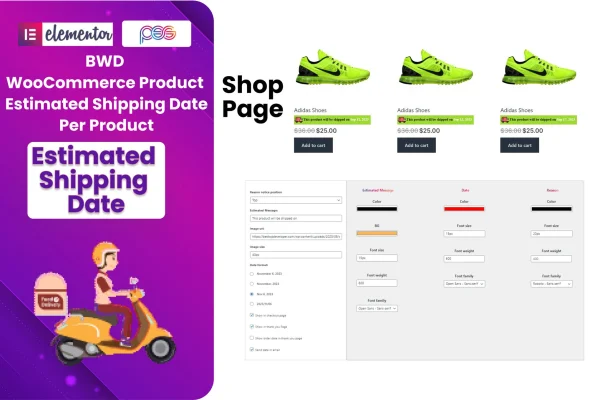
WProduct Estimated Shipping Date is a WordPress plugin for WooCommerce stores. It lets you set an estimated shipping date for each product and shows that date to shoppers on product pages, in the cart, at checkout, on order pages and in order confirmation emails.
- Version
- 1.5
- Released
- Aug 24, 2026
- Type
- WordPress plugin
- Requires
- WooCommerce
- Licence
- GPL
- Included in
- Every plan, or $3.99 on its own
What’s new in WProduct Estimated Shipping Date 1.5
Version 1.5 · Aug 24, 2026
Latest
What it does
Shoppers often want to know when an item will leave the warehouse before they commit to buying it. When that information is missing, they guess, hesitate or send questions after the order is placed. This plugin gives each product its own estimated shipping date, so a customer sees a clear expectation for the specific item they are looking at. It suits stores where shipping times differ from one product to the next.
The estimate follows the customer through the purchase. It appears on the product detail page, then in the cart and at checkout, on order pages and in the order confirmation email, so the message stays consistent. You can add a custom reason message to explain a timeline and attach images to messages. Setup needs no coding, the display is responsive, and the plugin is translation ready with an included POT file. It requires WooCommerce.
Best for
- WooCommerce stores with varying shipping times per product
- Shops selling made-to-order or backordered physical goods
- Store owners wanting clearer shipping info without coding
Features
Shipping date per product
Assign an estimated shipping date to each individual product so shoppers know what to expect for the exact item they plan to buy.
Shown across the order flow
Display the estimate on product detail pages, the cart, checkout, order pages and order confirmation emails for consistent information from start to finish.
Custom reason message
Add your own note explaining a shipping timeline, such as why an item takes longer, so customers understand the date they see.
Image supported messages
Include images in your shipping messages to make the notice easier to spot alongside the rest of the product information.
No coding needed
Configure the plugin through its settings without writing code, which suits store owners who prefer not to edit template files.
Responsive display
The shipping date messages adapt to different screen sizes, so shoppers on phones, tablets and desktops see the information clearly.
Translation ready
An included POT file lets you translate the plugin text into other languages to match the locale of your store.
WProduct Estimated Shipping Date older versions
- 1.0Mar 12, 2024
Members and buyers of this product can download older versions.
Questions about WProduct Estimated Shipping Date
Where will customers see the estimated shipping date?
The estimate can appear on product detail pages, in the cart, at checkout, on order pages and in order confirmation emails. That way shoppers see the same expected date at each step of buying and after they place the order.
Can I set different shipping dates for different products?
Yes. The plugin works on a per-product basis, so each item can carry its own estimated shipping date. This is useful when some products ship quickly and others need extra preparation time.
Can I explain why a product ships later?
You can add a customizable reason message to give customers context about a shipping timeline. Messages can also include images, which helps the note stand out on the page.
Does it work with stores in other languages?
The plugin is translation ready and comes with a POT file, so you can translate its text into your store's language. It also requires WooCommerce to be active on your site.
Is WProduct Estimated Shipping Date free?
The code of WProduct Estimated Shipping Date is licensed under the GPL, so anyone may use, change and share it. GPL Feast is a paid service: a plan or a single purchase gives you the download and automatic updates. The developer's own support, licence key and online services are not included.
Which version of WProduct Estimated Shipping Date is this?
Version 1.5, released Aug 24, 2026. New versions appear here when the developer publishes them, and members get them as automatic updates.
How do I update WProduct Estimated Shipping Date?
Install the free GPL Feast Updater on your site and connect it with your API key. It installs new versions of WProduct Estimated Shipping Date automatically and keeps a backup, so you can roll back.
What does WProduct Estimated Shipping Date need?
WProduct Estimated Shipping Date needs WooCommerce installed and active.
You might also like






