
Plugin
Updated
WPSHAPERE
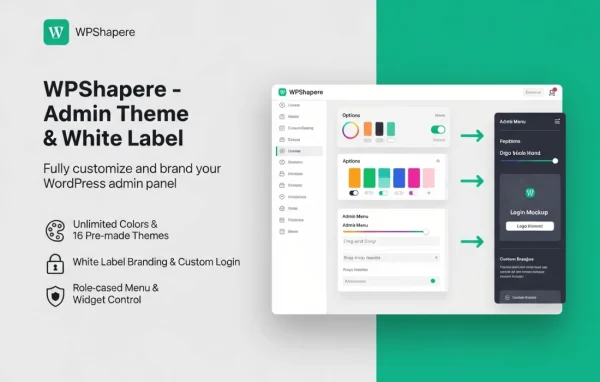
WPSHAPERE is a WordPress plugin by WPSHAPERE that gives the admin dashboard a new look and layout. It lets you change colors, menu styles, dashboard widgets, the login page and branding from settings screens, so the backend can match your brand or a client's.
- Version
- 8.0.3
- Released
- Mar 2, 2026
- Developer
- WPSHAPERE
- Type
- WordPress plugin
- Licence
- GPL
- Included in
- Every plan, or $3.99 on its own
What’s new in WPSHAPERE 8.0.3
Version 8.0.3 · Mar 2, 2026
Latest
What it does
The default WordPress backend looks the same on every site, and it can feel cluttered for clients who only need a few screens. This plugin works as an admin theme. It replaces the standard dashboard styling with a cleaner interface that you control, covering colors, layouts and menu styling. You make these changes through options in the plugin rather than by writing custom CSS or code, which keeps the setup approachable for site owners as well as developers.
Agencies can use the white label options to swap WordPress logos for their own and carry that branding through to a customized login screen. You can hide or adjust dashboard widgets so people see only what matters to them, and role-based controls let you set dashboard visibility per user role. Pre-designed themes and skins give you a quick starting point, and the design is responsive and retina ready for different screens.
Best for
- Agencies delivering branded WordPress sites to clients
- Freelance developers building client dashboards
- Site owners who want a cleaner admin area
Features
Custom dashboard colors and layouts
Adjust the colors and layout of the admin area to create a personalized, branded dashboard without editing code.
Admin menu styling
Restyle the admin menu to make navigation clearer and cut down on the visual clutter of the default WordPress sidebar.
White label branding
Replace WordPress logos with your own branding, which suits agencies that hand finished sites over to clients.
Pre-designed themes and skins
Pick from multiple ready-made themes and skins to change the look of the dashboard quickly, with no coding involved.
Dashboard widget control
Hide or customize admin dashboard widgets so users see the information that matters to them and less of what they do not need.
Login page customization
Style the WordPress login screen so your brand appears from the first moment a user signs in to the site.
Role-based access controls
Set dashboard visibility and permissions per user role, so editors, clients and administrators each get a suitable view.
Responsive and retina ready
The admin design adapts to different devices and screen sizes and is built to look sharp on high-resolution displays.
WPSHAPERE older versions
- 8.0.1Dec 3, 2025
- 8.0.0Aug 18, 2025
- 7.0.8Jul 23, 2024
- 7.0.7May 29, 2024
- 7.0.6Sep 27, 2023
- 7.0.5Sep 14, 2023
- 7.0.4Aug 7, 2023
- 7.0.3May 25, 2023
- 7.0.2May 11, 2023
- 7.0.1May 5, 2023
Members and buyers of this product can download older versions.
12 older versions in all. If you need one that is not listed, ask support.
Questions about WPSHAPERE
Do I need to know CSS or PHP to customize the dashboard?
No. Colors, menu styles, branding elements and the login page are changed through the plugin's options, and the pre-designed themes and skins let you switch the dashboard look without writing any code.
Can I remove the WordPress logo and use my agency's branding?
Yes. The white label branding feature lets you replace WordPress logos with your own, and you can carry the same branding onto a customized login page for a consistent client experience.
Can different user roles see different dashboard content?
Yes. Role-based access controls let you tailor dashboard visibility and permissions per user role, and you can hide or customize dashboard widgets so each type of user sees what is relevant to them.
Will the custom admin look work on tablets and phones?
The plugin's design is responsive and retina ready, so the customized admin area is built to display properly across different devices and screen sizes, including high-resolution screens.
Is WPSHAPERE free?
The code of WPSHAPERE is licensed under the GPL, so anyone may use, change and share it. GPL Feast is a paid service: a plan or a single purchase gives you the download and automatic updates. The developer's own support, licence key and online services are not included.
Which version of WPSHAPERE is this?
Version 8.0.3, released Mar 2, 2026. New versions appear here when the developer publishes them, and members get them as automatic updates.
How do I update WPSHAPERE?
Install the free GPL Feast Updater on your site and connect it with your API key. It installs new versions of WPSHAPERE automatically and keeps a backup, so you can roll back.
You might also like






